©2022 SwellPro All Rights Reserved 30
Attach Mobile Devices
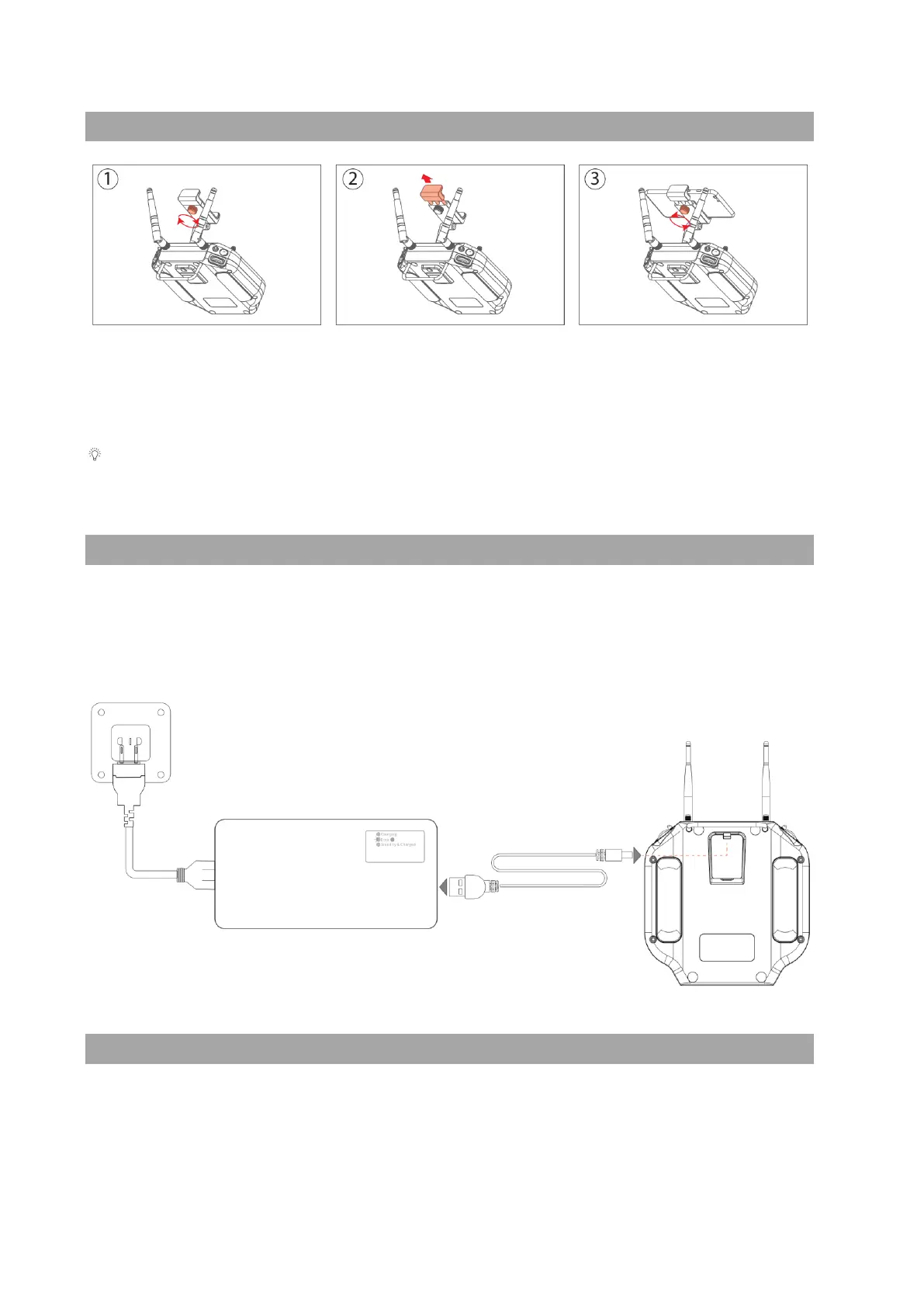
To attach your mobile device to the remote controller:
Release the tightening knob behind the mobile device mount, then slide open the mount
to accommodate your device, retighten the knob to secure your mobile device.
There is a larger mobile device mount specific designed for the use of tablets. Visit
SwellPro website for more information.
Charging the Remote Controller
The remote controller can be charged from the in-the-box charger or a standard 5V USB
adapter. Recommend using 5V/2A USB adapter.
The LED light on the remote controller will turn red while charging. When the remote
controller is fully charged, the LED light will turn green.
Pairing the Remote Controller
About Pairing
The remote controller and the aircraft are paired at the factory before shipping. There is
NO NEED to pair them for your first use. After turning on, the aircraft and the remote



 To Next Page