©2022 SwellPro All Rights Reserved 48
• Long press the Return Home button, the remote controller will beep and vibrate
twice to indicate that the drone starts the RTH process. The flight mode indicator on
the remote controller status bar will change to the letter "R" to indicate the drone is
in the RTH process.
• Return-to-Home can also be initiated on the App.
• The RTH height can be set on the App.
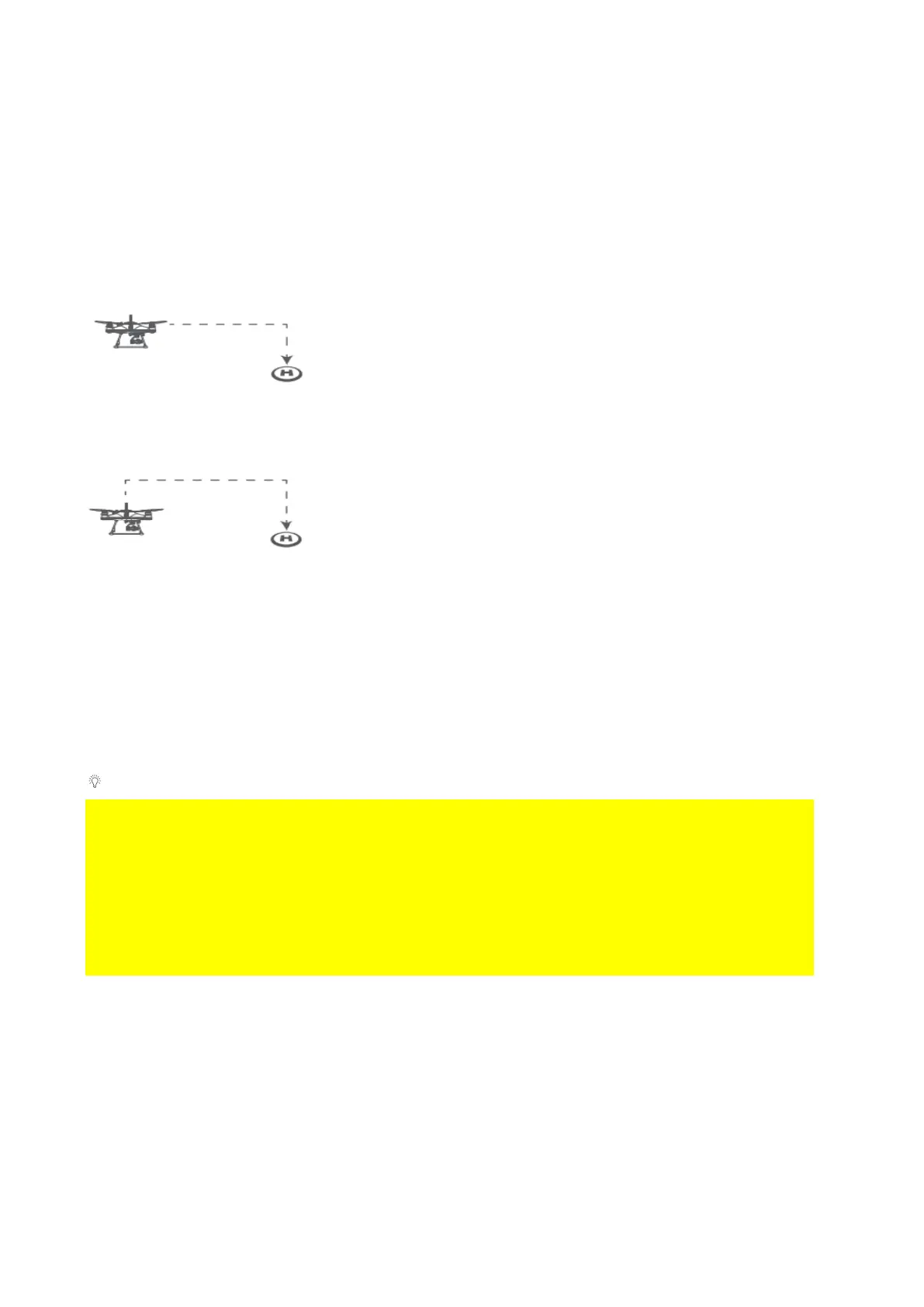
Return Home Process
If the aircraft's height is higher than Return-to-Home
Height, the drone will maintain its height and return to its
home point before landing.
If the aircraft's height is lower than Return-to-Home Height
and distance from Home Point > 15m, the drone will
ascend to Return-to-Home Height and then return to its
Home Point before landing.
During the return home process, the left and right joysticks of the remote controller can
be controlled to avoid obstacles or change the landing location. When you stop
controlling the joysticks, the aircraft will continue the RTH process. During the RTH
process, the Flight Mode toggle is disabled, but the control of attached accessories
such as the gimbal camera or payload release module still functions normally.
Return-to-Home Height can be set on the App.
⚠ If the aircraft's GPS signal is too weak (GPS signal shows 0), the aircraft is not able to
initiate RTH.
⚠ Keep your eyes on the aircraft during the RTH process, watch out for any obstacles
on the flight path.
⚠ If aircraft set to return to remote controller, ensure remote controller has good GPS
signal during the entire RTH process. (The remote controller GPS status icon is not
flashing)
Low Battery Auto Return to Home
Low battery auto Return-to-Home can be turned on or off through the App on your
preference. By default, low battery auto Return-to-Home is on.
Low battery auto Return-to-Home will be available later in 2021.
Low battery auto RTH will initiate when the drone intelligent battery reaches Level 1 low
battery warning.



 To Next Page