©2018 SwellPro All Rights Reserved
23
Description
Remote Control Operation
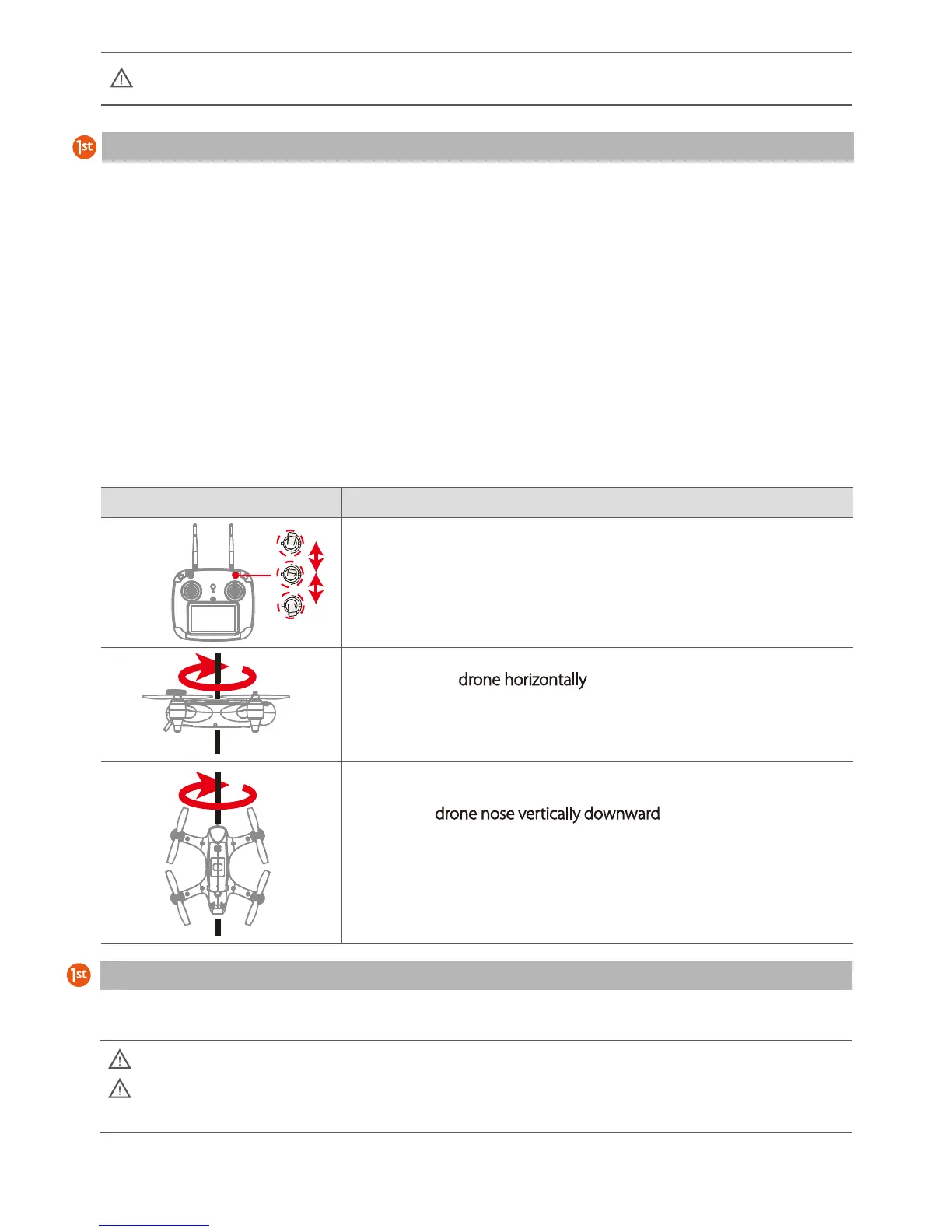
1. Place the drone on a horizontal surface. Power on the remote
controller and the drone. After the drone completes initialization,
rapidly switch the Flight Mode switch backwards and forwards
between the three modes until the drone screen displays
HORIZONTAL CALIBRATION.
3. Hold the drone nose vertically downward
, rotate clockwise until the
screen displays “INITIALIZING” indicating the calibration is finished.
Place the drone on a horizontal surface for 30 seconds, power off and
restart the drone.
2. Holding the drone horizontally
, rotate the drone clockwise until the
green LED lights slow flash and the remote control screen displays
VERTICAL CALIBRATION.
Compass Calibration
Starting / Stopping the Motors
Compass Calibration
Precautions before unlocking the motors:
When doing accelerometer calibration, ensure that the aircraft is placed on a stable, horizontal surface.
Place the drone in an open area at least 3 meters away from you or others.
When the drone is powered on, the drone will do a self-check. When it’s done, there will be a “DI”
sound. Keep the drone stationary during initialization.
Compass calibration is necessary if:
a. The drone is brand new.
b. The drone is more than 100km from the location of its last flight.
c. The compass indication on the Remote Controller screen does not show the correct compass reading
(North = 0°, South = 180°) ±10°
d. The drone has been subjected to strong magnetic fields
e. The drone has been crashed or dropped accidentally
f. The drone sways or drifts excessively during hover in GPS mode
Compass Calibration is performed with the drone outdoors and away from any sources of magnetic interference such as
metal structures, radio masts or mobile phones.













 To Next Page