©2018 SwellPro All Rights Reserved
24
Unlocking (starting) the Motors
DescriptionRemote Control Operation
DescriptionRemote Control Operation
If ATTI mode is selected, there is no need to wait, you can unlock the motors and proceed to takeoff
and fly immediately. We recommend new pilots unlock the motors in GPS mode. The motors can’t be
unlocked in circle mode.
In GPS mode, if the number of satellites is insufficient, the remote control will vibrate when unlocking
the motors, and will display “WARNING NO GPS” and the motors will not unlock.
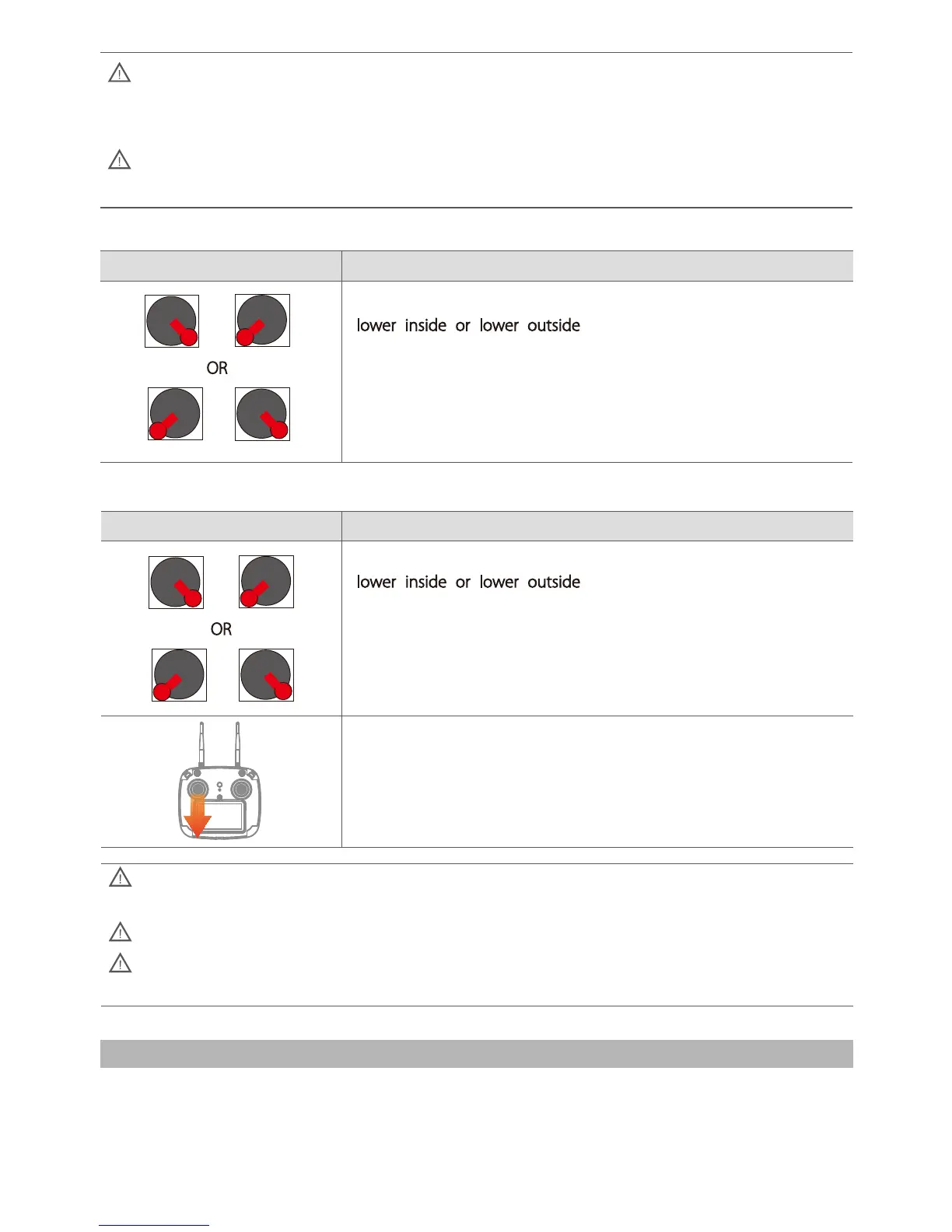
Pull both the left and right joysticks simultaneously towards either the
lower inside or lower outside
points. Maintain this position for 3
seconds to unlock the motors.
Pull both the left and right joysticks simultaneously towards either the
lower inside or lower outside
points. Maintain this position for 3
seconds to lock the motors.
Never lock the motors in flight unless there is an emergency as the
drone will crash to the ground and may injure somebody.
Alternatively, once the drone has landed smoothly, pull the throttle stick
to the lowest position for 5 seconds to stop the motors.
Locking (stopping) the Motors(operate cautiously)
In GPS mode, if the number of satellites is insufficient, the motors will not unlock and the FPV screen
will display a warning message.
Motors cannot be unlocked in Circle mode.
The motors can be unlocked in ATTI mode even if there is no GPS fix and therefore no Home Point
recorded.
OR
OR
1. Check that the drone is correctly assembled, propellers are tight and the main hatch is sealed.
2. Power on the remote control, followed by the drone.
Basic Flight Steps













 To Next Page