©2018 SwellPro All Rights Reserved
19
This section introduces camera parameters and use.
Camera
Camera
APP installation: The SwellCam2 app is available for iOS and Andoid devices. Android systems can download
the APK from either the Android market or our website www.swellpro.com.
To connect the app to the Spry’s camera, power on the drone, then press the WiFi switch on the underside
of the drone. The switch will begin flashing Red-Green. Connect your mobile device to the SwellPro... WiFi
hotspot, the password is 00000000.
Spry's built-in camera can capture 4K videos and 12 megapixel still images. With its inbuilt WiFi function you
can also use a mobile app to change settings and download videos and photos.
The Spry will automatically save longer video files into chapter files of 4GB.
Camera Settings and Use
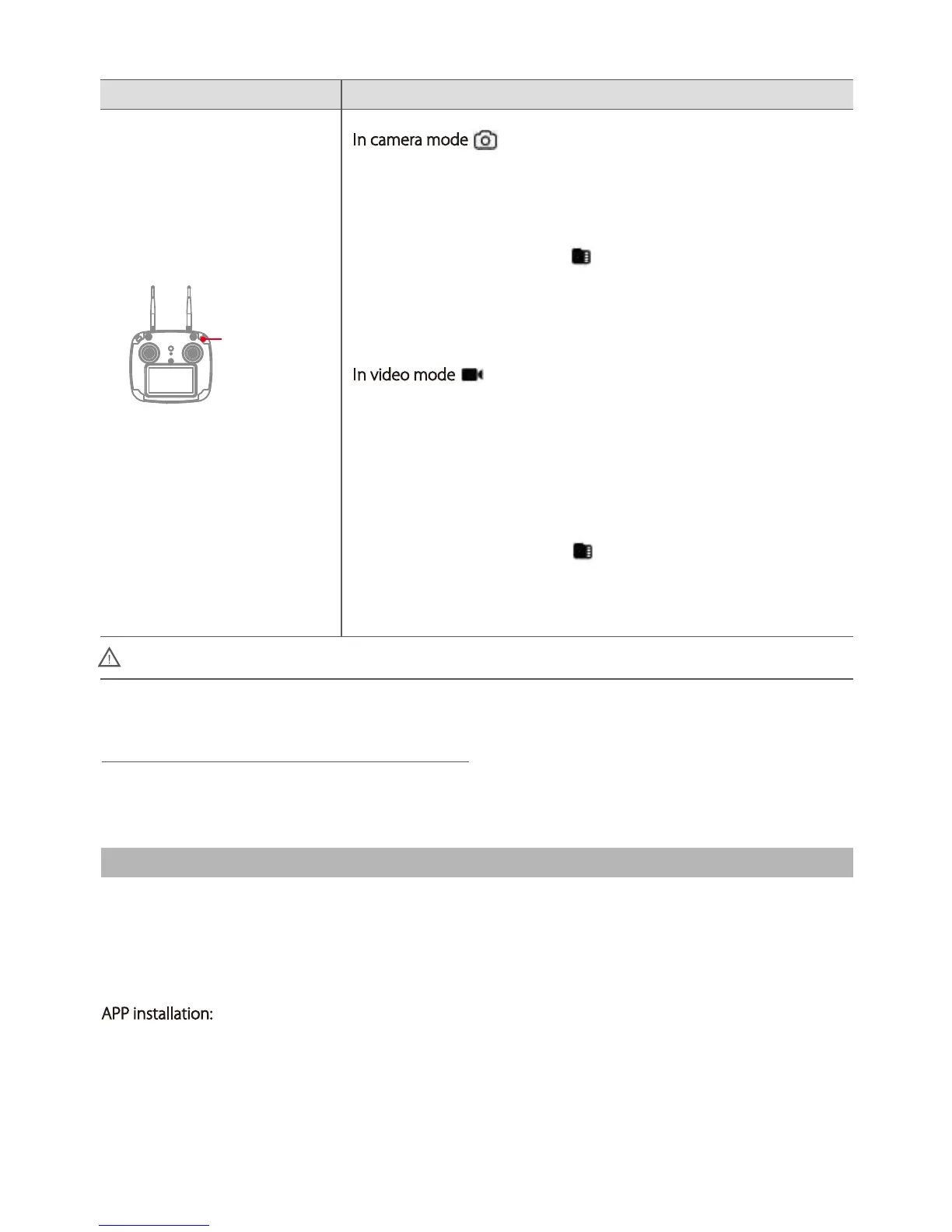
DescriptionRemote Control Operation
Camera Control
Photo/Video
In camera mode :
Long-press the camera button (three beeps) to change camera mode
between photo and video mode.
Short-press the camera button (one beep) to take a photo.
In photo mode, the card icon indicates the remaining number of
photos the
microSD card can hold.
In video mode
:
Long-press the camera button (three beeps) to start or stop video
recording.
With video recording stopped, short press the camera button (one
beep)
to change to photo mode.
In video mode, the card icon indicates the remaining hours and
minutes
(hh:mm) the microSD card can hold.













 To Next Page