4. Save RAW - Invokes Save RAW Program
5. USB Disk - Invokes Activate USB disk
6. Flags - Shows Flags Screen
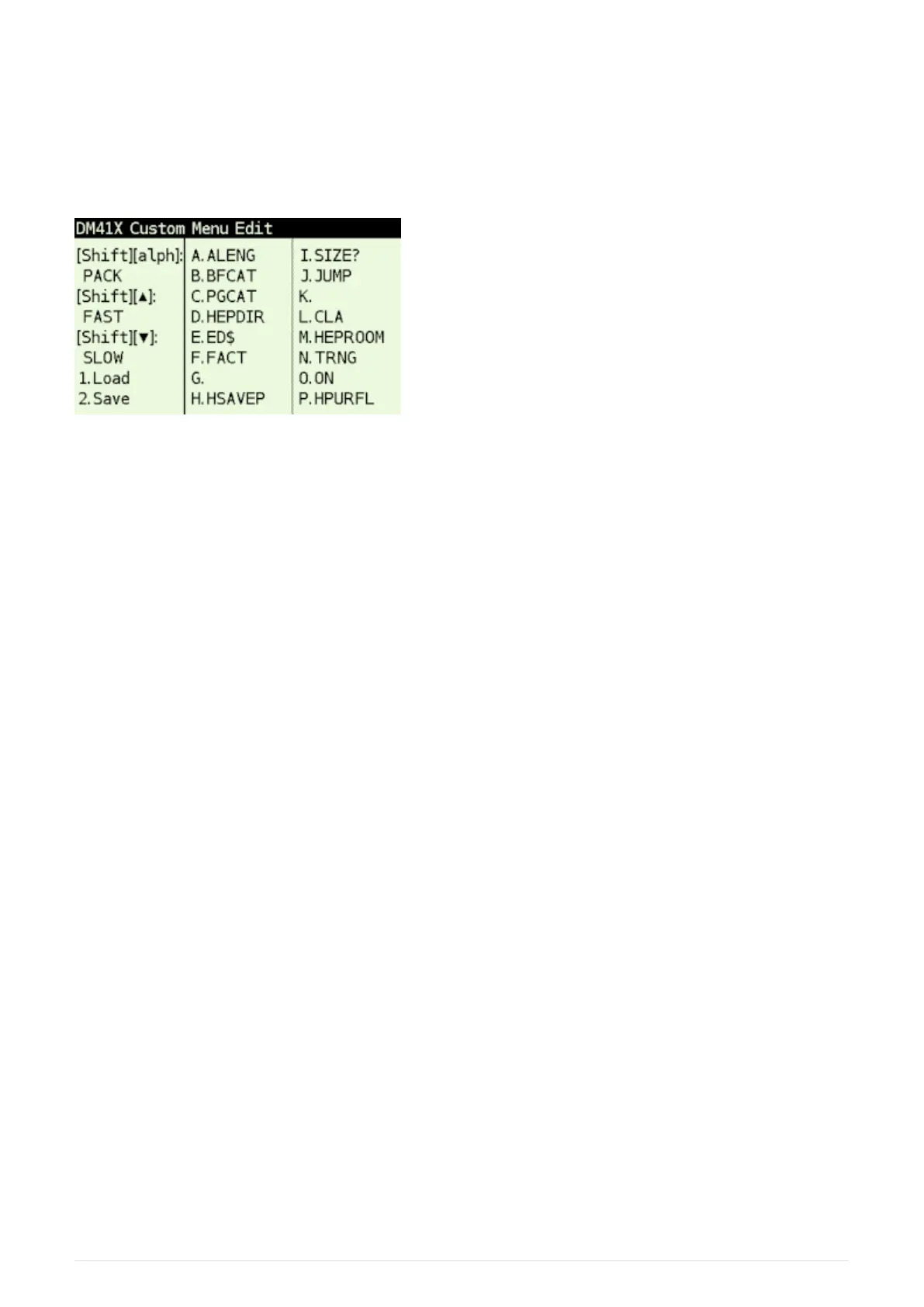
3.3.2. CONF Screen
Figure 7. CST Edit screen (CONF)
The CONF screen allows to edit key assignments as well as load and save all the assignments from/to
disk.
Edit Commands
You can press [ A ] to [ P ] to start command editor for particular key or [ ▲ ], [ ▼ ] or [ α ] for
special key.
Edited command is displayed with black background.
Then you can write the command. Use [ SHIFT ] to enter special characters,
• [ ← ] Deletes last character and aborts edit if edit field is empty
• [ R/S ] Confirms the entered command
• [ ON ] Key aborts edit immediately
Load/Save of CST assignments
• [ 1 ] key activates the screen for loading of CST assignments from the file.
• [ 2 ] key activates the screen for saving of current CST assignments to file.
Default location for load and save is /KEYS directory.
3.4. Persistent Configuration Settings
Calculator’s User Configuration (UConf) settings are persistently stored in internal flash memory.
Therefore all the settings are preserved over calculator RESET, firmware update or even when the
battery is removed.
11



 To Next Page