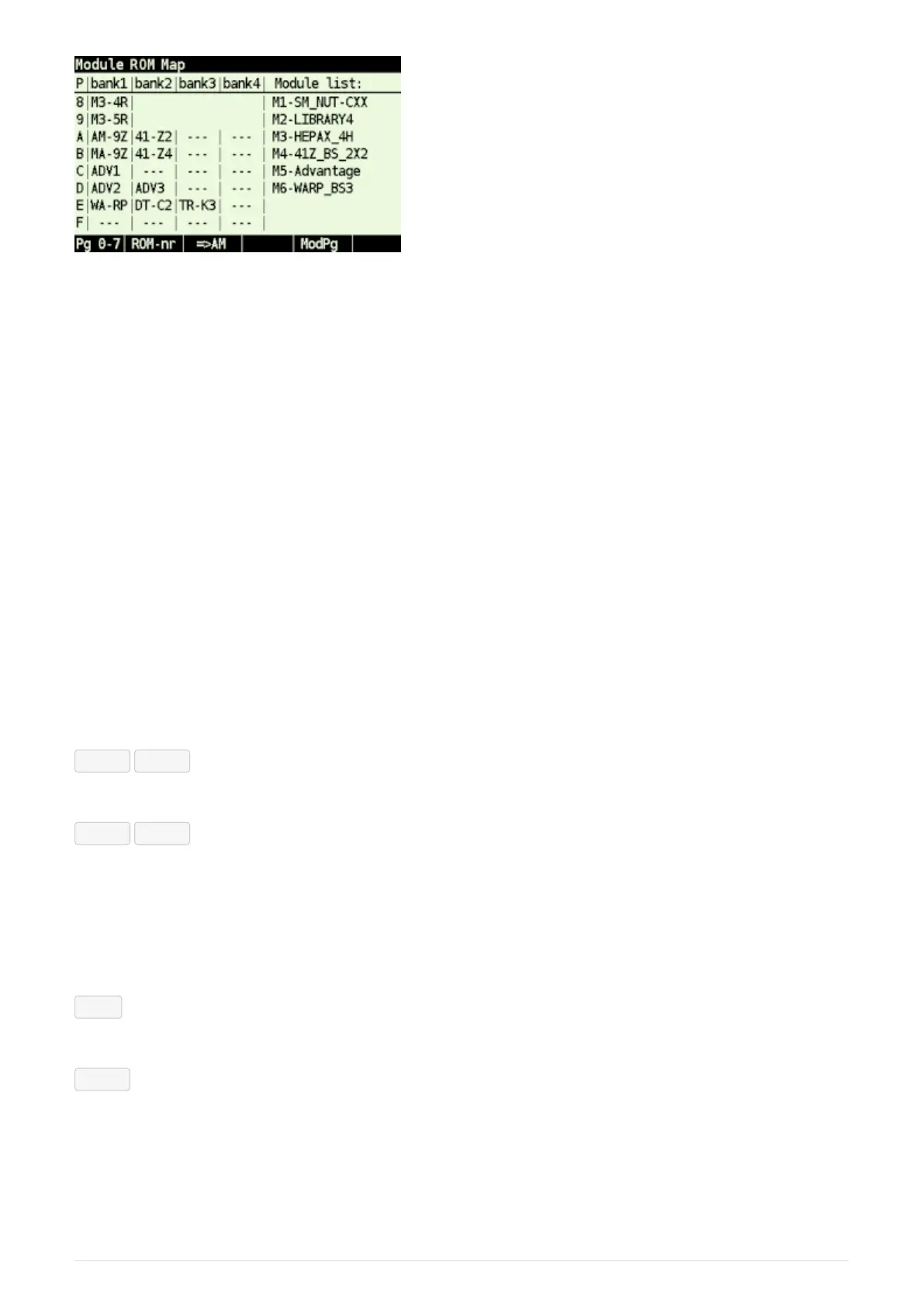
Figure 13. ROM Map pages 8-F using ROM ids and "Modules list" on right side
ROM map shows ROM placement in pages and banks. Each row corresponds to page denoted at the
beginning of the line, columns represent banks.
RAM pages are shown in first bank if other only as RAM banking isn’t supported now.
Module ROM Map screen consist of two parts:
• Actual ROM map at the left
• Module list at the right
Module list has two options:
• 'Module list' lists all modules by module IDs, which are used in ROM labels. Left and right side
are independent and only linked by module IDs.
• 'Modules by page' displays module names corresponding to ROM/RAM for particular page in
bank1. Note that the XROM ID for each page, if present, is shown in parenthesis just in front of
the module name.
Soft menu items:
Pg 8-F / Pg 0-7 - Toggle page range
Toggles view between page ranges 0-7 and 8-F.
ROM-id / ROM-nr - Toggle ROM labels
• ROM-id ROM id from .mod file
• ROM-nr ROM label in the form of "<module_id>-<rom_nr>", where
◦ <module_id> is module id according to the right column
◦ <rom_nr> is ROM sequence number from .mod file (counted from 0)
⇒ AM
Invokes Active Modules screen.
ModLst
Switches right side between 'Modules list' and 'Modules by page'
6.3.4. Load Modules
Activates Load Modules sub-menu:
29



 To Next Page