32
Changing the SETUP menu
Parental control settings
1
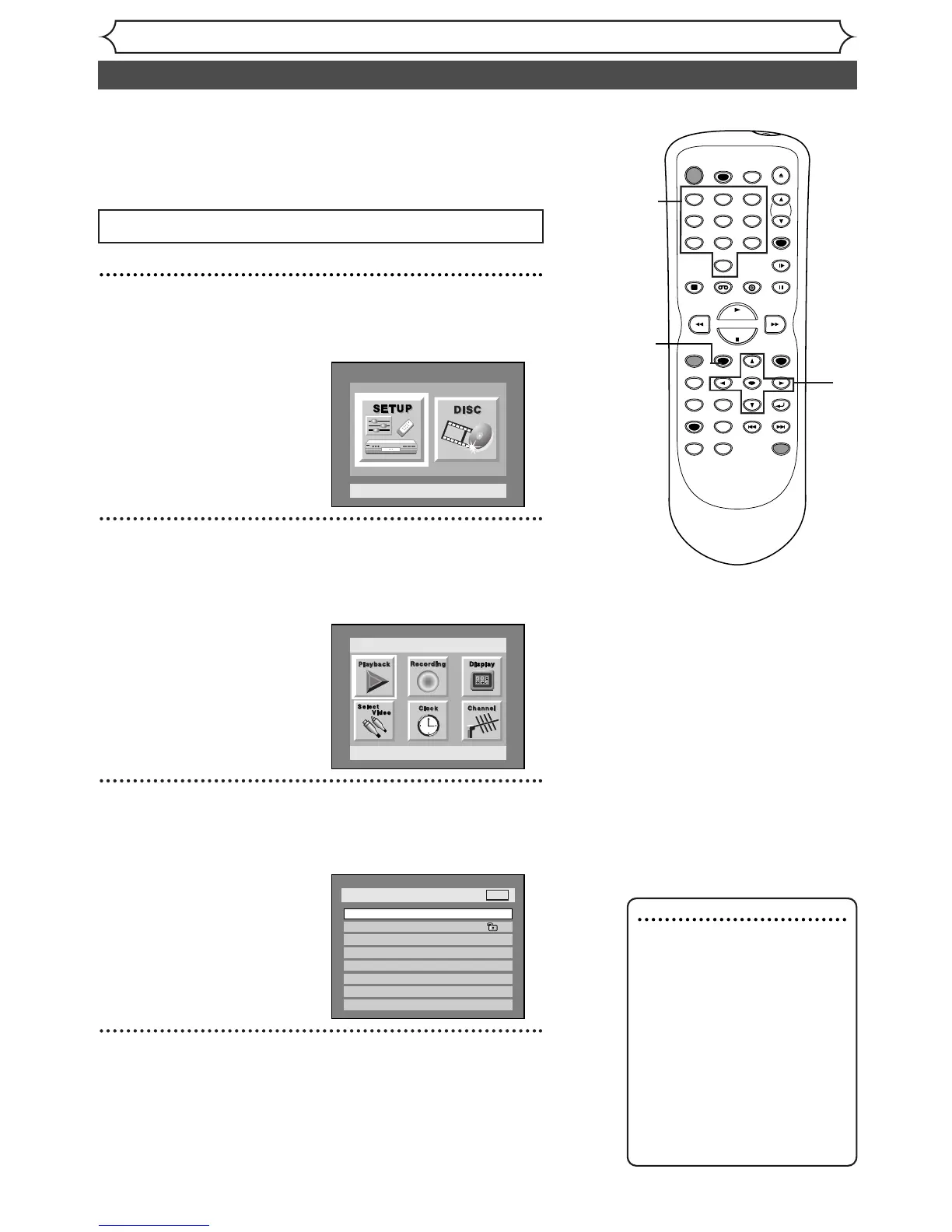
Press SETUP button to display SETUP/DISC menu.
SETUP/DISC menu will appear.
2
Select “SETUP” using { / B buttons, then press
ENTER button.
SETUP menu will appear.
3
Select “Playback” using K / L /
{ / B
buttons, then press
ENTER button.
Option window will appear.
4
Select “Parental Lock” using K / L buttons, then press
ENTER button.
1
2
Press STOP button if you are playing a disc.
3
4
5
Some DVD-Video discs feature a Parental control setting.
Playback will stop if the ratings exceed the levels you set, it will
require you to enter a password before the disc will playback.
This feature prevents your children from viewing inappropriate
material.
4
Note : Parental Control
• Parental control function may
not be available on some
DVD discs.
• With some DVDs, it may be
difficult to find if they are
compatible with parental con-
trol. Be sure to check if the
parental control function
operates in the way that you
have set it.
• Record the password in case
you forget it.


 To Next Page