5
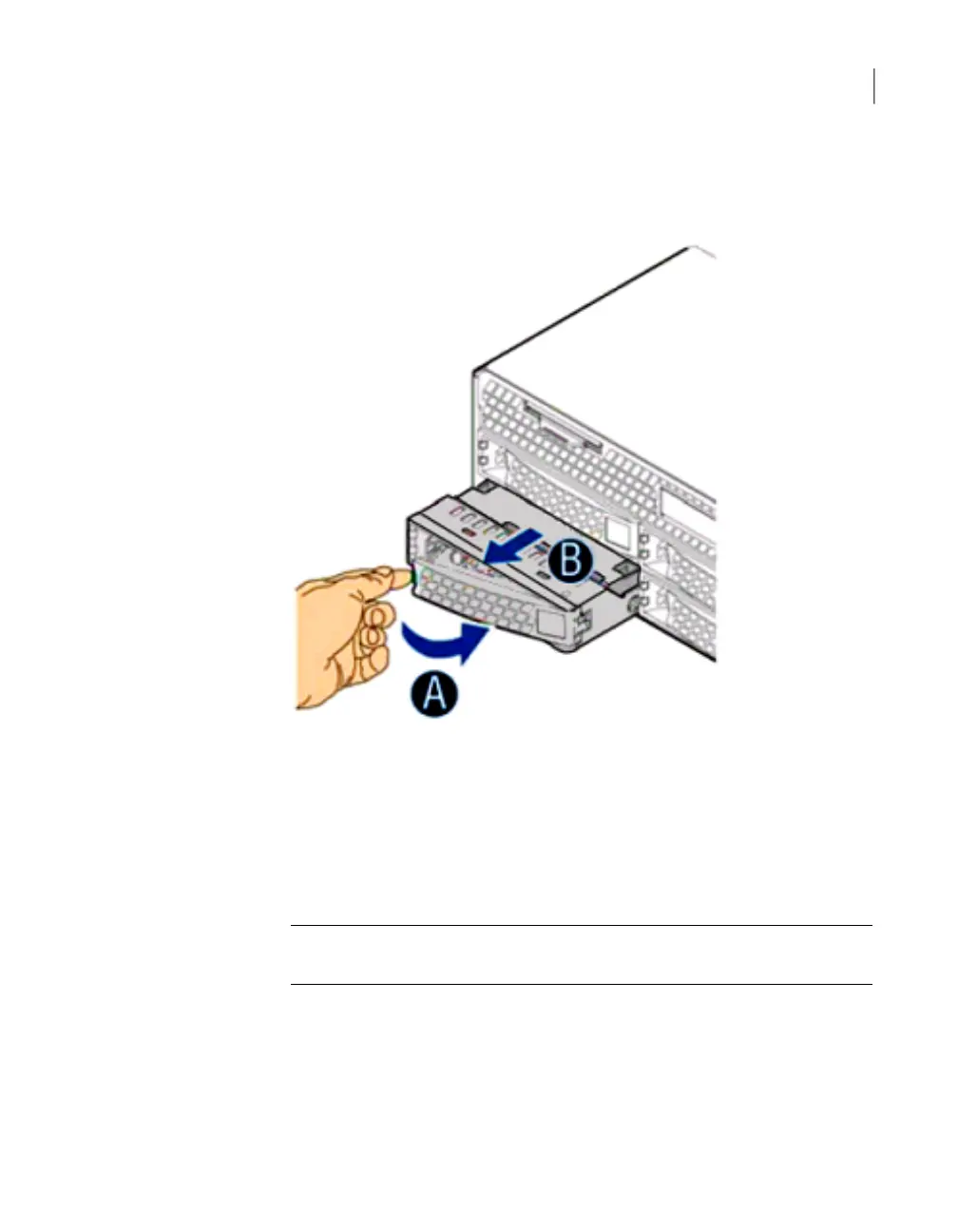
Press the green button on the left side of the drive. The front panel pivots
forward and the drive carrier ejects. The front panel also serves as a latch for
the drive carrier. The following figure shows the drive latch.
6
Slide the drive carrier out of the bay.
To install a replacement drive
1
Put on a wrist strap or take other ESD precautions.
2
Grasp the replacement drive carrier by the sides or metal surfaces only and
remove it from the shipping container.
Warning: Grasping and pinching any part of the printed circuit board on the
drive can damage the drive.
3
Remove the drive carrier from the antistatic bag.
4
Press the green button on the left side of the carrier front panel to release the
latch.
103Removing and replacing appliance hardware components
Removing and replacing NetBackup 5230 disk drives



 To Next Page