See “Removing and replacing a storage shelf power supply” on page 111.
See “Removing and replacing an I/O module” on page 112.
Removing and replacing a storage shelf power supply
This instruction describes how to replace a faulty power supply in the Symantec
Storage Shelf.
To replace a faulty power supply
1
Put on a grounded antistatic wrist strap or take other ESD precautions.
2
Remove the Symantec replacement power supply from the box but leave it in
the antistatic bag until you are ready to use it.
3
In the rear of the unit, locate the faulty power supply. The LED on power supply
is amber.
4
Turn off the power switch on the faulty power supply.
5
Unplug the AC cord from the faulty power supply
6
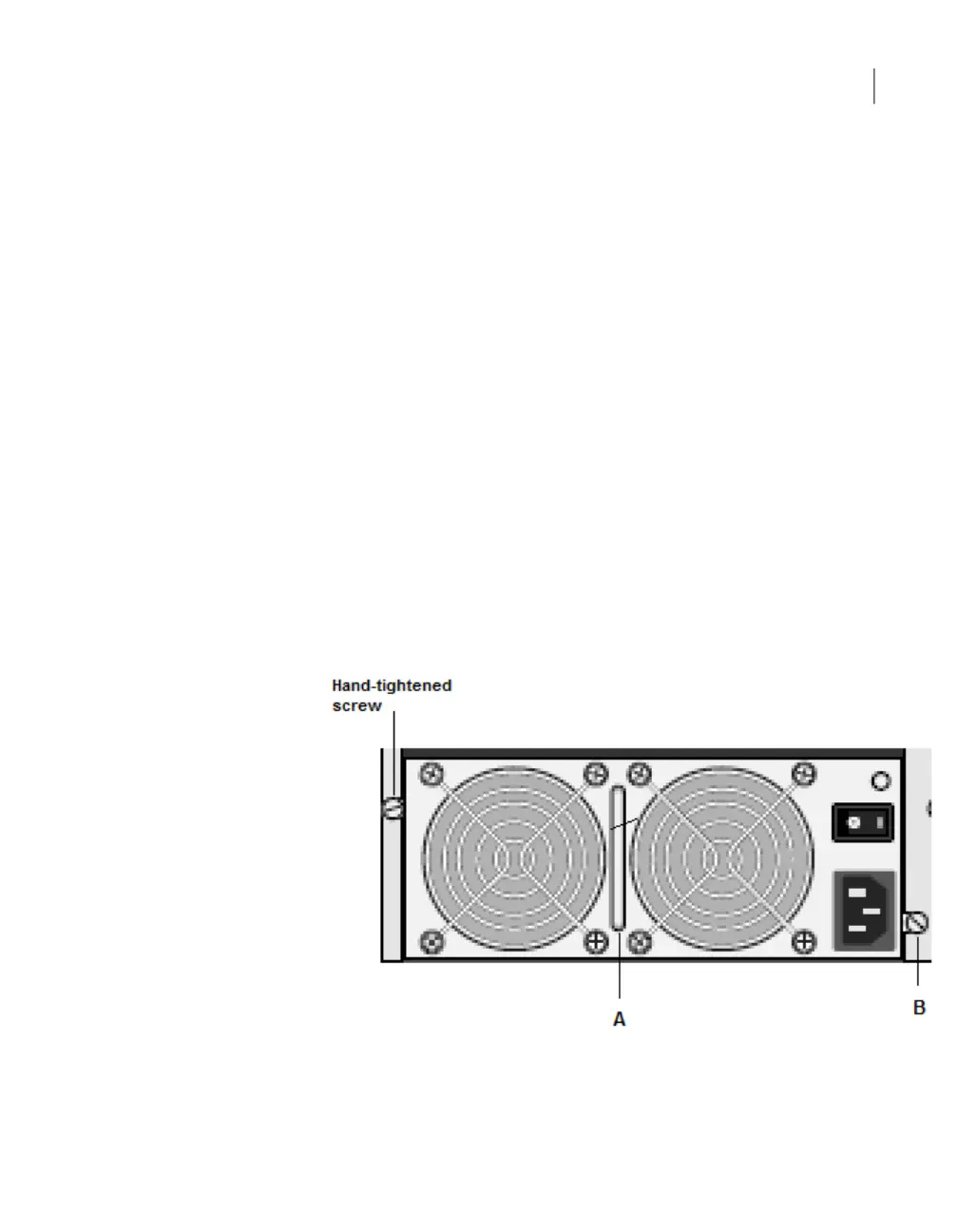
Locate and loosen the two hand-tightened screws ("B" in the figure) that secure
the power supply in the frame.
7
Use the handle that is located between the fans ("A" in the figure) to pull the
power supply out of the bay.
111Removing and replacing Symantec Storage Shelf hardware
Removing and replacing a storage shelf power supply



 To Next Page