Troubleshooting an amber drive status LED on the
appliance
Each NetBackup 5230 appliance drive has two LEDs along the left edge near the
drive release latch. The top LED indicates the drive status. The bottom LED indicates
drive activity. Table 8-1 describes the LED states.
Each NetBackup 5220 appliance drive has two LEDs along the top edge of the
drive above the release latch. The LED on the right indicates the drive status. The
LED on the left indicates drive activity. Table 8-1 describes the LED states.
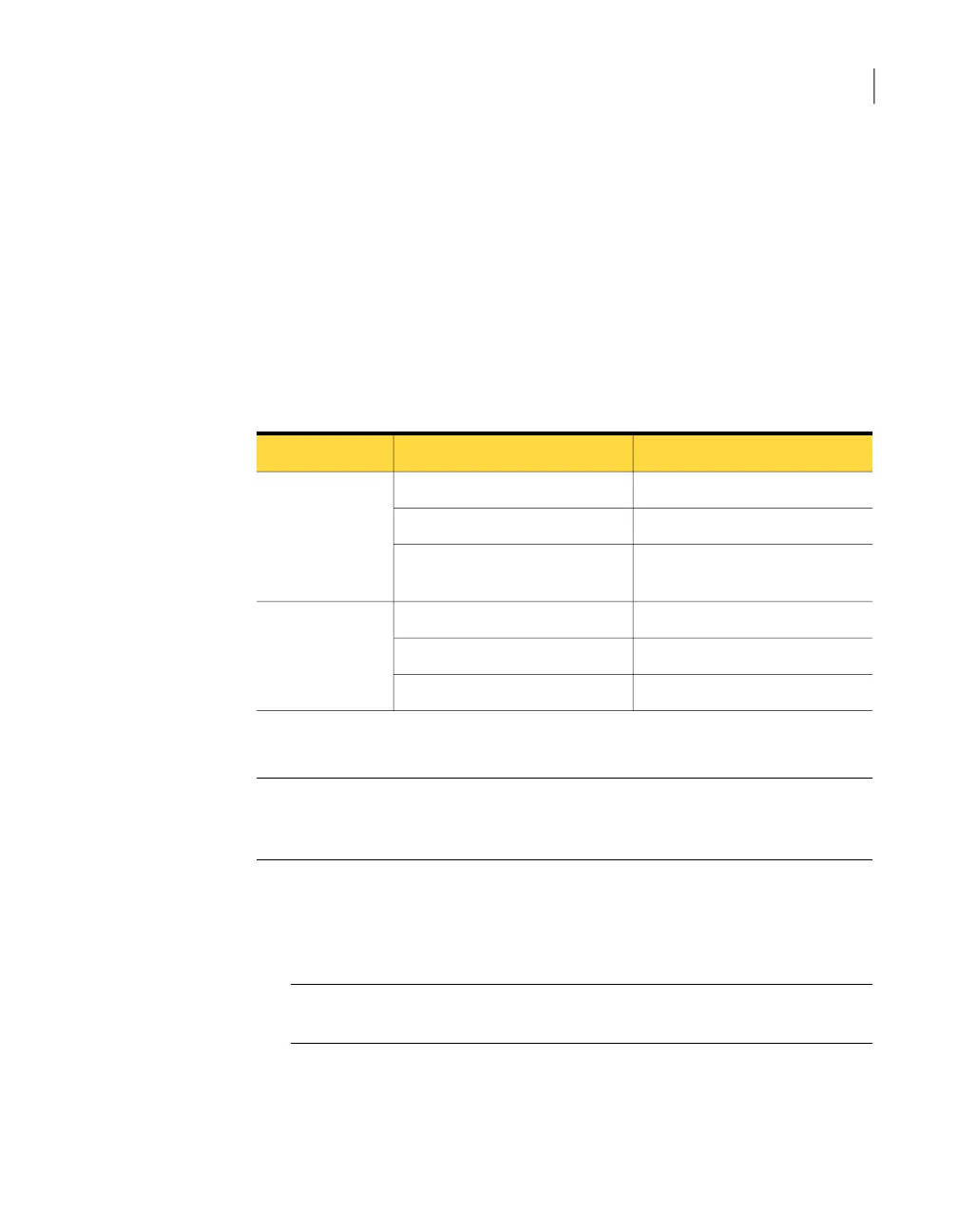
Table 8-1
System disk status LEDs indications
IndicationBehaviorLED
No access and no fault.OffStatus
Disk drive fault has occurred.Solid amber
RAID rebuild in progress (1-Hz),
Identify (2-Hz).
Blinking amber
Power is on with no drive activity.Solid greenActivity
Power is on and the drive is active.Blinking green
Drive has no power.Off
To verify that a drive is faulty
Caution: The drive status LED must be solid amber before you remove a drive from
the appliance. Data loss and corruption can occur when a drive is disconnected
inappropriately.
1
Make sure that the drive status LED is amber.
2
Pull open the green handle on the drive cover to disengage the drive from the
slot.
Note: You can gently pull the drive forward about an inch (2.4 cm) to ensure
that the drive is disengaged.
3
Remove the disk drive completely.
93Troubleshooting Hardware Issues
Troubleshooting an amber drive status LED on the appliance



 To Next Page