8
Turn off the power switch in the replacement power supply.
9
Insert the replacement power supply into the bay and slide it into the bay until
it clicks.
10
Secure the power supply with the two hand-tighten screws.
11
Plug the AC cable into the socket.
12
Turn on the power switch.
For instruction about replacing other Symantec Storage Shelf components, see the
following:
See “Removing and replacing disk drives” on page 110.
See “Removing and replacing an I/O module” on page 112.
Removing and replacing an I/O module
This instruction describes how to replace a faulty I/O module in the Symantec
Storage Shelf.
To replace an I/O module
1
Put on a grounded antistatic wrist strap or take other ESD precautions.
2
Remove the Symantec replacement I/O module from the box but leave it in
the antistatic bag until you are ready to use it.
3
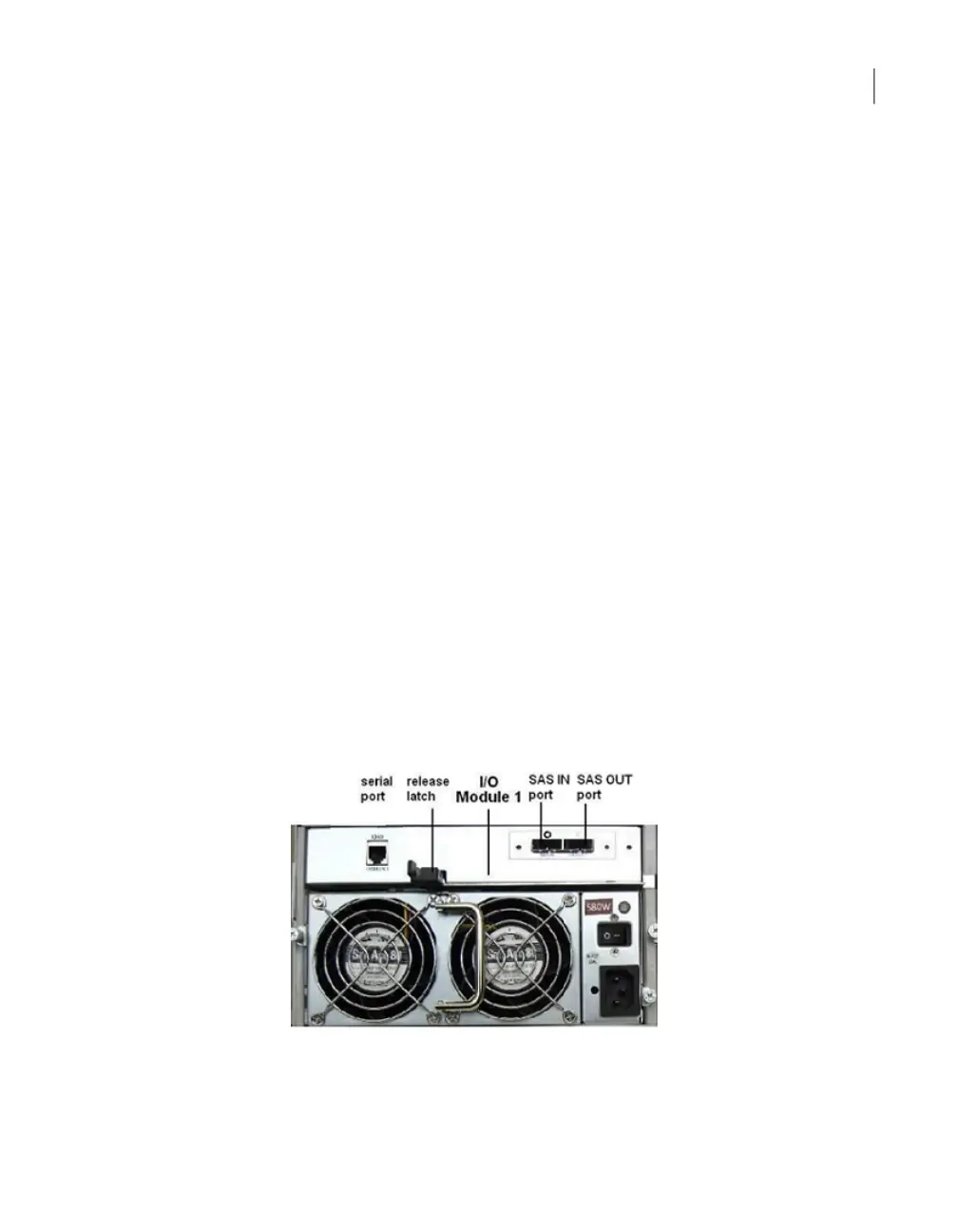
In the rear of the unit, locate the faulty I/O module. The I/O module status LED
is red or off.
4
Open the release latch beneath the I/O module to release the unit from the
bay.
5
Slide the unit out of the bay.
112Removing and replacing Symantec Storage Shelf hardware
Removing and replacing an I/O module



 To Next Page