Beeper Sequence Indication
Standard Use
Low/medium/high beeps Power up.
Short high beeps A bar code symbol was decoded (if decode beeper is enabled).
4 long low beeps
A transmission error was detected in a scanned symbol. The data is ignored. This
occurs
5 low beeps Conversion or format error.
Low/high/low beeps
Advanced Data Formatting (ADF) transmit error. (For information about ADF
programming,
High/high/high/low beeps RS-232 receive error.
Parameter Menu Scanning
Short high beeps Correct entry scanned or correct menu sequence performed.
Low/high beeps
Input error, incorrect bar code or “Cancel” scanned, wrong entry, incorrect bar code
High/low beeps Keyboard parameter selected. Enter value using bar code keypad.
High/low/high/low beeps Successful program exit with change in the parameter setting.
Low/high/low/high beeps
Out of host parameter storage space. Scan
Default Parameters on page
Code 39 Buffering
High/low beeps New Code 39 data was entered into the buffer.
3 Beeps - long high beeps Code 39 buffer is full.
Low/high/low beeps
The Code 39 buffer was erased or there was an attempt to clear or transmit an
empty
Low/high beeps A successful transmission of buffered data.
Host Specific
USB only
4 short high beeps
Scanner has not completed initialization. Wait several seconds and scan
Scanner gives a power-up beep after scanning a USB Device
Type.
Communication with the bus must be established before the scanner can operate at
the
This power-up beep occurs more than once.
The USB bus may put the scanner in a state where power to the scanner is cycled on and
RS-232 only
1 short high beep A <BEL> character is received and Beep on <BEL> is enabled.
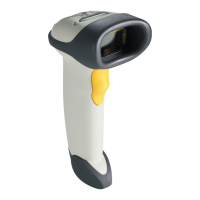
The scanner issues different beep sequences and patterns to indicate status. Table 2-1 defines beep sequences that occur
both
Table 2-1. Beeper Definitions



 To Next Page