EasyManua.ls Logo

Symbol LS 4208 - LED Definitions

Symbol LS 4208
278 pages
Print Icon
To Next Page IconTo Next Page
To Previous Page IconTo Previous Page
Loading...
LED Indication
Off
No power is applied to the scanner, or the scanner is on and ready to scan.
Green A bar code was successfully decoded.
Red A data transmission error or scanner malfunction occurred.
Scanning
2-5
LED
Definitions
In addition to beeper sequences, the scanner communicates with the user using a two-color LED display. Table 2-2 defines
LED
colors
that
display
during
scanning.
Table 2-2. Standard LED Definitions
Scanning
in
Hand-Held
Mode
Install and program the scanner (see
Setting Up the Scanner on page 1-4
). For assistance, contact the local supplier or
the
local
Symbol
Support
Center
.
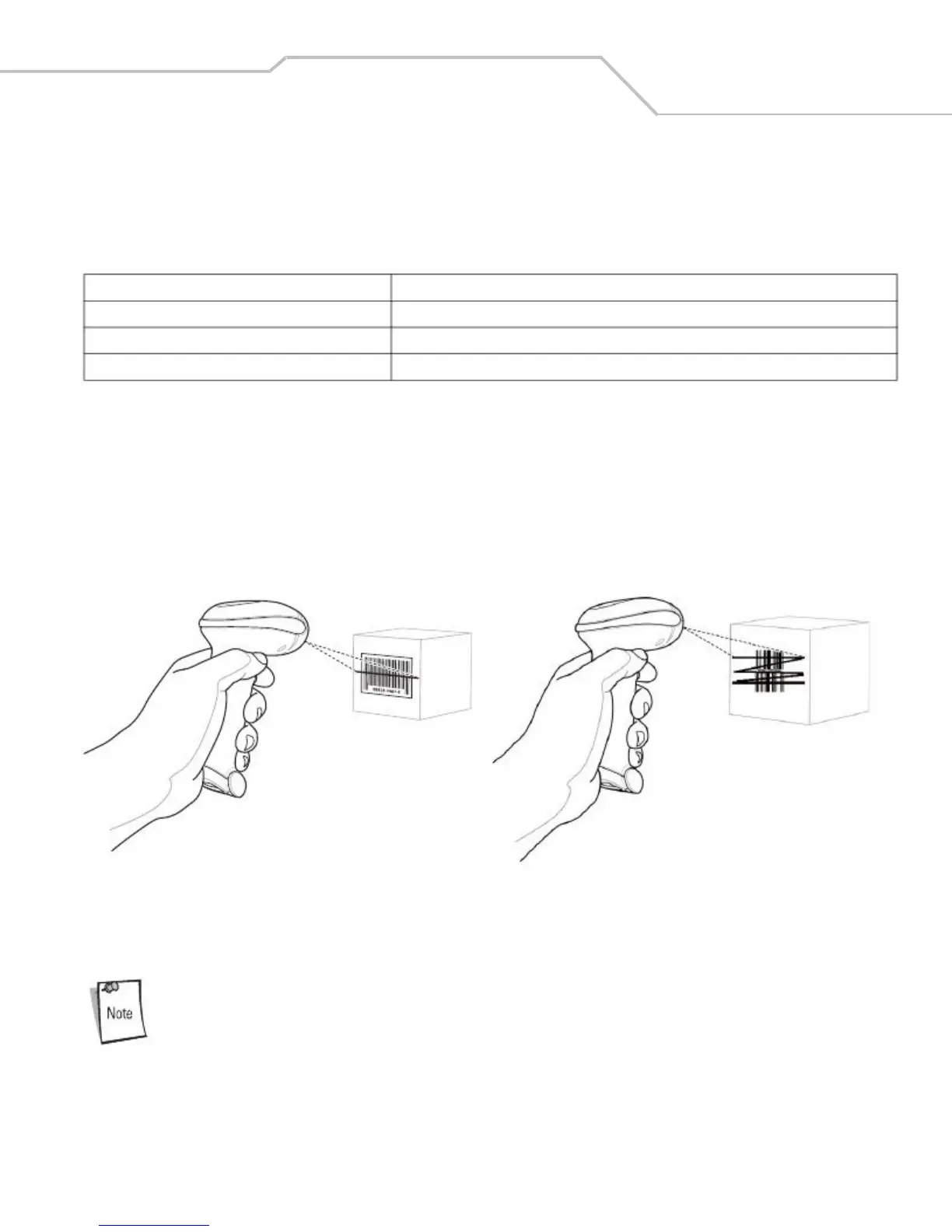
To scan in hand-held mode:
1. Ensure all connections are secure. (See the host chapter for the scanner.)
2. Aim the scanner at the bar code.
3. Press the trigger.
Single-Line
Mode
Figure
2-2.
Scanning
in
Hand-Held
Mode
4.
Upon
successful
decode,
the
scanner
beeps
and
the
LED
turns
green.
(For
more
information
about
beeper
and
LED
definitions,
see
Table
2-1
and
Table
2-2
.)
Scan
line
lengths
vary
depending
on
the
scan
line
width
selected
(see
Scan
Line
Width
on
page
4-8
).
A
full
scan
line
width
is
the
default.
Medium
and
short
scan
line
widths
are
useful
for
scanning
menus
or
pick-lists.

Table of Contents