Synology DiskStation User's Guide
Based on DSM 3.0
17 Chapter 2: Get Started with Synology DiskStation Manager
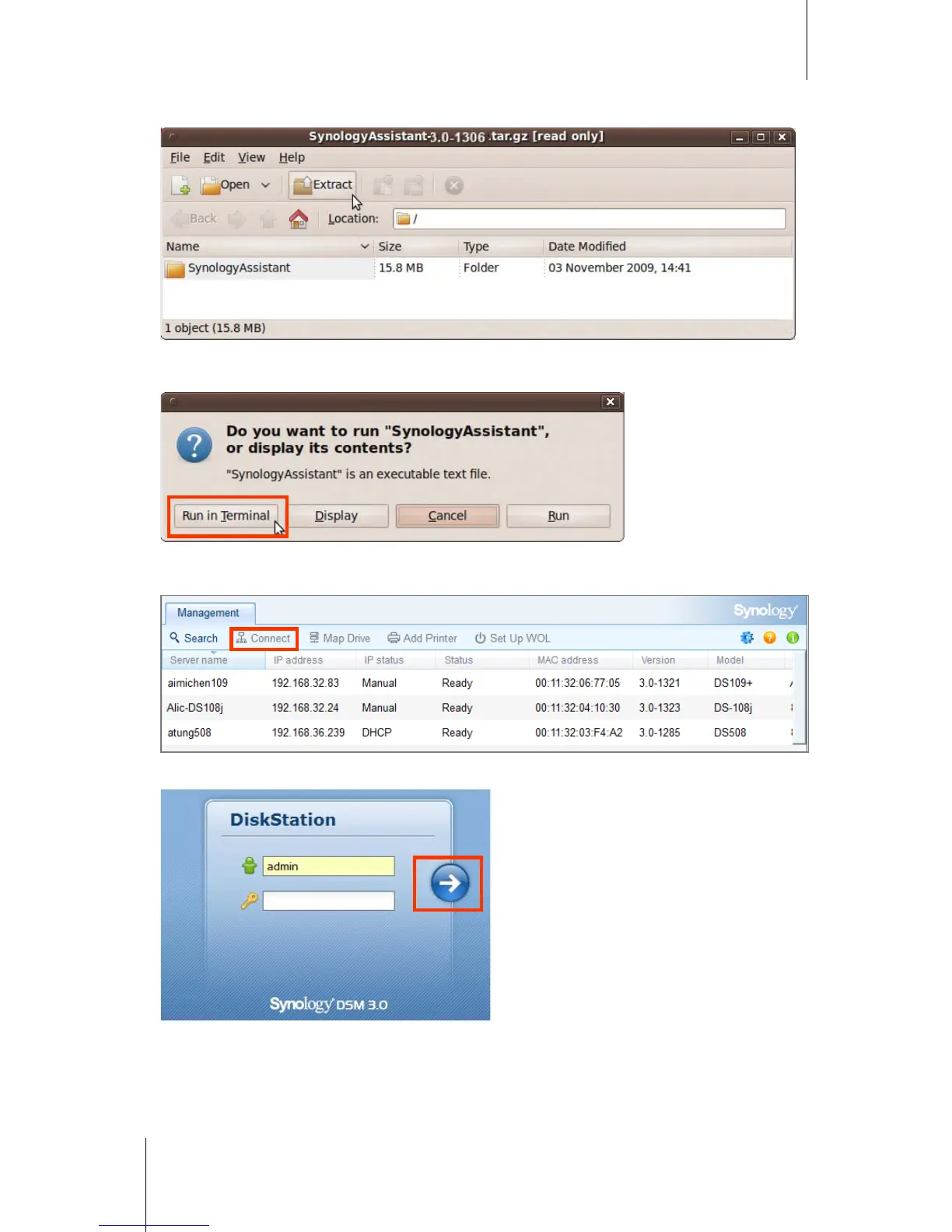
3 Click Extract, and then extract the SynologyAssistant directory to the path /usr/local or any other path.
4 Go to the path /usr/local/SynologyAssistant (or [the path you just specified]/SynologyAssistant), double-
click SynologyAssistant, and then select Run in Terminal in the dialog box that appears.
5 Choose the server you want to manage. Click Connect or double-click the selected server to go to DSM's
login screen.
6 Enter your user name and password, and click Login. The default password for admin is empty.














 To Next Page