Synology DiskStation User's Guide
Based on DSM 3.0
27 Chapter 3: Modify System Settings
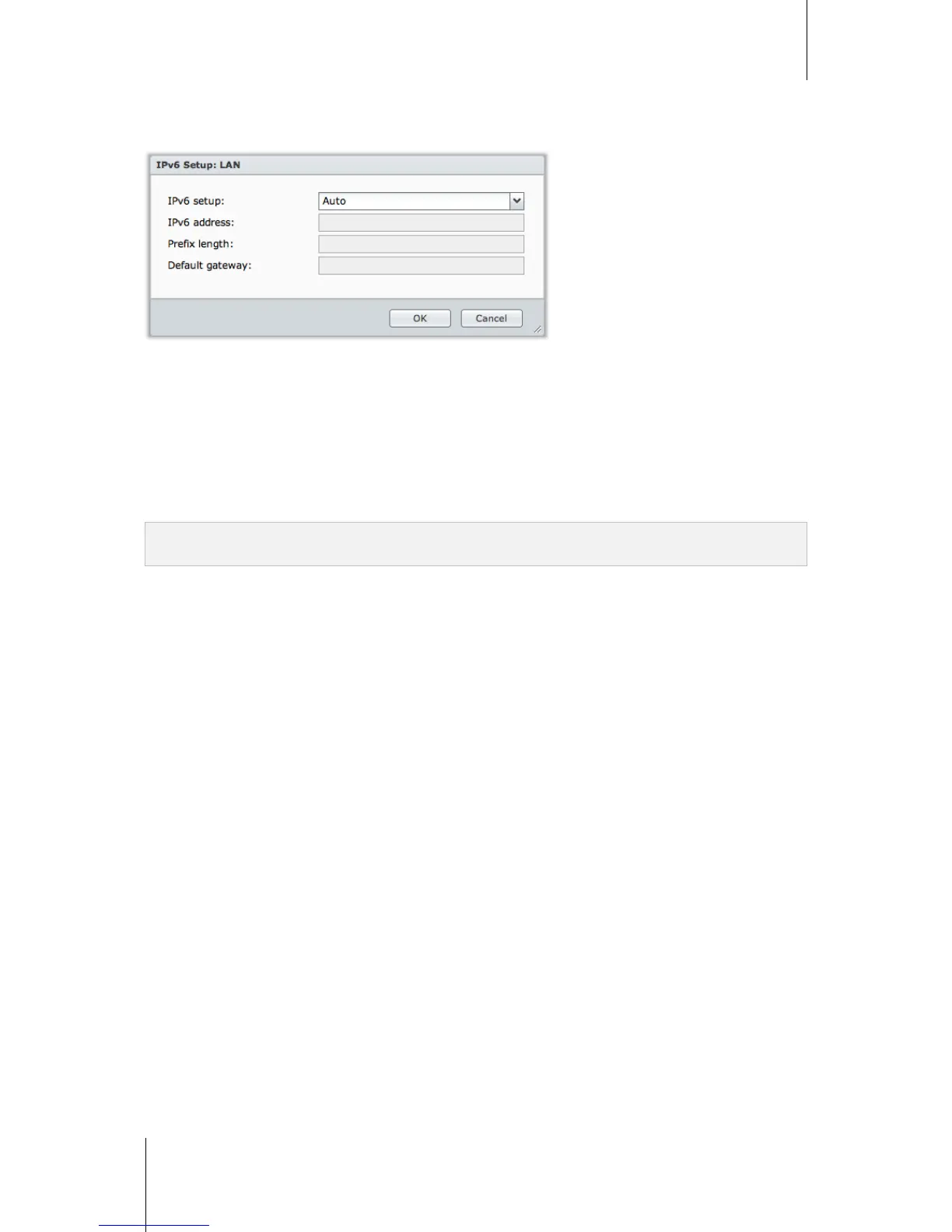
IPv6 Setup
Click the IPv6 Setup button under the LAN
1
or Wireless Network tab to change the IPv6 settings.
Synology DiskStation supports IPv4/IPv6 dual stack scheme. This means that both IPv4 and IPv6 can work
simultaneously on Synology DiskStation. The default settings for IPv6 is Auto.
2
On the IPv6 Setup page, choose between the different setup types:
Auto: DiskStation will automatically generate a local IPv6 address. This is generated based on DiskStation's
MAC address.
DHCP: DiskStation will automatically get an IPv6 address from the DHCP server which supports IPv6.
Manual: Set up IPv6 manually by entering IPv6 address, Prefix length, and Default gateway.
Off: Disable IPv6 support.
Note: If you want to join an IPv4 network environment with IPv6 address, you need to enable IPv6 Tunnel. See the
section below for more information.
---------
1
For 2-LAN models, the LAN tab is divided into General, LAN1, and LAN 2.
2
IPv6 service is only supported on 08-series models or later (excluding 108j, 109j).














 To Next Page