Synology DiskStation User's Guide
Based on DSM 3.0
85 Chapter 8: Access Files from Anywhere
File Browser Requirement
To use the full featured File Browser, you will need the newest web browser, Java and Flash Player.
Browser: Chrome 5 or later, Firefox 3.5 or later, Safari 4.0 or later, Internet Explorer 7 or later; with AJAX and
JavaScript enabled
Java (For browsing folders on the local computer): Java Runtime Environment (JRE) 5 or later
Flash: Flash Player 9.0.28 or later
File Browser Appearance
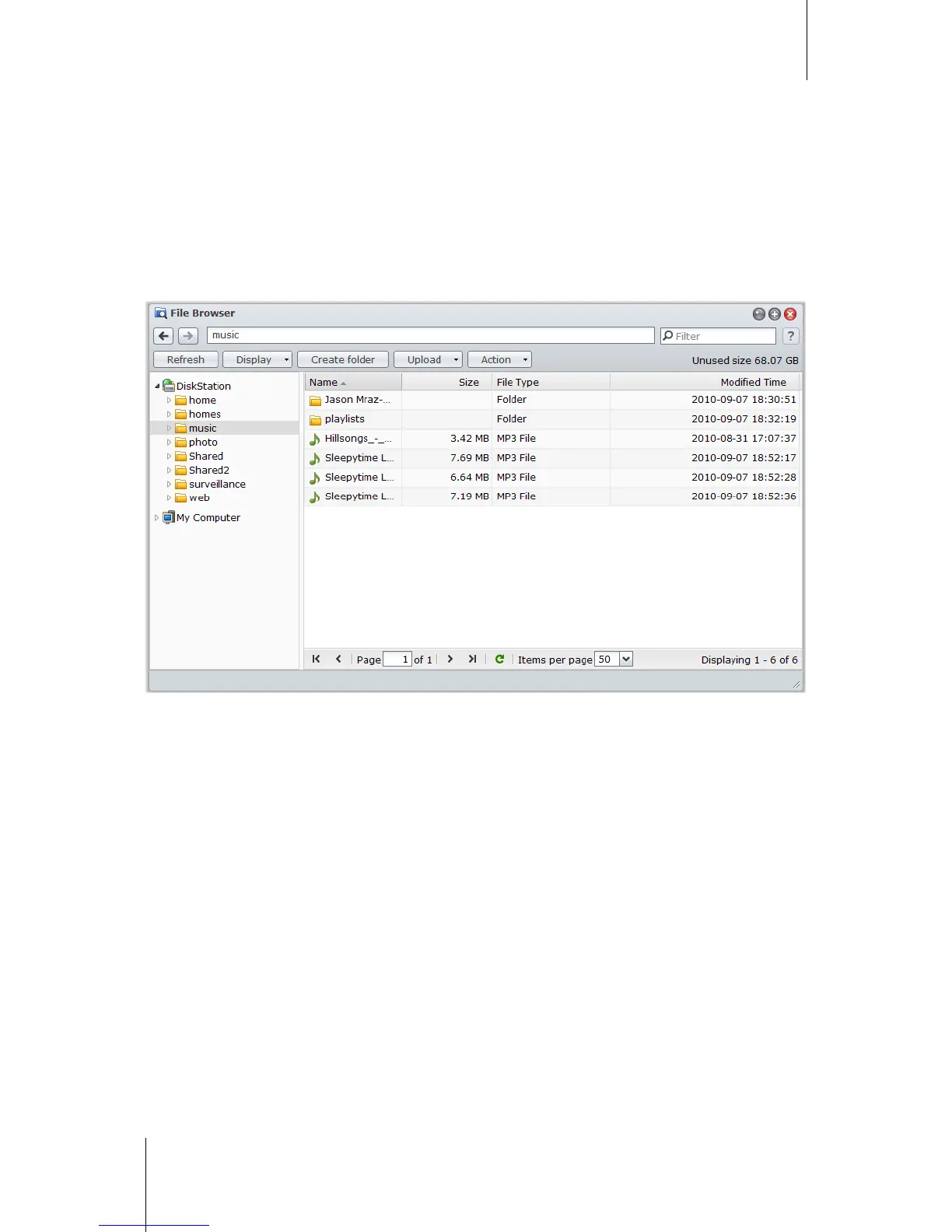
Go to Main Menu > File Browser to open a File Browser window.
Left panel: Displays Synology DiskStation's shared folders and their subfolders in the upper part, and the
folders on your local computer in the lower part.
Main section: Displays contents of the currently-selected folder.
Help button (top-right corner): Click the Help button (with a question mark) to reveal the DSM Help, where
you can get useful help about how to use File Browser.














 To Next Page