Tally Dascom DL-210 User Guide V1.3
9
1.7 Printer Components
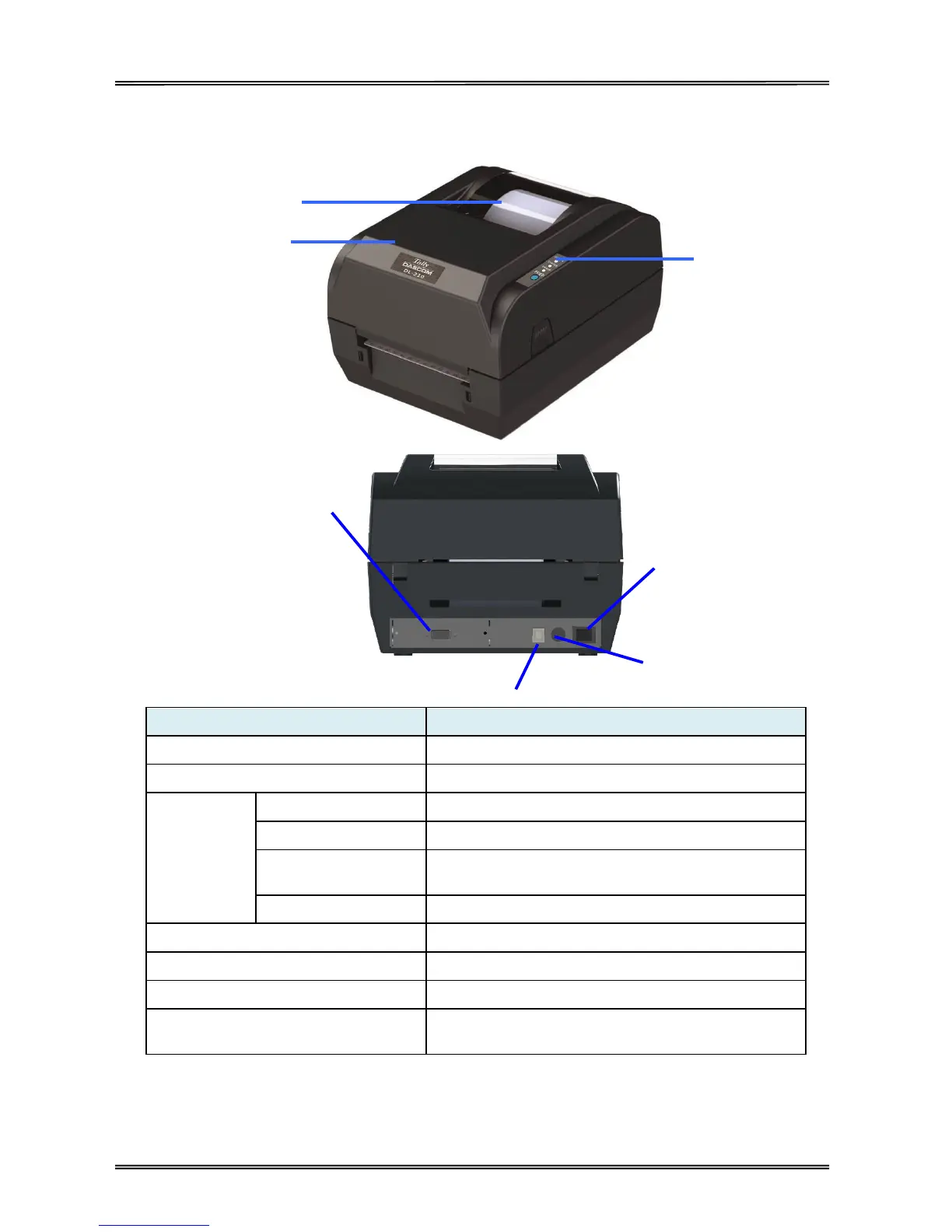
Printer components and their functions are shown as below:
Monitor the media status via this window
Open this cover for loading ribbon and media
Indicate the power status
Indicate the status of media, ribbon and label-taken
Indicate print head temperature and Print head
mechanism open or not
Press this key for feeding media
Connect power cord to the printer
For switching on/off printer
Connect USB interface cable from host
Optional interface
(Serial/ Parallel/ Ethernet/ Wi-Fi)
Connect optional interface cable from host
(interface type is on request)
Optional Interface
(Serial/ Parallel/
Ethernet/
Wi-Fi)



 To Next Page