Tally Dascom DL-210 User Guide V1.3
23
3. When using interface cables equipped with a grounding line, attach the ground
line to the screw hole marked “FG” on the printer.
4. Connect the other end of the interface cable to the host computer.
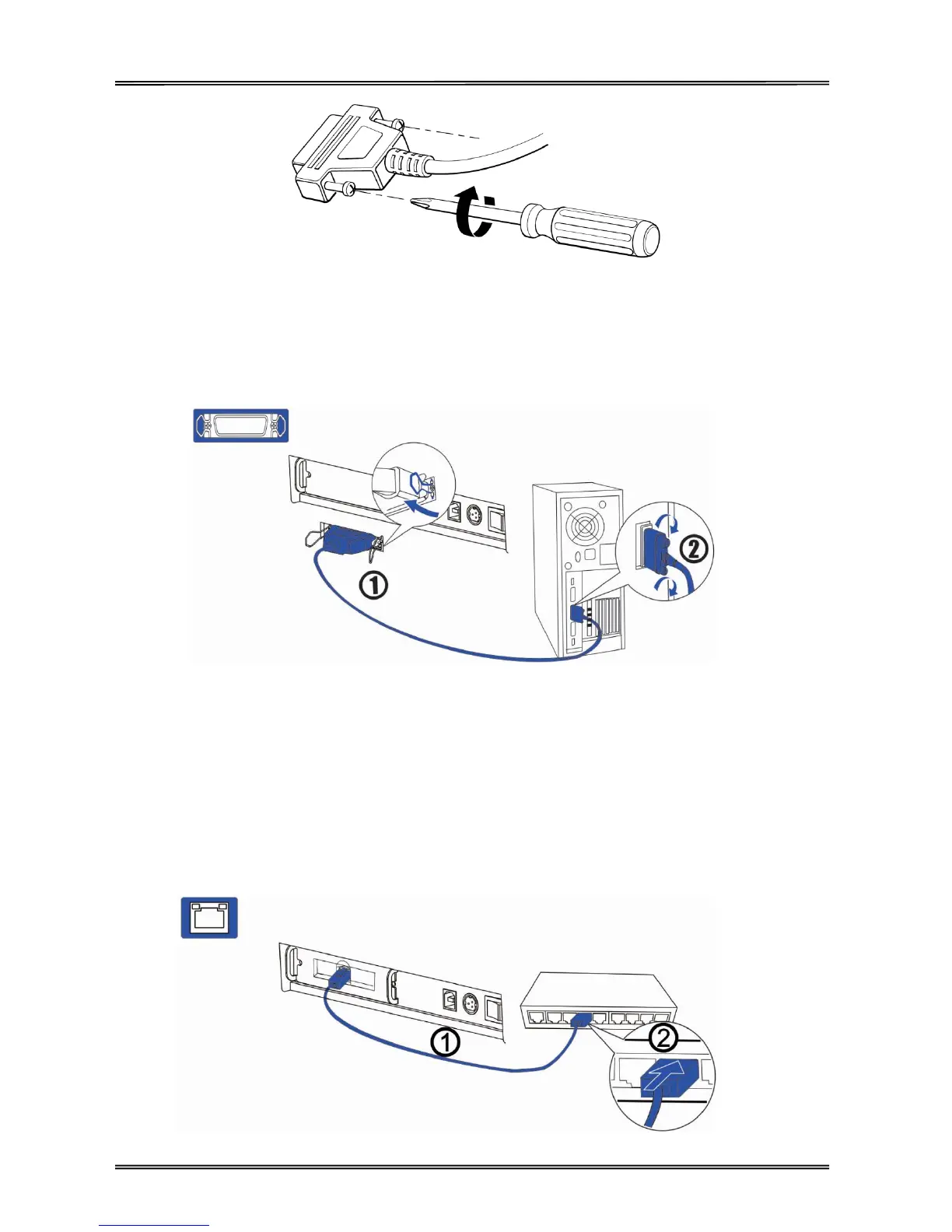
2.7.3 Connecting parallel interface
1. Insert the interface cable connector firmly into the interface connector on the
connector panel.
2. Press down the clips on either side of the connector to lock it in place.
3. When using interface cables equipped with a grounding line, attach the ground
line to the screw hole marked “FG” on the printer.
4. Connect the other end of the interface cable to the host computer.
2.7.4 Connecting Ethernet interface



 To Next Page