Tally Dascom DL-210 User Guide V1.3
16
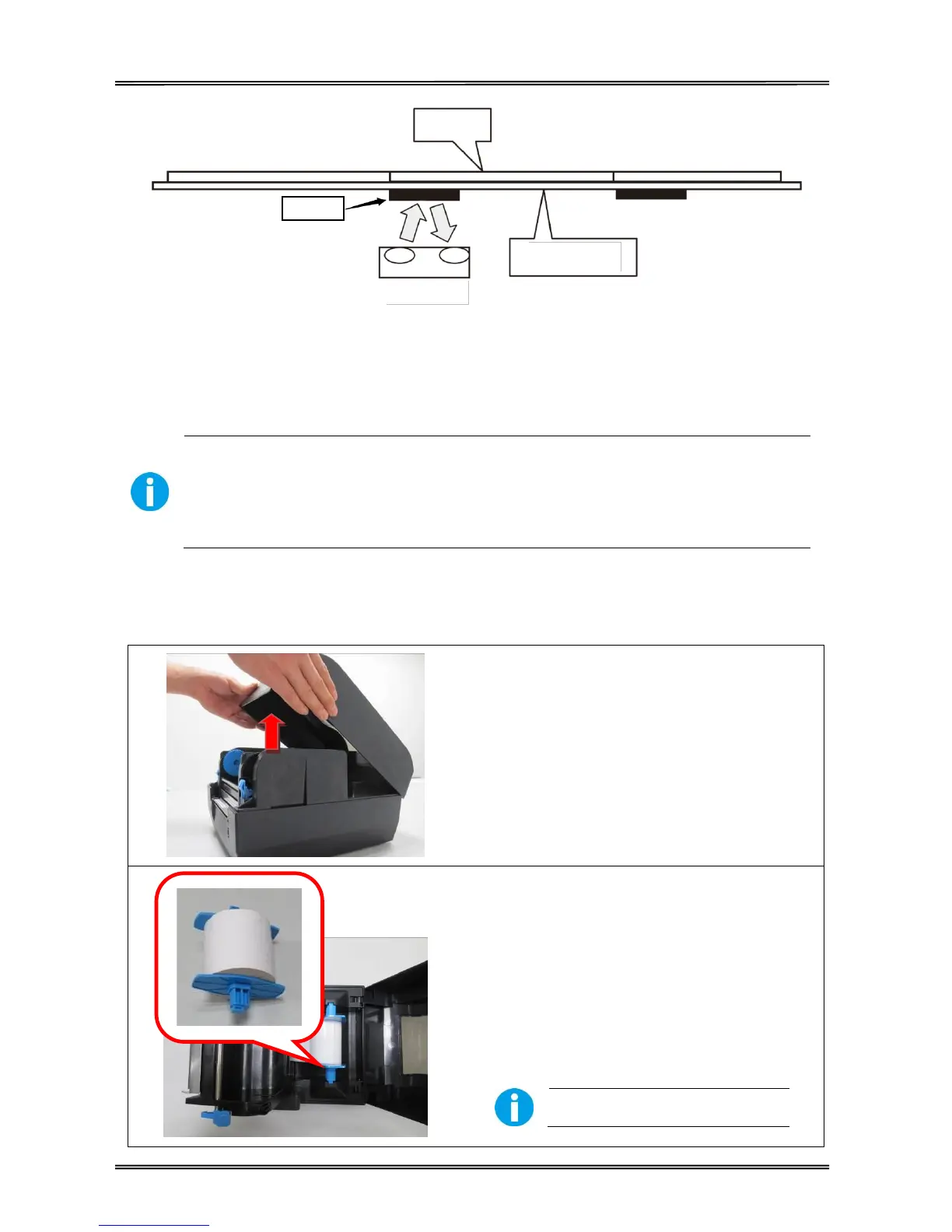
Label
Black Mark Sign
liner
Lower Sensor
(4) Put the media between the media compartment and the tear bar. And then close the mechanism
and the top cover.
2.4 Loading Roll Media
Must use thermal media in case of no ribbon in the printer. If using ribbon, you
have to use thermal transfer media.
Tips for avoiding media jam: Make sure the media is aligned in the center of the
printer and the media fixers are firmly pressed against both sides of the roll.
Before printing, it is necessary to check whether the media you use is appropriate or not. You can
scratch the media surface, if the scratch turns black, it is direct thermal media. In this case, you do
not need to load ribbon. Otherwise, it is thermal transfer media, you have to use a ribbon.
(1) Lift the top cover to expose the media
holder and the print head mechanism.
(2) Load the media roll onto the spindle from
left to right.
(3) Put the fixers on and move from right to left
until they lean against the media.
(4) Click the media spindle back into the media
holder.
Print surface must be upward.



 To Next Page