EasyManua.ls Logo

Tally Dascom DL-210 - 2.7.1 Connecting USB interface; 2.7.2 Connecting serial interface

Tally Dascom DL-210
94 pages
Print Icon
To Next Page IconTo Next Page
To Previous Page IconTo Previous Page
Loading...
Tally Dascom DL-210 User Guide V1.3
22
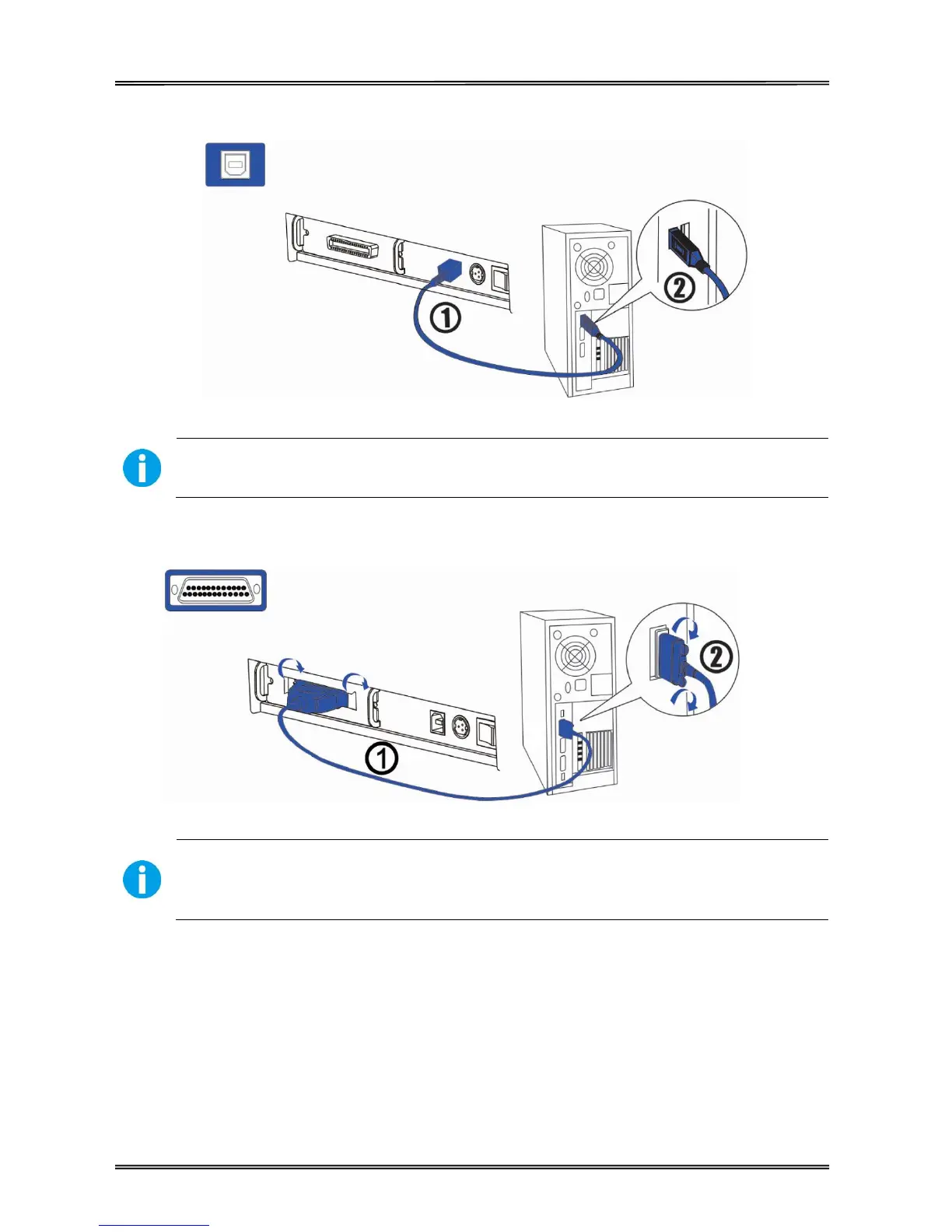
2.7.1 Connecting USB interface
CAUTION!
Be careful not to insert the USB interface cable into the cash drawer kick-out connector.
2.7.2 Connecting serial interface
WARNING!
Be sure to turn off the power supply for both the printer and host computer before
connecting the cables.
1. Insert the interface cable connector firmly into the interface connector on the
connector panel.
2. When using the connectors equipped with screws, tighten them to secure the
connectors firmly.

Table of Contents

Other manuals for Tally Dascom DL-210

Related product manuals