Tally Dascom DL-210 User Guide V1.3
19
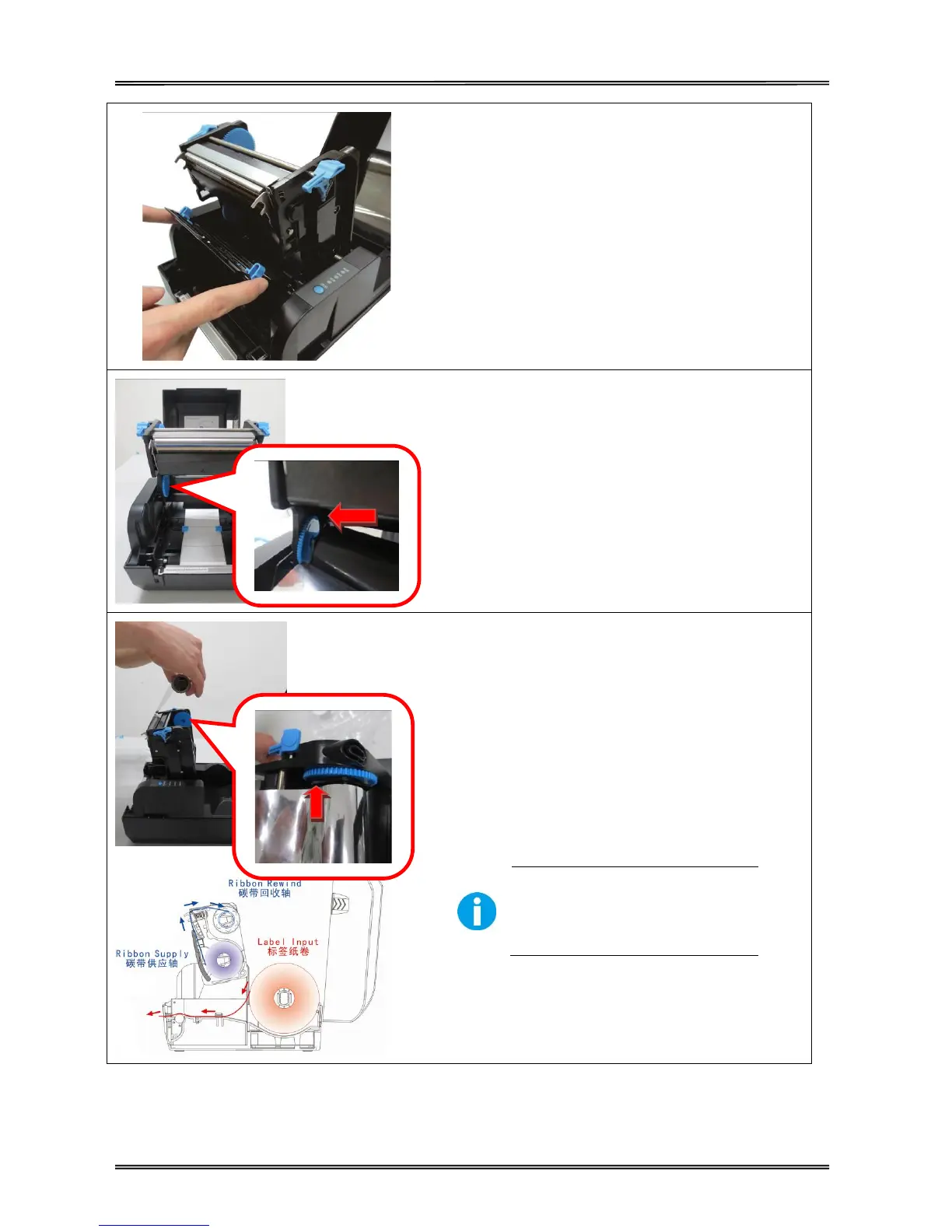
(6) Open the sensor support.
(7) Insert the ribbon roll into the ribbon holder
(lower seat of the print head mechanism): Insert
the hexagon end onto the ribbon adjustor (blue
gear), then insert the other end into the slot of the
ribbon holder.
(8) Turn back the print head mechanism and then
insert the ribbon rewind paper core into the
pick-up holder (top seat): Wind the ribbon through
print head, and insert the spindle hexagon end
onto the ribbon adjustor (blue gear), then insert
the other end into the slot of the pick-up holder.
Keep the brighter surface of
ribbon inside while winding the
print head.



 To Next Page