Tally Dascom DL-210 User Guide V1.3
43
② Hold down Feed Key and switch on printer simultaneously. Release Feed Key once powering
on, the printer will beep once.
③ Status LED on, printer enter upgrade mode.
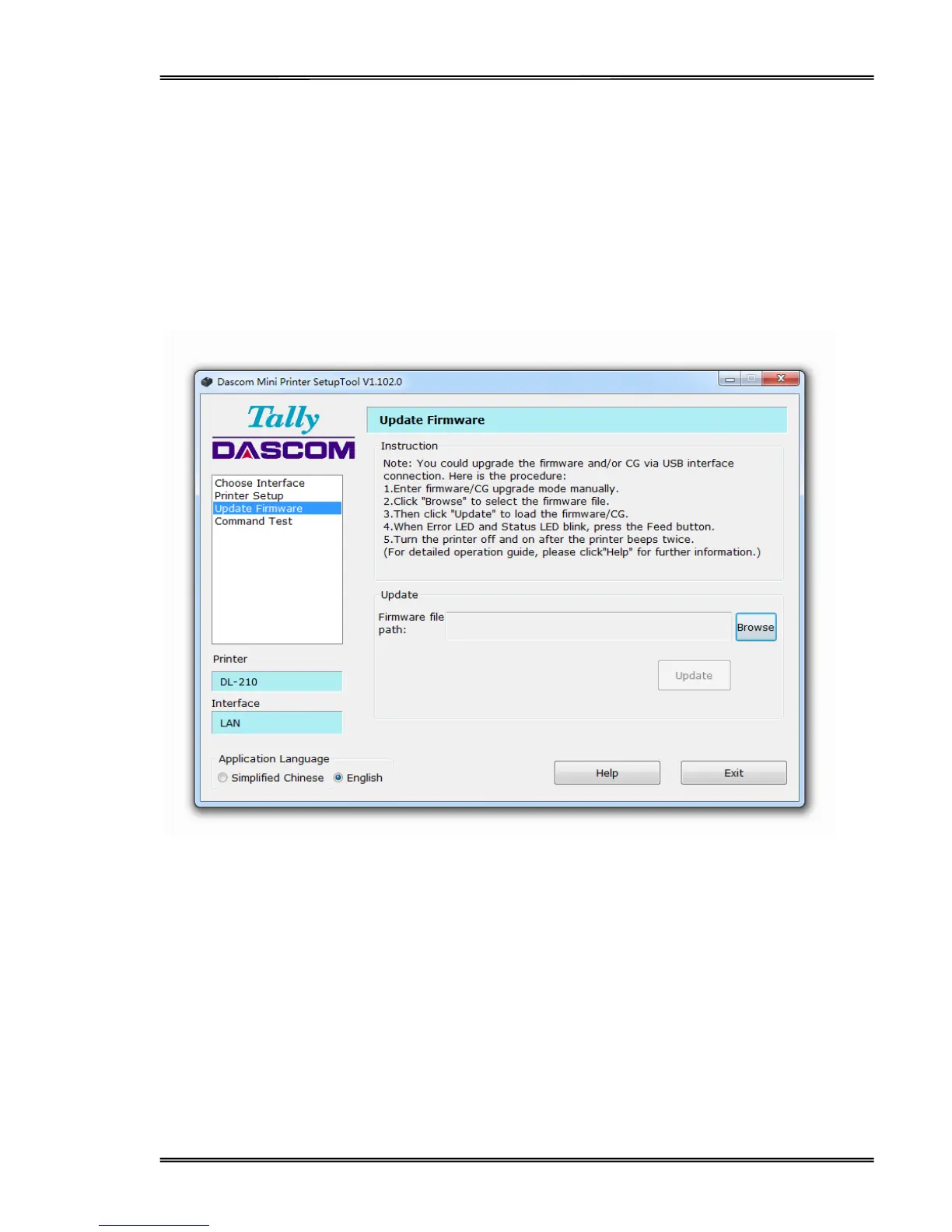
(4) Upgrade Firmware
① Run Dascom setup tool, select model Label Printer and USB interface.
② Select “Update Firmware” tab, then click “Browse” to locate the firmware/CG file, and then
click “Update”. May take about 20 seconds.
③ After loading the firmware, the Power LED, Error LED and Status LED blink.
④ When the printer beeps twice, and the three LEDs are on, turn the printer off.
⑤ Mission complete.



 To Next Page