Tally Dascom DL-830 User Guide V1.0
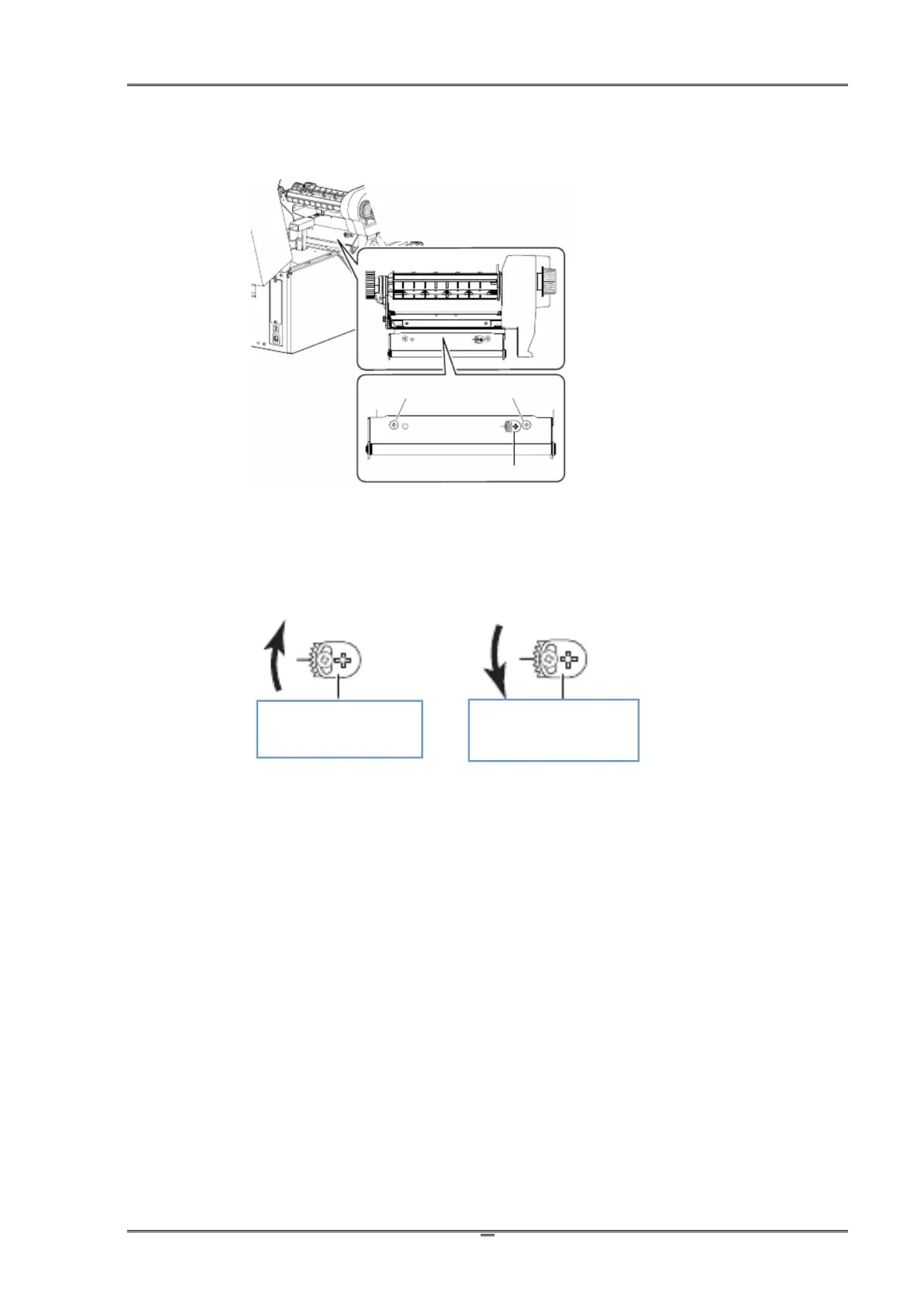
2.6.3 Resolve the wrinkled ribbon by adjusting the Ribbon Supply Leveler
When you observe loose ribbon on one side from the supply side or wrinkled ribbon, adjust the
Ribbon Supply Leveler resulted in even ribbon tensions on both ends of the supply side.
(1)Unfasten the two screws fixing the metal plate.
(2)Unfasten the screw fixing the Leveler.
(3)Turn the Leveler to change the tilt angle of the metal plate and its shaft, which is in contact
with the supply ribbon..
(4)When you observe balance tensions on both ends of the supply ribbon, fix all 3 screws.
(5)Repeat the adjustment if you find wrinkle ribbon after fixing the screws.
NOTE: Incorrect media thickness and width settings may cause wrinkle ribbon as well. If several
attempts on Leveler adjustment fail to correct wrinkle ribbon, you should check the media
thickness and width settings.
Clockwise to tilt the
shaft upward.
Anticlockwise to tilt
the shaft downward.



 To Next Page