EasyManua.ls Logo

Tally Dascom DL-830 - 1.7 Key Components

Tally Dascom DL-830
91 pages
Print Icon
To Next Page IconTo Next Page
To Previous Page IconTo Previous Page
Loading...
Tally Dascom DL-830 User Guide V1.0
8
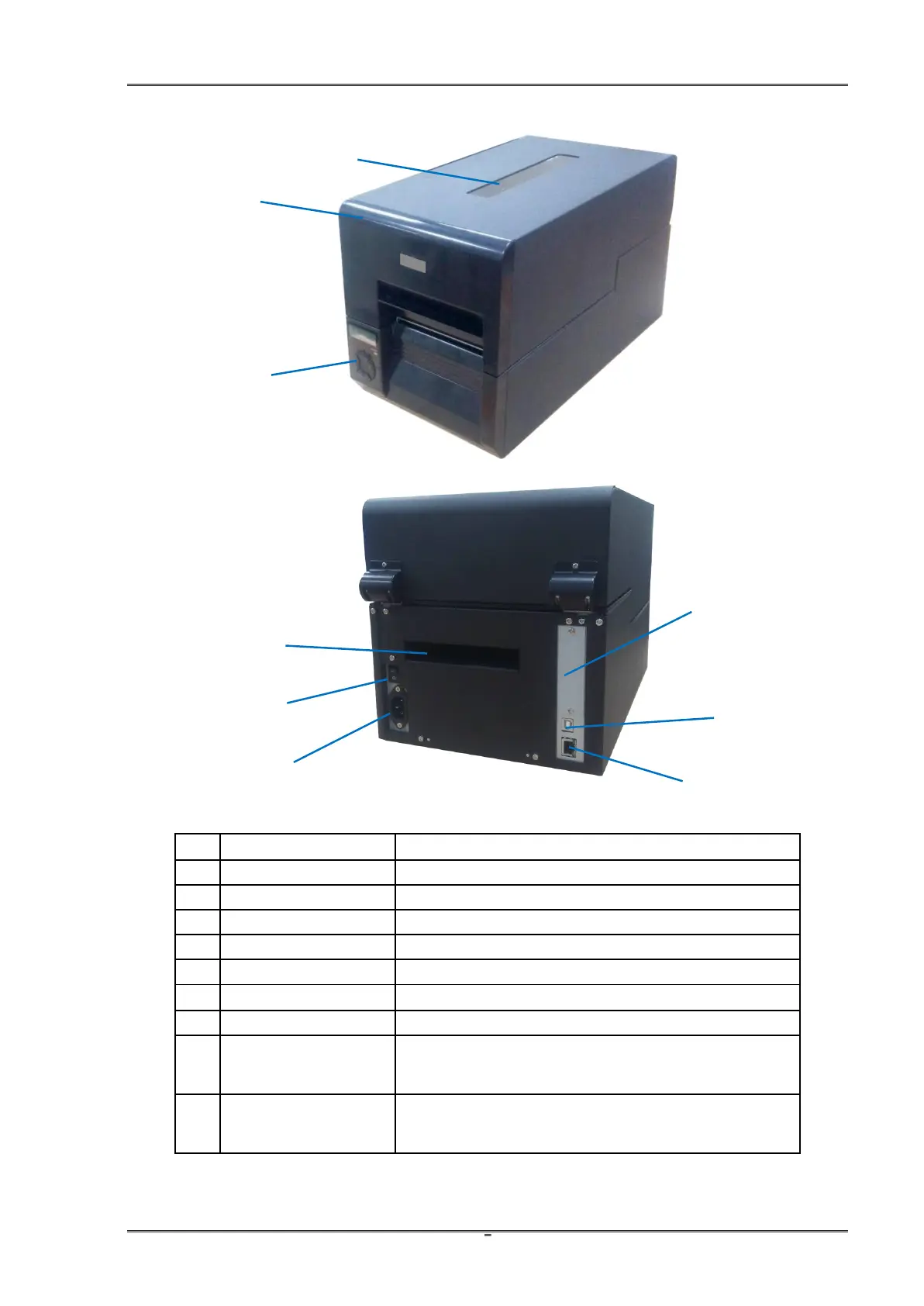
1.7 Key components
No.
Part Names
Descriptions
1
Transparent Window
Observe quantity of remained media.
2
Top Cover
Open to replace media or ribbon.
3
Control Panel
Configure the parameters and check the settings.
4
Rear Slot
An opening to load fanfold media
5
Power Socket
Socket for detachable power cord.
6
Power Switch
Turn on and off the printer
7
USB Interface
USB connection to PC (ex-factory standard interface)
8
LAN Interface
LAN connection to the server (ex-factory standard
interface)
9
Optional interface:
parallel
Optional interface to the PC. (Ordered separately)
2
1
6
9
7
5
3
8
4

Table of Contents

Related product manuals