Tally Dascom DL-830 User Guide V1.0
3.4 Using the Configuration Tool
You can conveniently setup the printer for your application or upgrade the firmware with this
Configuration Tool.
3.4.1Setup for the media with black marks
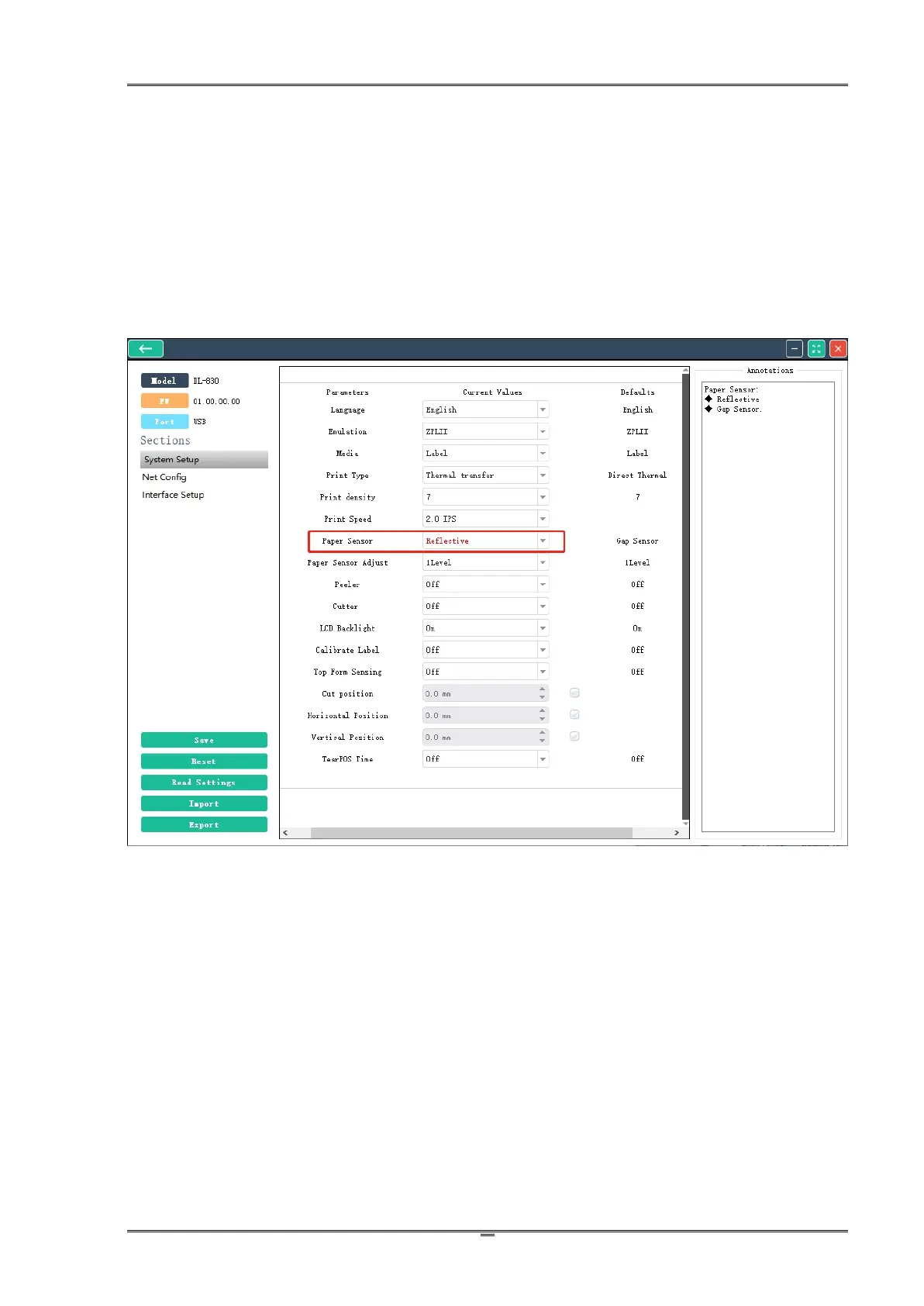
In Config Tool, click Connect; then click Setting. Select Reflective for Paper Sensor to support
media with black marks.



 To Next Page