Tally Dascom DL-830 User Guide V1.0
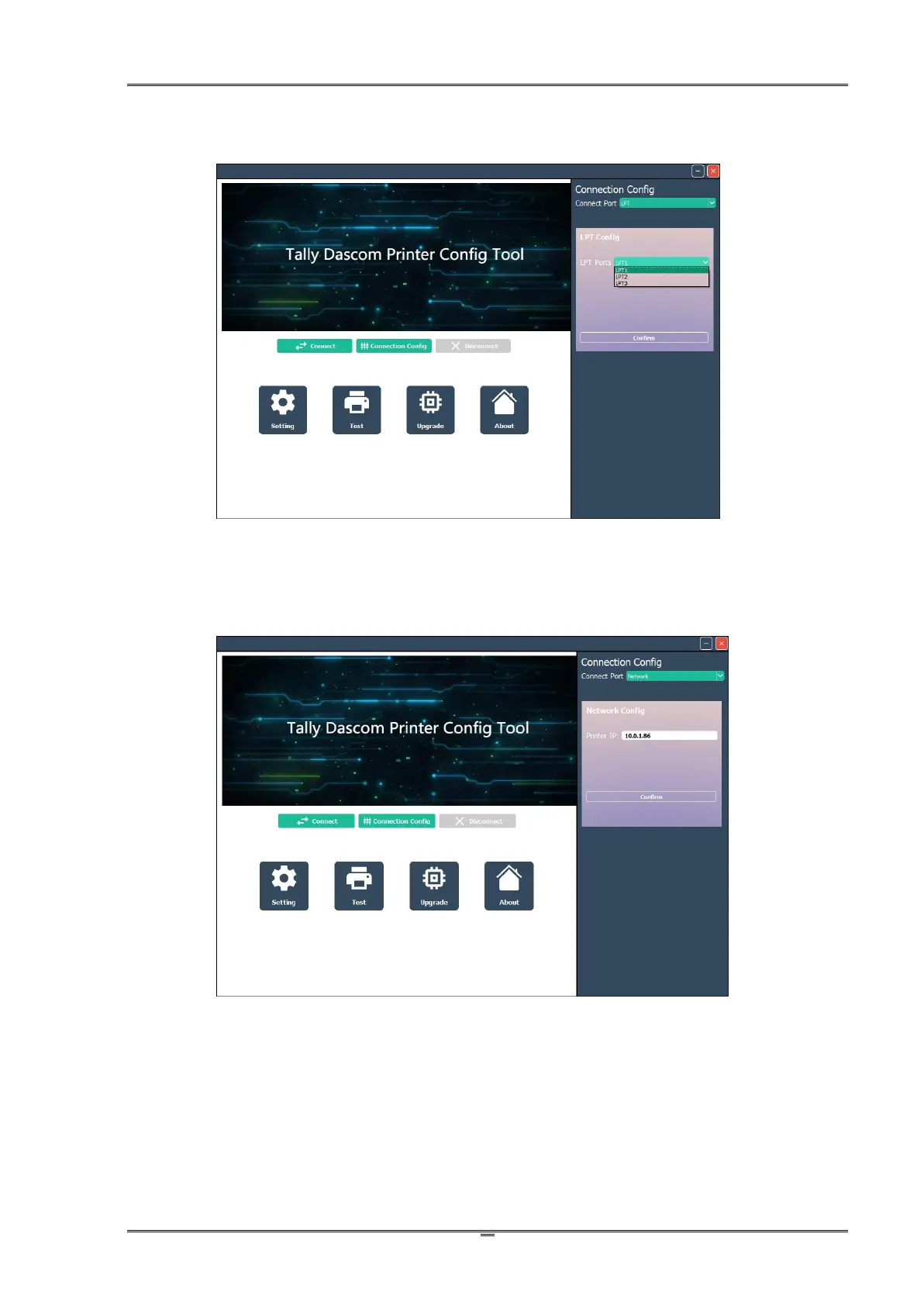
(4)Set the Parallel port setting to match the LPT port used on the PC -
(5)Network configuration by adding the Printers assigned IP Address –
Once the proper I/O type has been selected, click on the Confirm button
(6)The Tool will try to reach the Printer and if the I/O Port information is set up properly the Tool will
connect.



 To Next Page