Tally Dascom 1125
51
9 Interfaces
Parallel Interface
Parallel Interface Pin Assignment
Pin Signal Name Signal Transmission
1 STROBE¯¯¯¯¯¯ Printer f Computer
2~9 DATA Printer f Computer
10 ACK¯¯¯ Printer g Computer
11 BUSY Printer g Computer
12 PE Printer g Computer
13 SELECT Printer g Computer
14 AFXT¯¯¯¯ Printer f Computer
15 Unused Unused
16 GND Printer n Computer
17 F-GND Printer n Computer
18 +5V Printer g Computer
19~30 GND Printer n Computer
31 INIT¯¯¯¯ Printer f Computer
32 FAULT¯¯¯¯¯ Printer g Computer
33 GND Printer n Computer
34 Unused Unused
35 FUSE Printer g Computer
36 SLCTIN¯¯¯¯¯¯ Printer f Computer
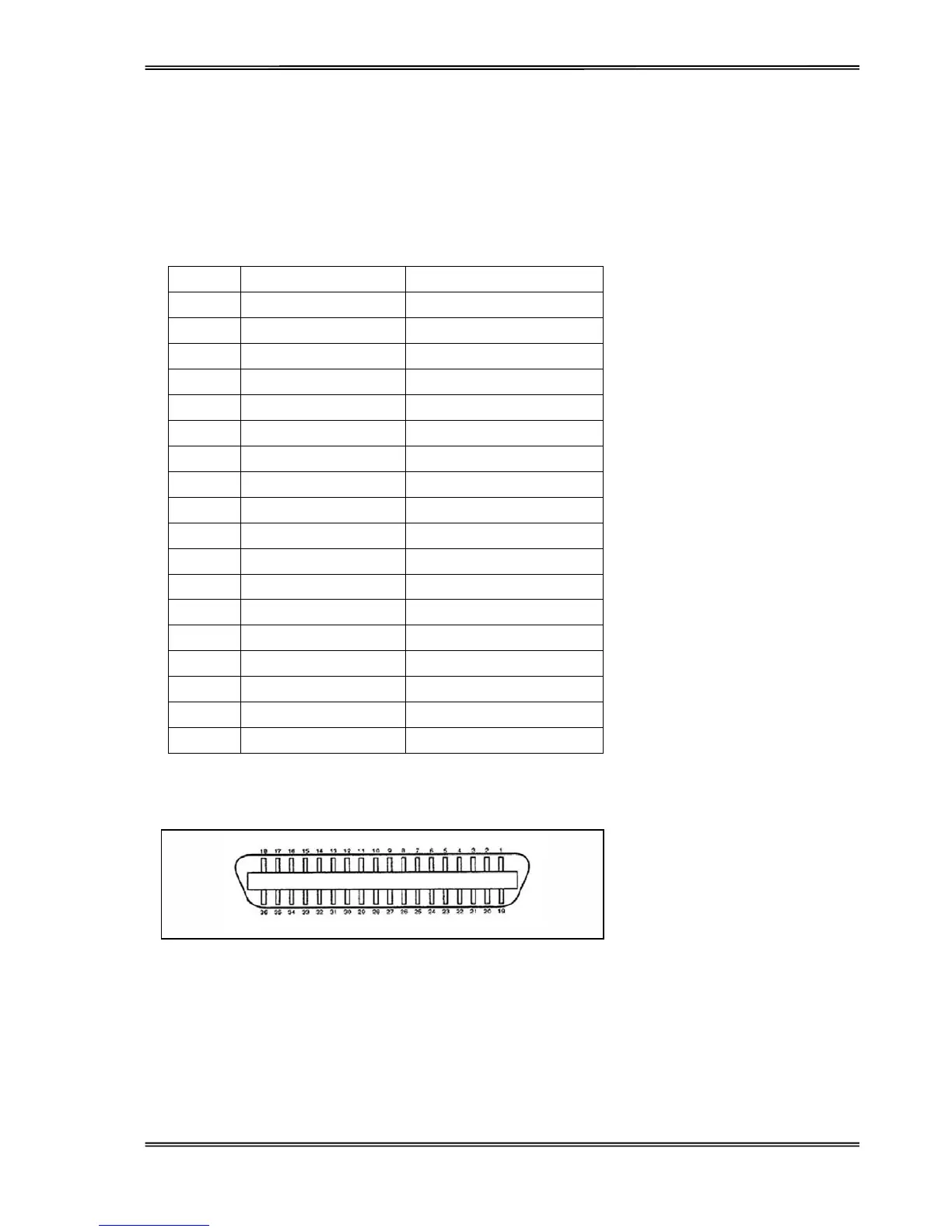
Parallel Interface Connector Diagram
Note: Any external devices connected to the parallel port should not draw current exceeding 200 mA from pin
18; otherwise it may affect the printer operation.



 To Next Page