Before reinstalling or updating the software, make sure to carry out the
uninstall program rst. Before you begin the uninstall program, rst make
sure to quit all T&D Recorder for Windows programs.
40
Reinstalling the Softwere
4.Follow the directions to Uninstall.
5.To reinstall, follow the directions to [Install].
●
Even after uninstalling, saved data les will still remain in the folders and
locations they were saved in.
Also, saved Remote Unit registration info may still remain. If you wish to
delete all of these data and registration les, make sure to delete all of the
relevant folders after uninstalling but before reinstalling.
1.In the Windows Control Panel, click on [Add/Remove Programs].
2.From the list of currently installed programs, select [T&D Recorder
for Windows] and click the [Add / Remove] button.
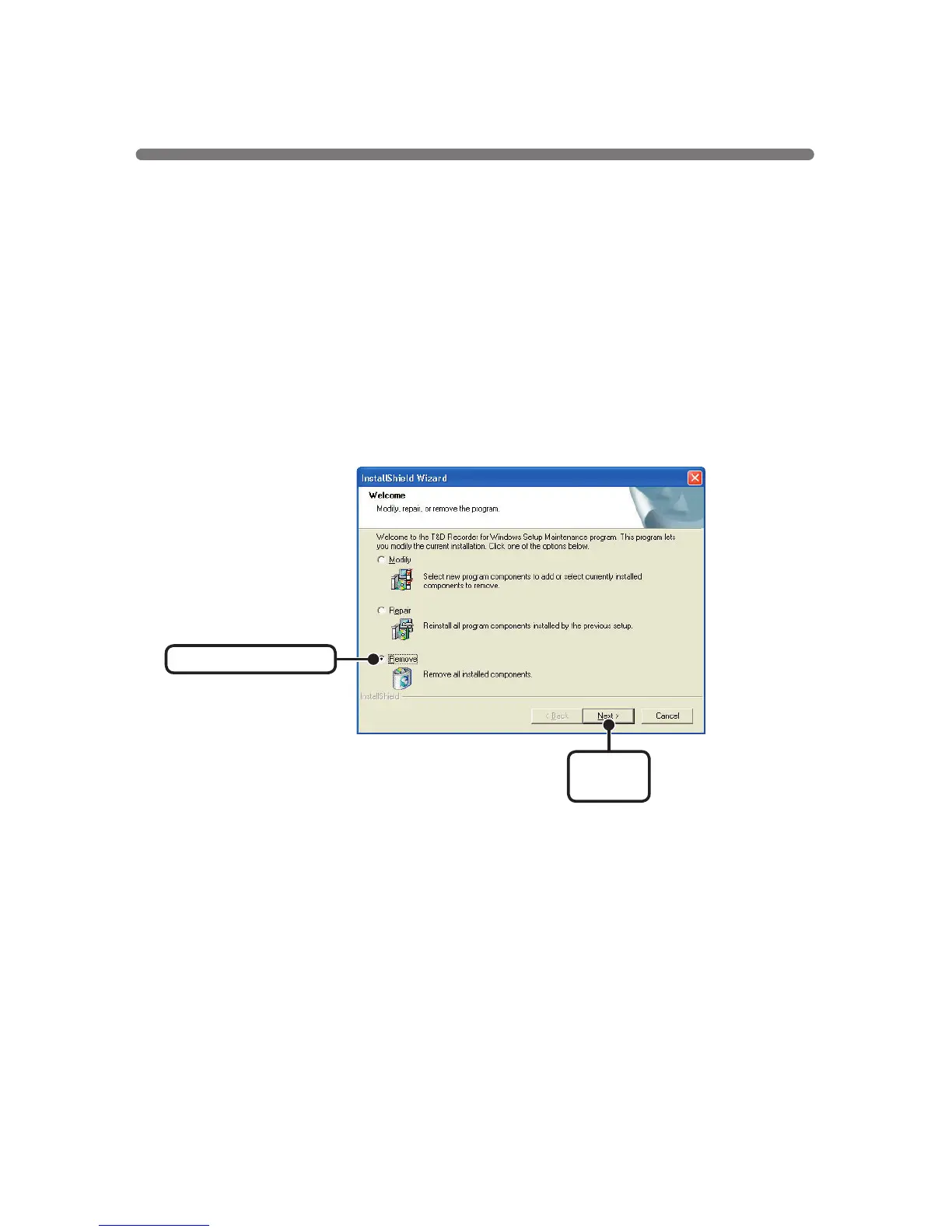
3.The [Install Shield Wizard] will appear. Check [Remove], and click
[Next].
Check [Remove]
[
Next
]
button



 To Next Page