Graph Maintenance
29
●
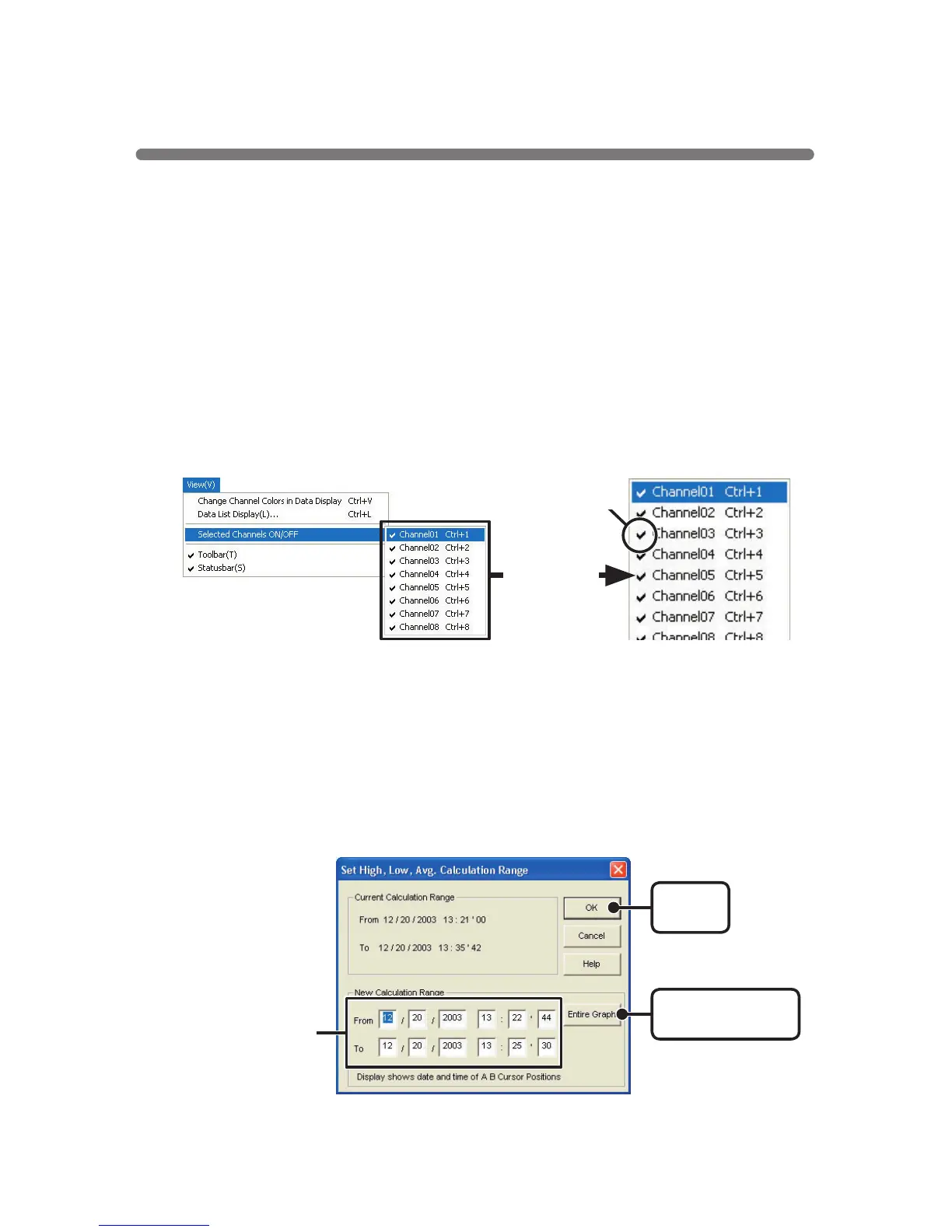
Selected Channels ON
/
OFF
:
From the
[
View
]
Menu
1.By moving the mouse to [Selected Channels ON/OFF], the channel
numbers are displayed.
2.Click the channel number you wish to view or hide.
※
The same operation can be done by clicking on the channel number
icons in the Toolbar.
■
Changing the Method of Graph Display
●
Changing graph display colors
:
From the
[
View
]
Menu
You can change the letters used in the data list display for each channel
between monochrome and channel color
《
Enlarged
》
Check
●
Set High, Low, Average Calculation Range
:
From the
[
Tools
]
Menu
1.Set the calculation range in the [Set High, Low, Avg. Calculation
Range] box.
[
Entire Graph
]
button
[
OK
]
button
Enter the numerical
values.



 To Next Page