5
[
Execute
]
button
「
Install T&D Recorder
for Windows
」
●
Is Windows operating properly
?
If Windows is not operating properly, T&D Recorder for Windows may not
be installed correctly or it may not operate properly.
●
Please quit all other applications.
If other programs are open, please close and quit all of them, making sure
to quit all Quick Start programs such as a virus checker.
1.Open Windows.
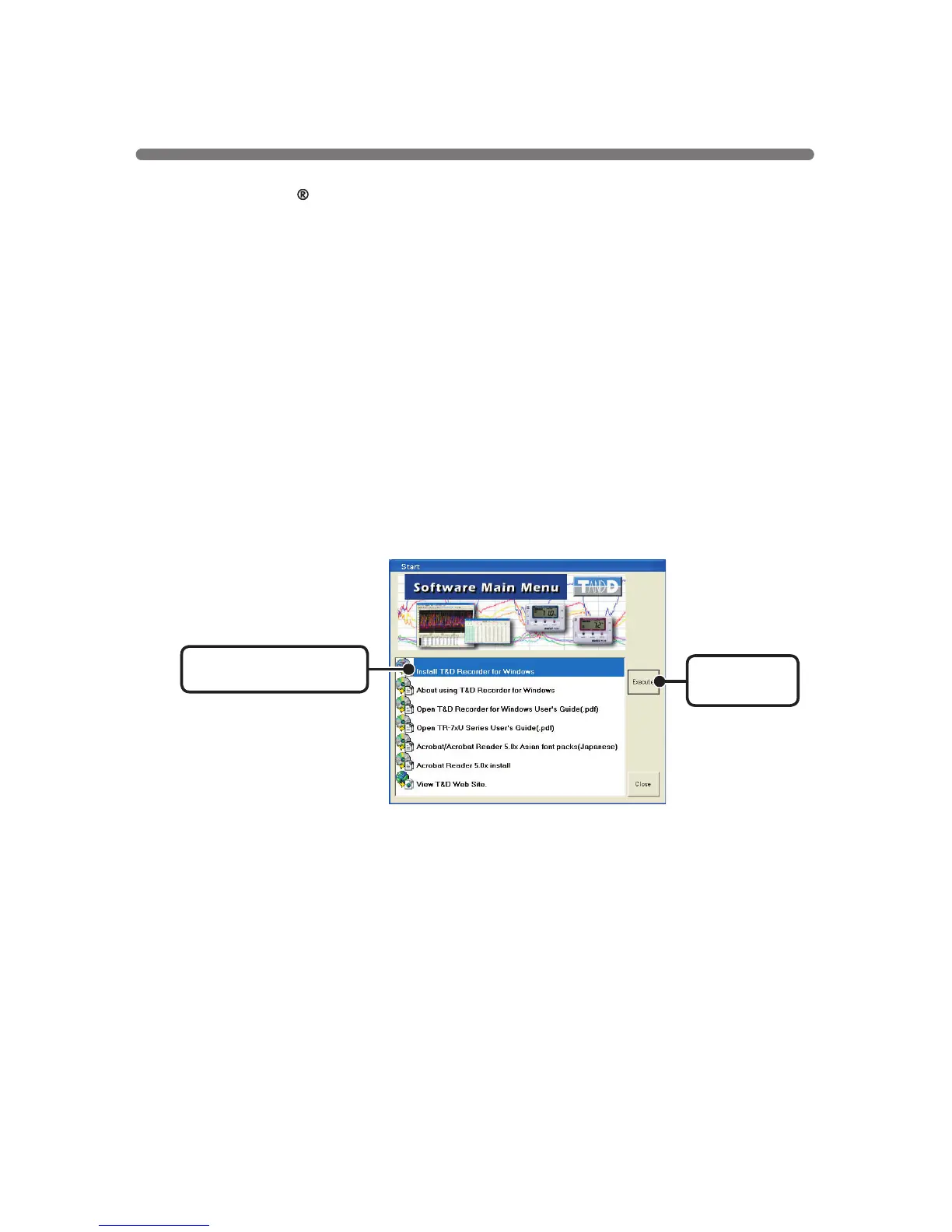
2.Place the accompanying CD-ROM into your CD-ROM drive. In a few
seconds, the 「Install Program
」
window will appear.
●
If that window does not automatically open, please open it by double
clicking the CD-ROM icon in
「
My Computer
」
on your desktop.
3.Select [Install T&D Recorder for Windows] and click the [Execute]
button to start the installation.
4.To continue installation, follow the directions as they appear.
After installation has been completed the program
「
T&D Recorder for
Windows
」
should appear in the
[
Start
]
Menu and the
[
TR-71U
/
72U
Quick Start
]
will be registered in the
[
Start
]
Menu’s
[
Start up
]
Program.
Installing the Software



 To Next Page