25
Temperature
/
Humidity Graph
◆
How to Open
●
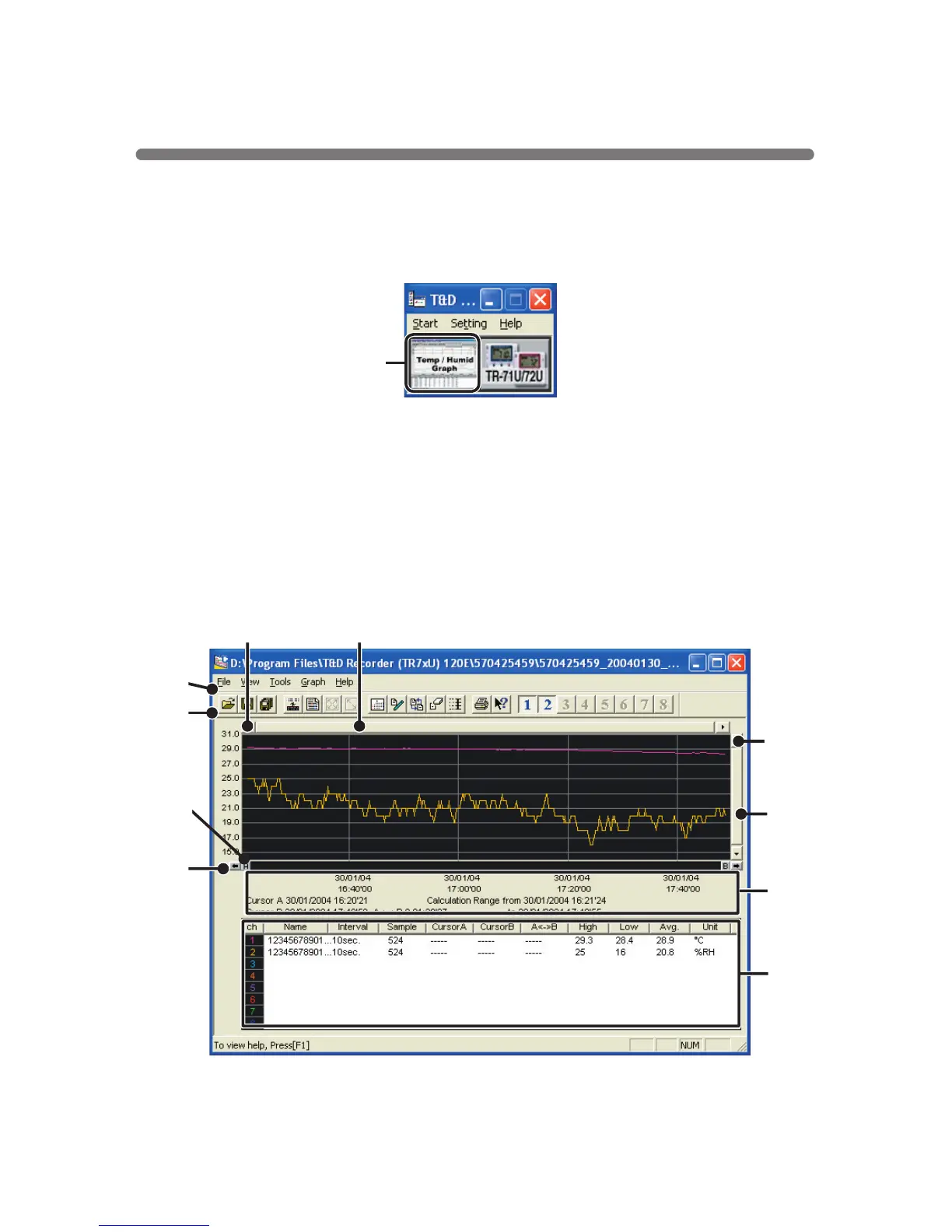
Open the Graph display by clicking the icon
[
Temp
/
Humid Graph
]
in the
Main Window.
●
To open the graph program, click on
[
Open Temp
/
Humidity Graph
]
in the
Settings
/
Communication Display under the
[
File
]
Menu
●
If you have checked
[
After downloading, automatically display graph
]
in the
detailed settings, the graph program will automatically open.
Click
◆
Display Names and Functions
②
③
④
①
⑤
⑥
⑧
⑦
⑩
⑨



 To Next Page