45
Specications
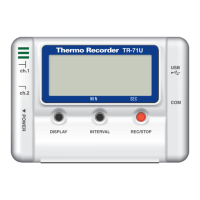
Compatible Devices TR-71U
・
TR-72U
Communication
Functions
Recording Start
(
Immediate Start
/
Programmed Start
)・
Recording Stop
・
Main Unit Settings
(
Recording Interval
・
Recording Method
・
Upper and
Lower Limits
・
Permission to Start Recording by Wireless Communication
)・
Downloading of Recorded Data
Temp
/
Humidity Graph
Graph
Data Display
Number of Channels
Others
Temp
/
Humidity Graphs for Each Channel
(
Zoom out
/
in and scroll
)・
Change Channel Colors
・
Turn ON and OFF Channel Display
Channel Name
・
Recording Interval
・
Number of Readings
・
Highest, Lowest
and Average Reading
・
Unit of Measurement
・
AB Cursor Dates
/
Times and
Data Readings
・
Calculated Difference between Cursor A and B
8 Channel Simultaneous Display and Processing
Possible to process mixed data from TR-71U and TR-72U units.
(
up to 4units.
)
Data List Display
・
Calculation Range Settings
・
Data Maintenance
・
Edit Recording Conditions
・
Delete Data by Channel
・
Re-order Data by
Channel
Others Serial Port Auto Find Function
File Output
T&D Common Data File
・
Text File
(
CSV, etc
)・(
Selected Range or File
for Entire Period
)
Printing
Graphs
/
Tables
Compatible
OS
PC
/
CPU
Memory
Hard Disk
Monitor
Microsoft Windows 98
/
Me
Microsoft WindowsNT 4.0
(
USB communication not possible
)
Microsoft Windows 2000
/
Xp
IBM Compatible with higher than Pentium 90MHz
Serial Port
(
RS232-C D-sub 9pin
)
More than 16 MB
More than 4MB of free space
(
Data will need more space
)
VGA
(
640
×
480
)
more than 256 colors


 To Next Page