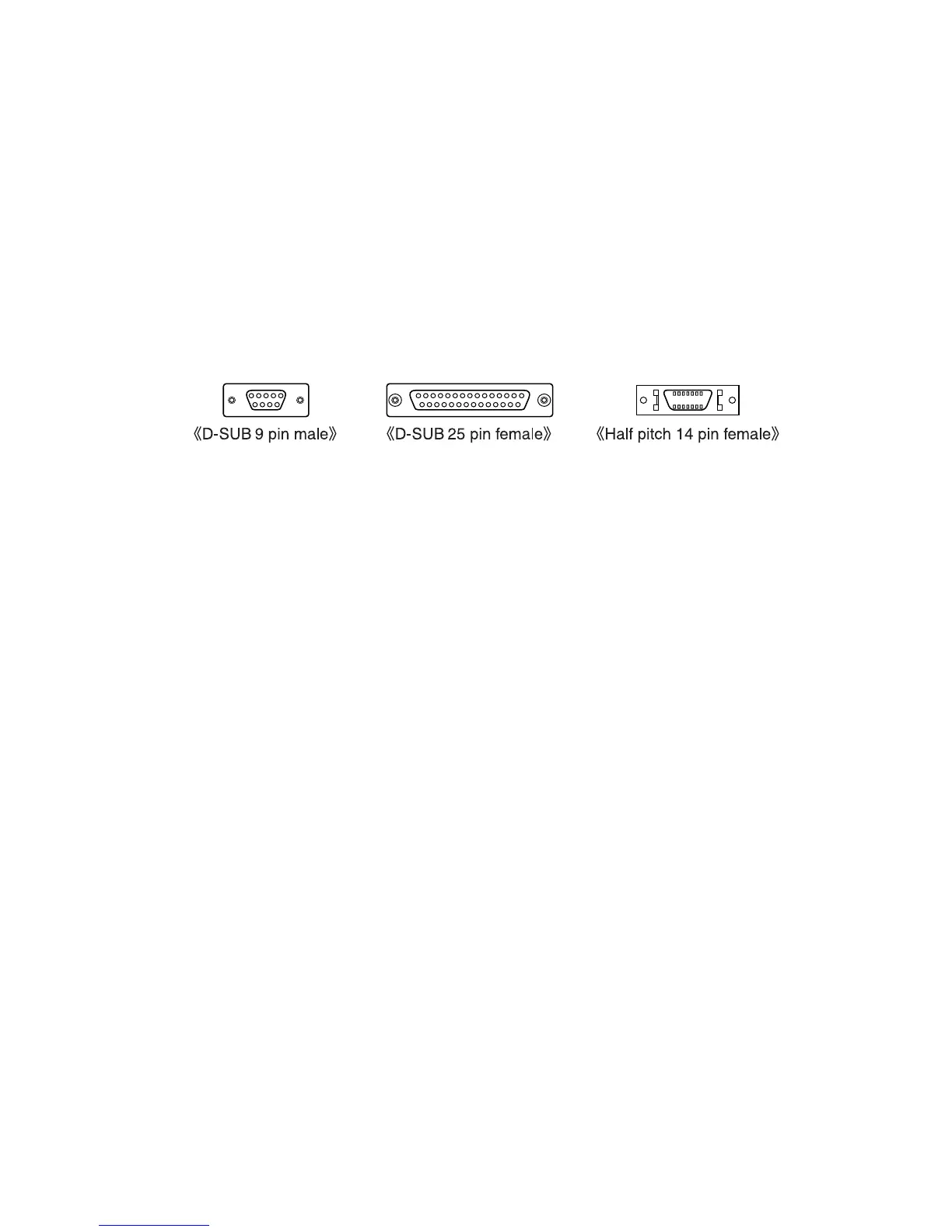
Q:I can’t get the communication cable connected to the
computer. What should I do?
A:Please connect the communication cable provided with the Thermo
Recorder into the serial port of your computer (D-SUB 9 pin male
connector). If for some reason you cannot connect directly, please use
an appropriate adapter (gender changer plug) as explained below.
・
If the connector on your computer is a D-SUB 9 pin male then there is
no need for an adapter.
・
If the connector on your computer is a D-SUB 25 pin female then use
an adapter
(
D-SUB 25 pin male to a D-SUB 9 pin male
)
.
・If the connector on your computer is a Half pitch 14 pin female then use
the adapter
(
Half pitch 14 pin male to a D-SUB 9 pin male
)
or a
combination
(
Half pitch 14 pin male to D-SUB 25 pin male
)
and
(
D-SUB
25 pin female to a D-SUB 9 pin male
)
.
44
Q:
The date and the time of the recorded data are different from
the actual date and time. Why?
A:
The Thermo Recorder has no internal clock. When you set up a
programmed recording start or when you download data, the date
and time that are shown are taken form your computer’s clock. If
your computer’s clock is not correct, it will affect the recorded data.



 To Next Page