INTRODUCTION
11
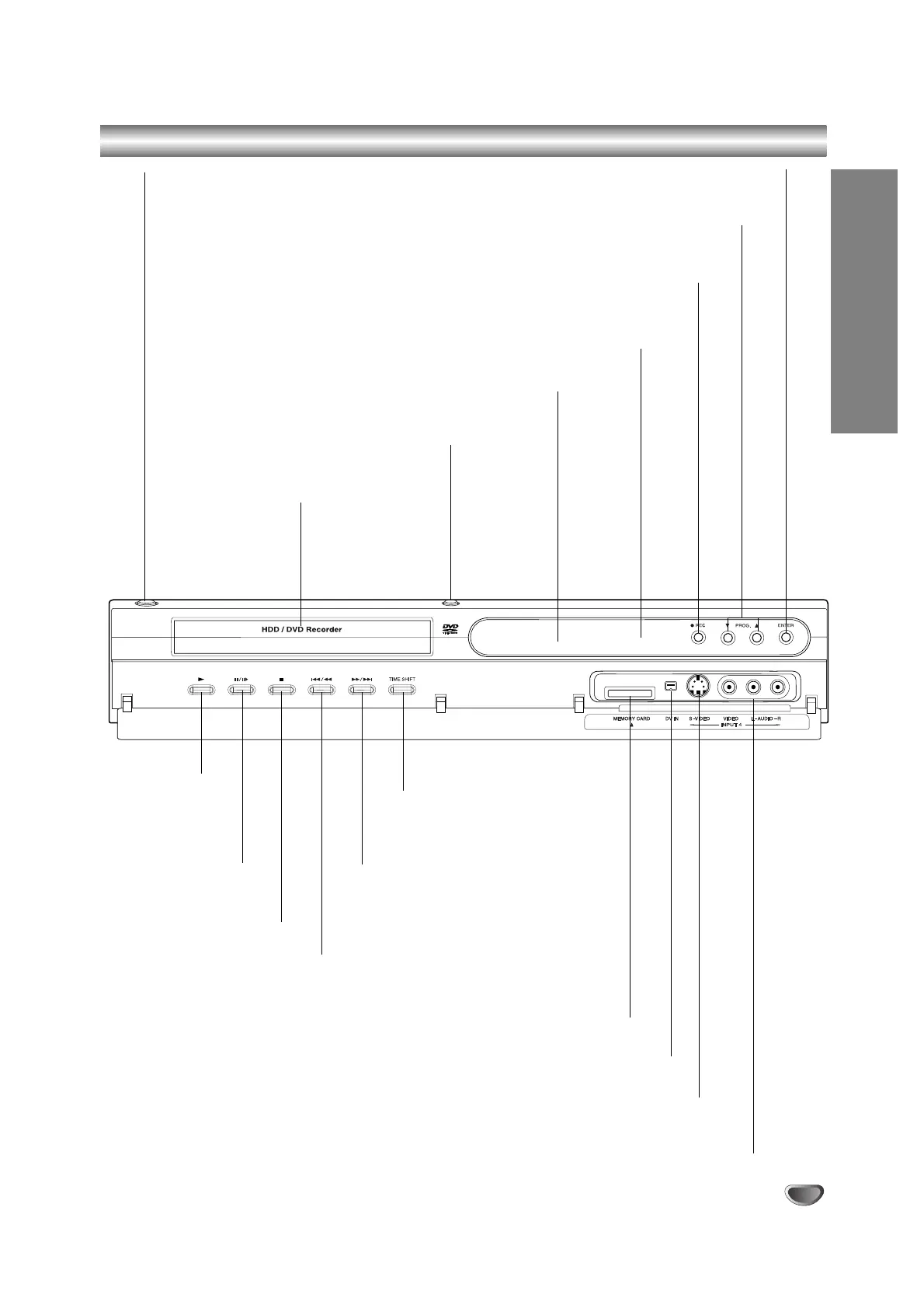
Front Panel
M/>
Go to NEXT chapter/track.
Press and hold for two seconds for a fast
forward search during playback.
PAUSE (X/C)
Pause playback or
recording temporarily,
press again to exit
pause mode.
Disc Tray
Insert a disc here.
POWER button
Switches the recorder ON or
OFF.
REC (z)
Starts recording. Press repeatedly to set the recording time.
Remote Sensor
Point the recorder remote control here.
Display window
Shows the current status of the recorder.
PROG. (V/v)
Scans up or down through memorized channels.
STOP (x)
Stops playback or recording.
TIME SHIFT
Activates pause live TV/playback
(timeshift) for a live TV program.
./m
Go to beginning of current chapter/ track or to
previous chapter/track.
Press and hold for two seconds for a fast
reverse search during playback.
PLAY (N)
Starts playback.
OPEN/CLOSE (Z)
Opens or closes the disc tray.
DV IN
Connect the DV output of a digital camcorder.
INPUT 4 (S-VIDEO IN)
Connect the S-Video output of an external source (TV/ Monitor, VCR, Camcorder, etc.).
INPUT4 (VIDEO IN/AUDIO IN (Left/Right))
Connect the audio/video output of an external source
(Audio system, TV/ Monitor, VCR, Camcorder, etc.).
MEMORY CARD Slot
Insert a memory card (SD, MMC or MS).
ENTER
Acknowledges menu selection.



 To Next Page