60
HDD, VR Mode: Original and Playlist Editing (Continued)
Naming a Title
You can name Original and Playlist titles independently.
Names can be up to 32 characters long.
11
Choose the title you want to name on the Title
List menu, then press ENTER.
The menu options appears on the left side of the
menu.
22
Use v/V to select ‘Rename’ option then press
ENTER.
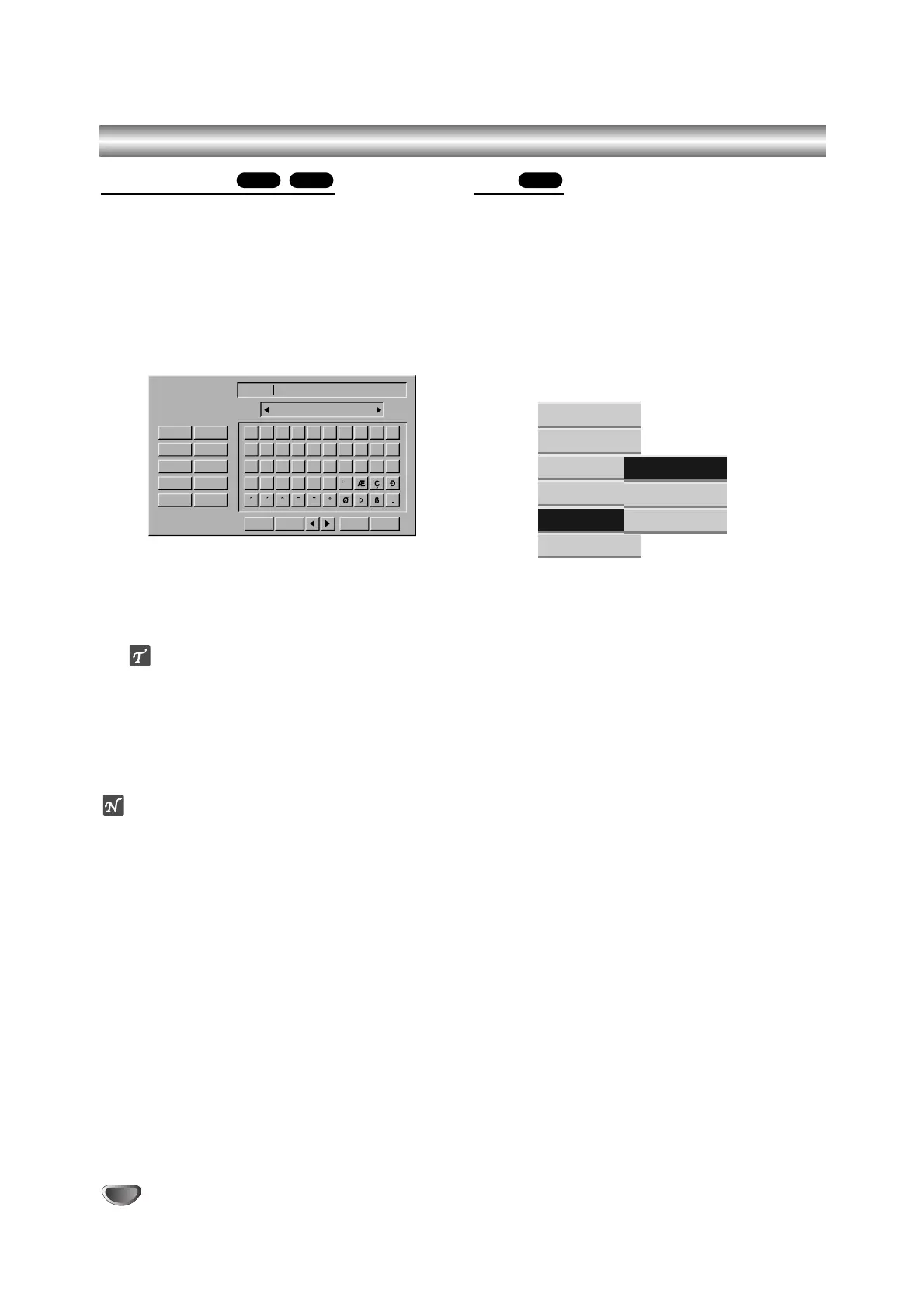
Keyboard menu appears.
33
Enter a name for the title. Use
bb
/
BB
/
vv
/
VV
to
select a character then press ENTER to confirm
your selection. Refer step 3 as shown on page
22 (Station Rename).
ip
You can add the genre only for HDD title name.
44
Choose OK then press ENTER to fix the name
and return to the previous menu screen.
55
Press RETURN (O) repeatedly to exit the
menu.
otes
• Names can be up to 32 characters long.
• For discs formatted on a different recorder, you will
see only a limited character set.
Sort
This function allows you to access show listings organ-
ized by Date, Title, or Category on the Title List-HDD
menu. So you can find title you want to watch easily.
11
Choose any title on the Title List-HDD menu,
then press ENTER.
The menu options appears on the left side of the
menu.
22
Use v/V to select ‘Sort’ option then press
ENTER.
Sort options appears.
33
Use v/V to select ‘Date’, ‘Title’ or ‘Category’
option then press ENTER.
After pressing ENTER, the sorted menu is dis-
played.
HDDVRHDD



 To Next Page