15
PREPARATION
Connections
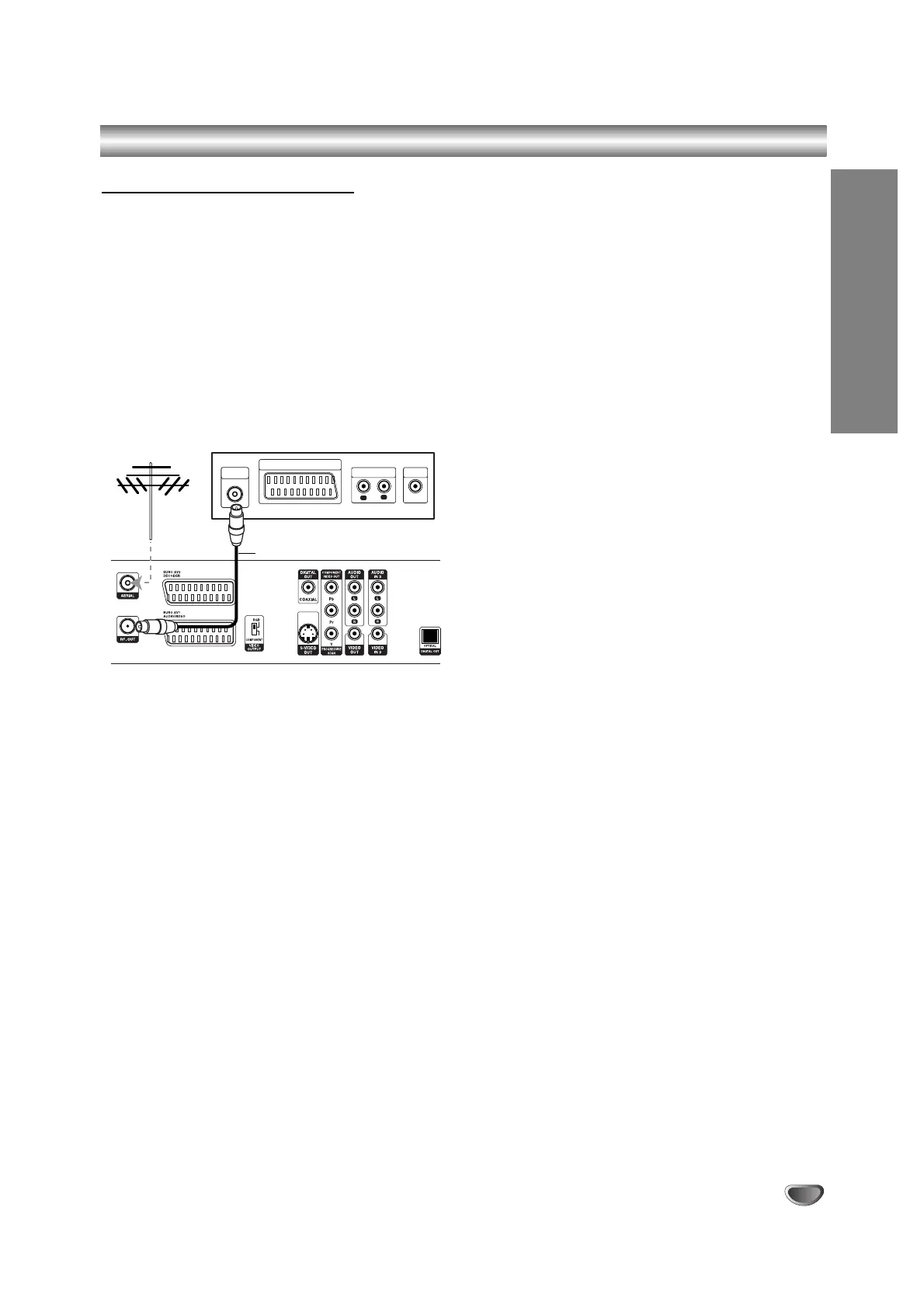
Connecting to the Aerial
Remove the aerial cable plug from your TV set and
insert it into the aerial socket at the back of the
recorder. Plug one end of the aerial cable into the TV
socket on the recorder and the other end into the aerial
input socket on your TV set.
RF coaxial connection
Connect the RF. OUT jack on the recorder to the aerial
input jack on the TV using the 75-ohm Coaxial Cable
supplied (R). The RF. OUT jack passes the signal
through from the AERIAL jack.



 To Next Page