Copying (Continued)
Dubbing from HDD to DVD
11
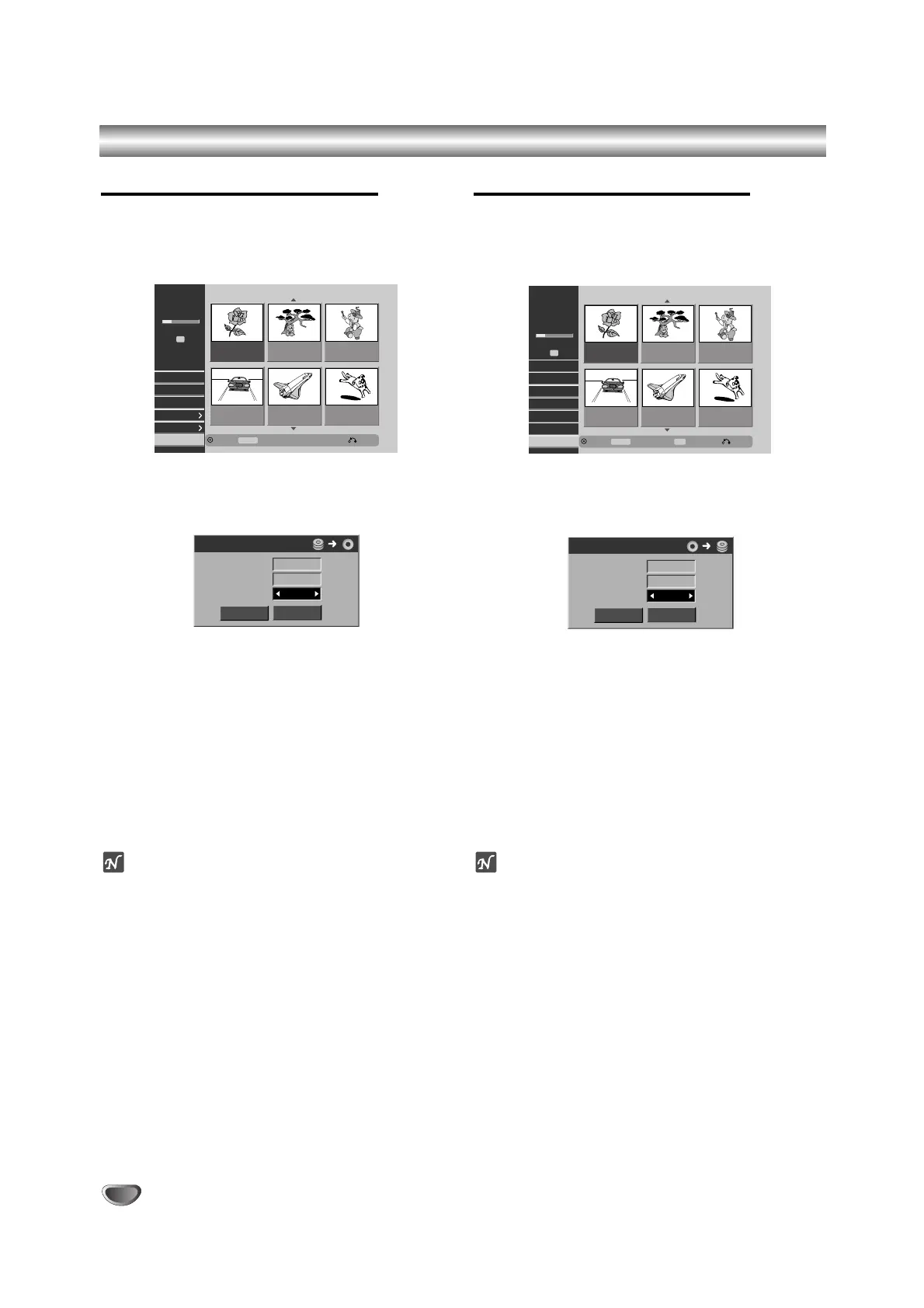
On the Title List-HDD menu, select a title you
want to dub then press ENTER.
The menu options appears on the left side of the
screen.
22
Use v / V to select ‘Dubbing’ from the options.
Dubbing menu appears.
33
Use b / B to select Rec.Mode (HQ, SQ, LQ,
Fast), then press V.
‘Start’ icon is highlighted.
Fast: Only available when copying Original content
to a VR mode disc. (See page 63 for more
information on high-speed copying.)
44
When ‘Start’ icon is highlighted, press ENTER.
Dubbing starts.
55
To stop dubbing at any other time, press
STOP (
xx
).
ote
The recording time of ‘Fast’ mode could be varied
depending on data size of source.
Approximated Time:
–1 hour contents of LQ: 7-8 minutes
–1 hour contents of HQ: 25-30 minutes
Dubbing from DVD to HDD
11
On the Title List-Original menu, select a title you
want to dub then press ENTER.
Menu options appears on the left side of the
screen.
22
Use v / V to select ‘Dubbing’ from the options.
Dubbing menu appears.
33
Use b / B to select Rec.Mode (HQ, SQ, LQ,
Fast), then press V.
‘Start’ icon is highlighted.
Fast: Only available when copying Original content
to a VR mode disc. (See page 63 for more
information on high-speed copying.)
44
When ‘Start’ icon is highlighted, press ENTER.
Dubbing starts.
55
To stop dubbing at any other time, press
STOP (
xx
).
ote
Depending on the conditions of the recording equipment
or the disc itself, the dubbing may not be capable.



 To Next Page