PREPARATION
33
Before Operation
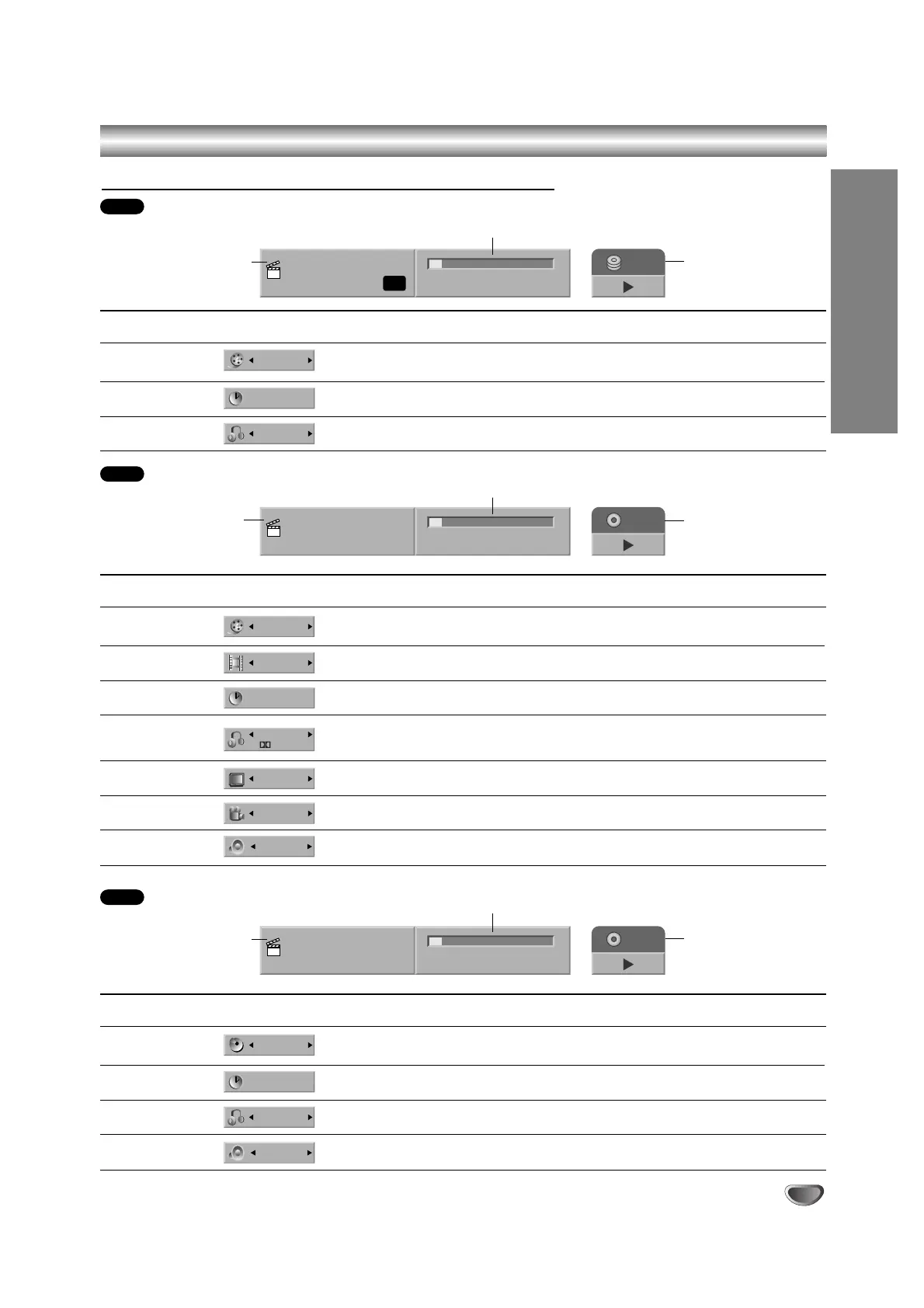
Menu Options
Track Number
Time
Audio Channel
Sound
Function (Use v / V to select desired option)
Shows the current track number and total number of tracks
or PBC On mode, and skip to the desired track number.
Shows the elapsed playing time (Display only).
Shows the audio channel, and
changes the audio channel.
Shows the current sound mode, and
changes the setting.
Selection Method
b
/
B
,or
Numbers, ENTER
–
b
/
B
b
/
B
VCD
TRACK : 1/17
0:06:32 / 1:00:00
VCD
Shows the current
track number and total
number of tracks, or
shows PBC On mode.
Shows the current
media and playback
mode.
Shows the elapsed playing time
and total time.
Menu Options
Title Number
Chapter Number
Time search
Audio language
and Digital Audio
Output mode
Subtitle language
Angle
Sound
Function (Use v / V to select desired option)
Shows the current title number and total number of
titles, and skips to the desired title number.
Shows the current chapter number and total number of
chapters, and skips to the desired chapter number.
Shows the elapsed playing time, and
searches the point by the elapsed time directly.
Shows the current audio soundtrack language,
encoding method, and channel number, and
changes the setting.
Shows the current subtitles language, and
changes the setting.
Shows the current angle number and total number of
angles, and changes the angle number.
Shows the current sound mode, and
changes the setting.
Selection Method
b
/
B
,or
Numbers, ENTER
b
/
B
,or
Numbers, ENTER
b
/
B
,
Numbers, ENTER
b
/
B
b
/
B
b
/
B
b
/
B
TITLE: 1/4
CHAPTER: 3/28
0:06:32 / 2:12:10
DVD
Shows the current
title/chapter number
and total number of
titles/chapters.
Shows the current
media and playback
mode.
Shows the elapsed playing time
and total time.
Displaying Disc Information on-screen (Continued)
Menu Options
Title Number
Time
Audio Channel
Function (Use v / V to select desired option)
Shows the current title number and total number of titles
and skip to the desired title number.
Shows the elapsed playing time, and
searches the point by the elapsed time directly.
Shows the audio channel, and
changes the audio channel.
Selection Method
b
/
B
,or
Numbers, ENTER
b
/
B
,
Numbers, ENTER
b
/
B
HDD
Title 1
16/11/04 PR-01
0:06:32 / 2:12:10
HDD
HQ
Shows the title name,
recording date,
recording channel,
recording mode, etc.
Shows the current
media and playback
mode.
Shows the elapsed playing time
and total time.



 To Next Page