12 TASCAM CD-BT2
IMPORTANT SAFETY PRECAUTIONSQuick Start Guide—Basic Operation
Connecting headphones
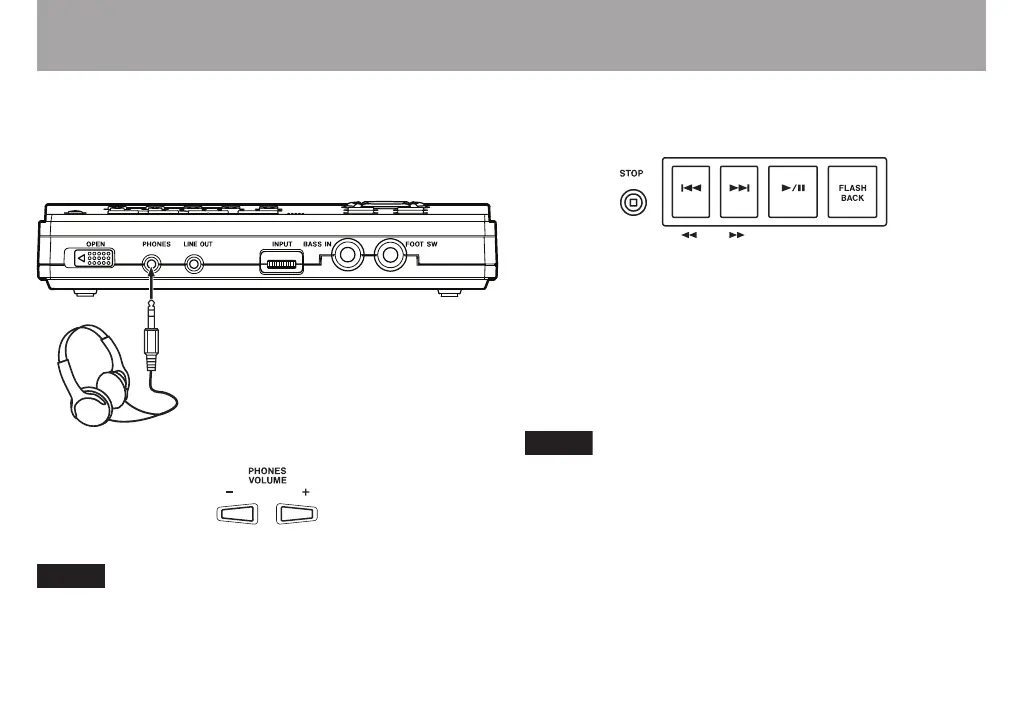
Connect headphones to the PHONES jack on the front of the
unit. Turn the volume down to the minimum level using the
PHONES VOLUME (–) key on the control panel.
Use the LINE OUT jack when monitoring with an audio
system or speakers with built-in amplification.
Playback
Playing a CD
Press the ¥/π key to start. Press the ¥/π key again to pause
playback. Press the STOP key to stop playback. Press the µ
or ≤ key to skip to the beginning of the previous or next
track. Press and hold the ≤ or µ key during playback to
fast forward () or fast reverse (Ô) through the current
track. Press the FLASH BACK key during playback to jump to
the point three seconds earlier in the current track.
You can change the number of seconds that pressing the
FLASH BACK key jumps in the track. (See “Jumping back
a few seconds (Flash Back)” on page 24.)



 To Next Page