16 TASCAM CD-BT2
IMPORTANT SAFETY PRECAUTIONS
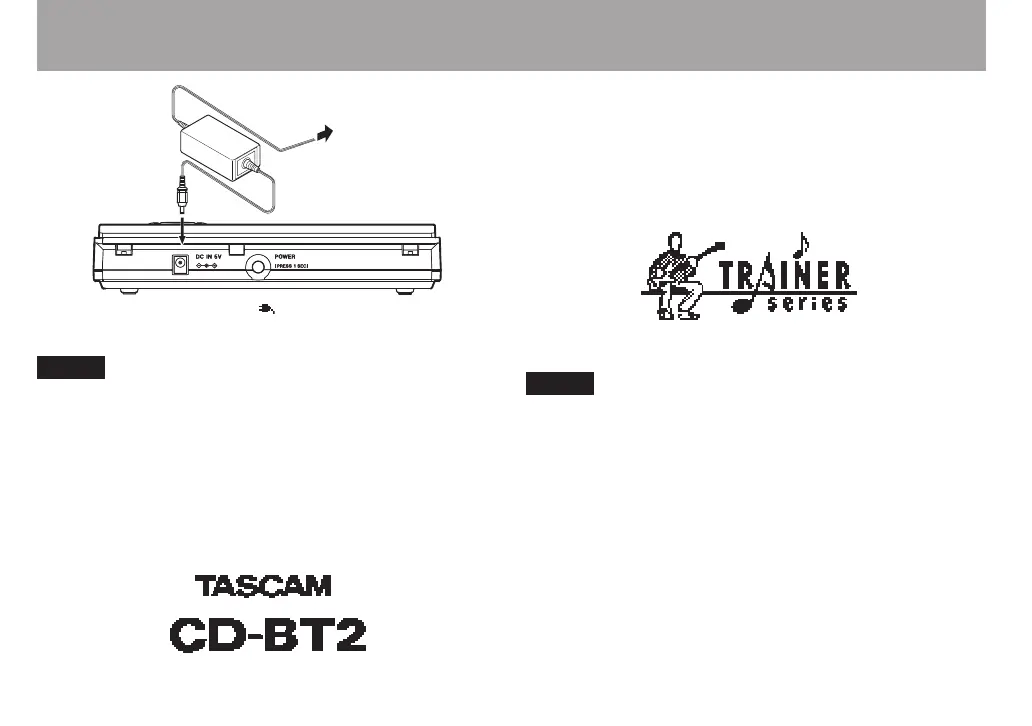
About Power
TASCAM
PS-P520
(sold separately)
AC outlet
DC PLUG
When using the AC adapter, “ ” appears in the upper right of
the display.
Unplug the AC adapter when not using the unit.
Turning the power ON and OFF
Press and hold the POWER switch on the rear of the unit for
about one second to turn its power ON. Release the button
when the screen below appears on the display.
Startup completes in a few seconds and the TIME DISPLAY
screen appears.
To turn the power OFF, press and hold the POWER switch
on the rear of the unit for more than one second. Release the
button when the screen below appears on the display.
Always use the POWER switch to turn the power ON and
OFF. When the unit is operating, if you disconnect the
power adapter or remove the batteries to turn the power
OFF, your settings may not be saved. All the settings
might even be initialized, reverting them to their default
values.
When using this player with batteries, the power turns
OFF temporarily if you remove or connect the AC adapter.



 To Next Page