24 TASCAM CD-BT2
IMPORTANT SAFETY PRECAUTIONS
Listening to CDs
Basic CD playback
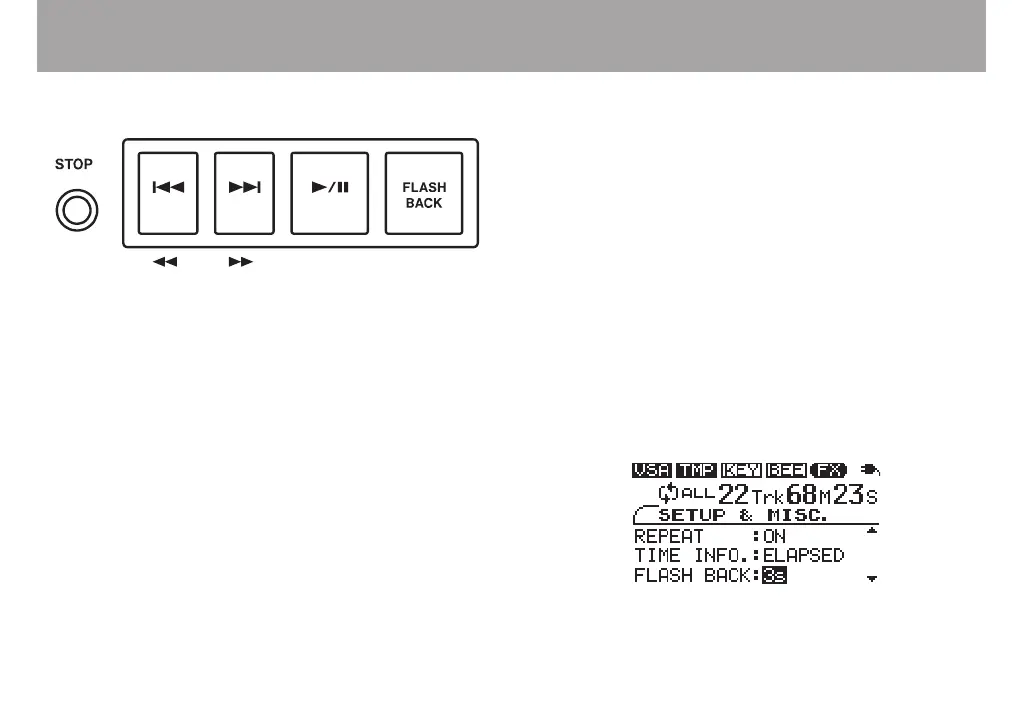
Starting playback
When the CD is stopped or paused, press the ¥/π key to start
playback.
Stopping playback
When the CD is playing, press the STOP key to stop playback.
Selecting tracks
Press the ≤ or µ key when the CD is playing, paused or
stopped to skip to the beginning of the previous or next track.
Press and hold the ≤ or µ key when stopped to increase or
decrease the track number.
Searching forward and backward
Press and hold the ≤ or µ key when the CD is playing or
paused during playback to fast forward or fast reverse.
Jumping back a few seconds
(FLASH BACK)
Press the FLASH BACK key during playback when you want to
jump back to a point a few seconds in the track and continue
play. The initial default setting for this jump is 3 seconds, but
you can set it between 1 and 5 seconds using the following
procedure.
1 Press the MISC. key to open the SETUP & MISC.
screen.
2 Use the CURSOR (§, ¶) keys to select FLASH BACK.
3 Use the VALUE (+, –) keys to set the value between one
and five seconds (1s–5s).



 To Next Page