34
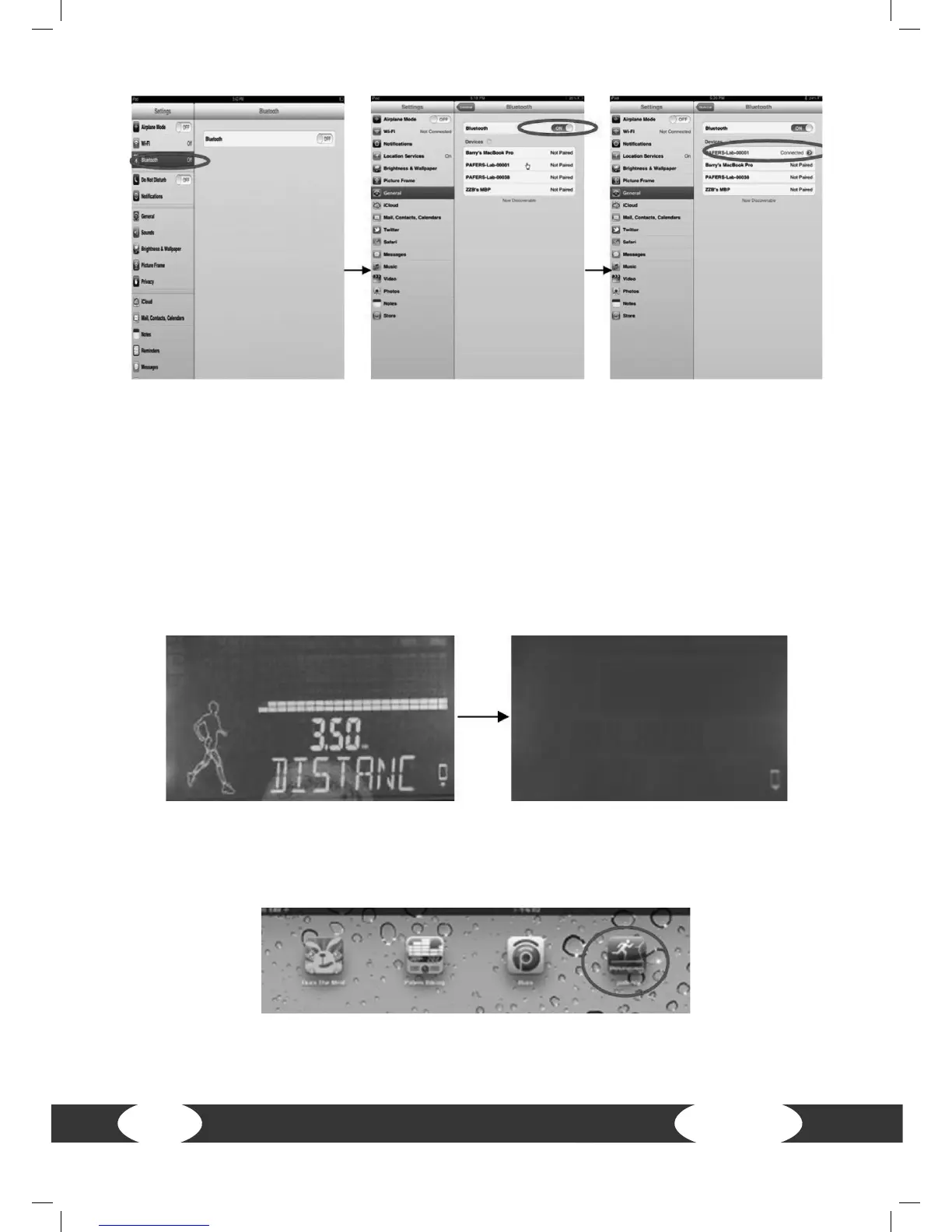
Step 4: Please wait a few seconds until the status has changed to “connected”. Then
check if the Bluetooth sign appears in the upper right corner of the iPad (white sign
stands for successful Bluetooth connection; gray sign stands for the Bluetooth is open,
but not connected).
Step 5: As soon as Bluetooth has been successfully connected for more than 10
seconds, a white background will appear on the LCD display. The sign in the lower
right corner changes from “not connected” to “connected”. This means that the
computer is successfully connected with the iPad.
Step 6: Press HOME on the iPad and the screen will go to the iPad desktop. Then open
the treadmill APP that you downloaded from the iTunes Store.


 To Next Page