TBS Tango
Ad the needed steps for the tbs tango here
Firmware upgrade
Updates to the CROSSFIREis applied using our TBS Agent software. This takes care of all the downloading
of the latest firmware, verification- and upgrade process.
Installing TBS Agent
Download the installer from http://www.team-blacksheep.com/corepro/agent (Windows7/8/10+, 64-bit
required) - no drivers needed to use the application, but an Internet connection is required to download
the latest firmware versions.
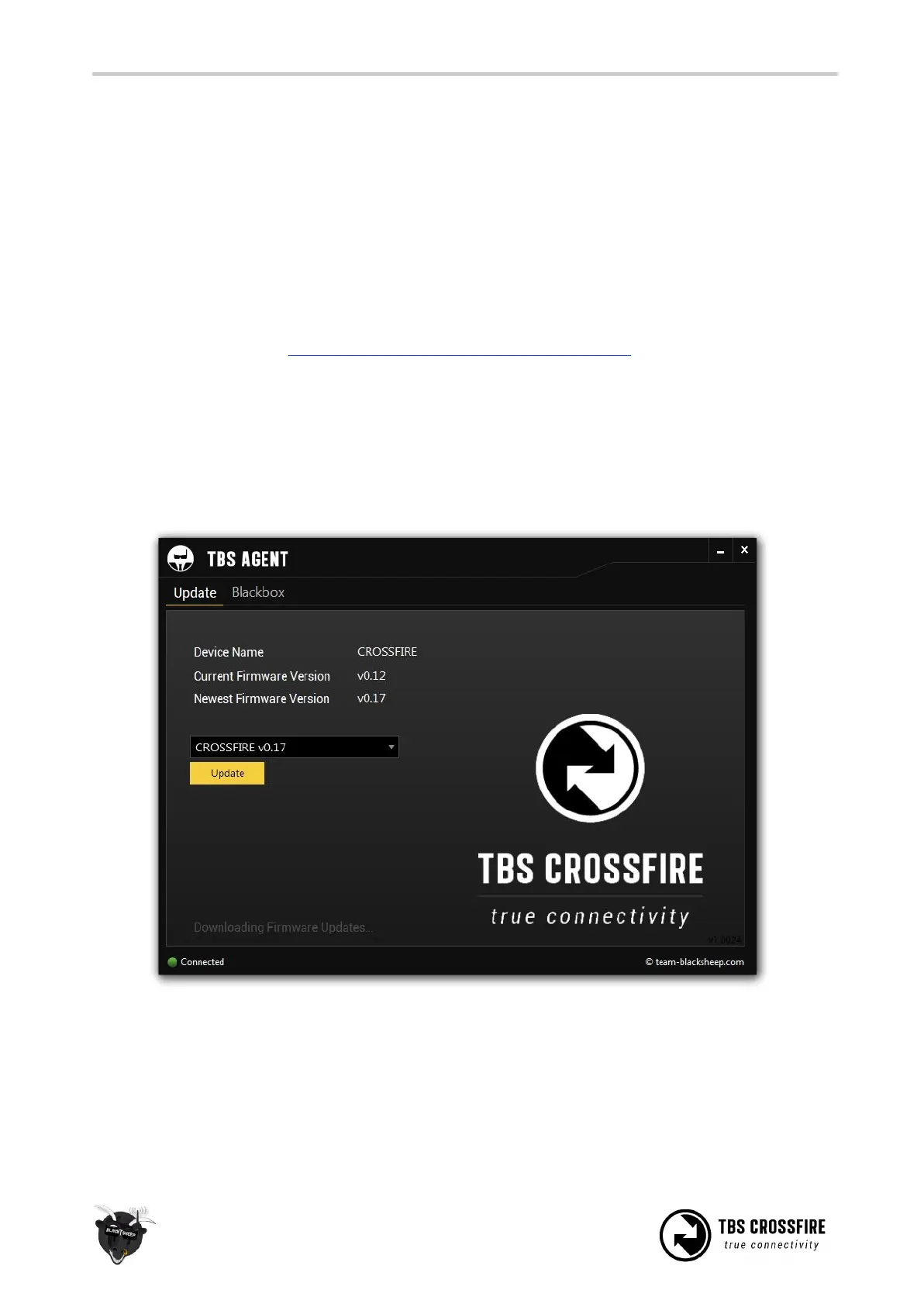
Plug in a micro-USB cable on the transmitter or receiver, power is provided via USB. The software will
automatically detect the device and offer you the option to upgrade the firmware if a newer version is
available. If you like beta versions, press F1 and enable the checkbox.
When the status indicator is green and says “Connected”, you can upgrade or downgrade the firmware.
To upgrade the firmware, select the latest version from the drop-down menu and click Update. You can
also upgrade the Crossfire receiver via the CORE PRO if it is connected on BST. Rapid blinking indicates that
the process is working and being updated. The process will take about 1 minute. Check all settings after
the process is finished.



 To Next Page