Troubleshooting (2)
Music Player
Cannot connect
to
the LAN.
+ Connect the wireless
LAN
antenna properly to the unit.
+ Check if your computer
can
connect to the Internet using the
same network.
+ Enter a correct password
to
the network.
+ Check the settings
of
your network's firewall. The
unit
needs
access
to the following
UDP
and
TCP
ports
as
a minimum:
80,
554,
1755,5000 and
7070.
+ Check if the computer
is
not
shut
down
or in the sleep mode.
Set
up
the computer
not
to shut
down
or turn into the sleep
mode
automatically.
+ There may be a problem
with
the network authentication.
Press
the
SOURCE
button
or
BAND
button
to select the Music
Player
again.
Cannot find a track. (Shared Media)
+ Add the track to the media library
of
Windows Media
Player.
+
Set
your AG-H600NT
as
a "Unknown Device"
in
the device list
of
Windows. (page
25)
+ Select "Allow" for AG-H600NT ("Unknown Device") (page
25).
+ Check the file format. Playable formats
are
MP3
and WMA.
+
If
you
have
antivirus
security
software
enabled
on
your
computer, the unit may fail to connect.
Cannot find a folder/file. (Shared Folders)
+ Configure the folder/file sharing setting. (page
26
to
27)
+ Add the file to the shared folder.
+ Enter a correct password
of
the user account.
+ Check the file format. Playable formats
are
MP3
and WMA.
+
If
you
have
antivirus
security
software
enabled
on
your
computer, the unit may fail to connect.
If
normal operation cannot be recovered, unplug the power
cord from the outlet and plug
it
again.
32
To
reset your
unit
to
the
factory
default
If your unit
is
not working properly, it
might
help to reset it to the
factory default.
This will clear your network settings (including
pass
keys)
and other
user settings (preset stations
etc.).
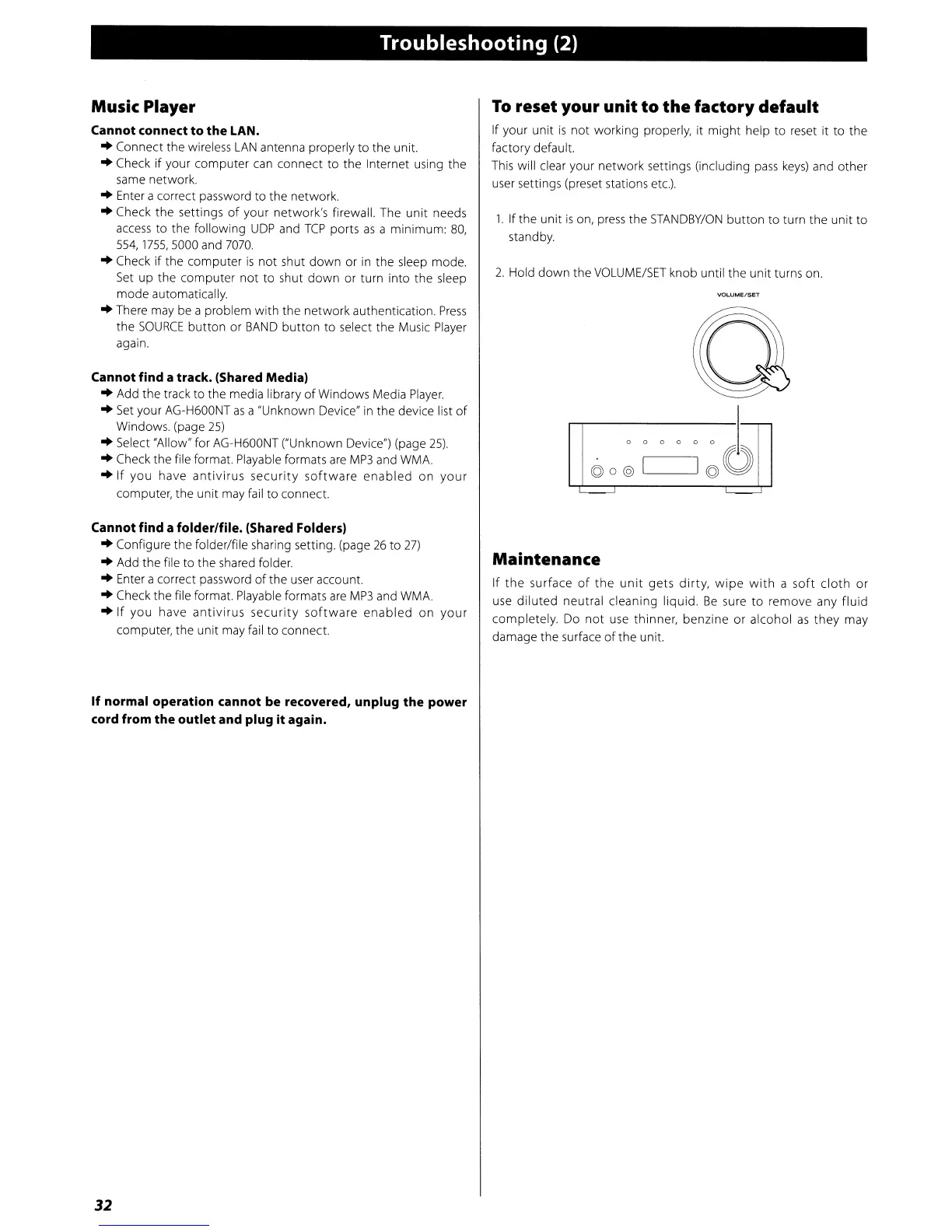
1.
If the unit
is
on,
press
the
STANDBY/ON
button
to turn the unit
to
standby.
2.
Hold
down
the
VOLUME/SET
knob until the unit turns on
Q
I
o 0 0 0
o 0 J
©o@
I
I©O
'-----'
'--
Maintenance
If
the
surface
of
the
unit
gets
dirty,
wipe
with
a
soft
cloth
or
use
diluted
neutral cleaning liquid.
Be
sure
to
remove any fluid
completely. Do
not
use thinner, benzine or alcohol
as
they may
damage the surface
of
the unit.


 To Next Page