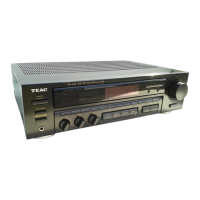
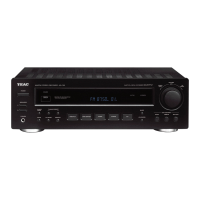
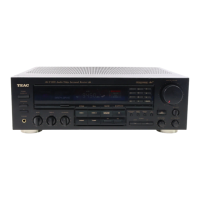
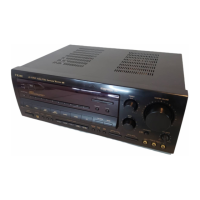
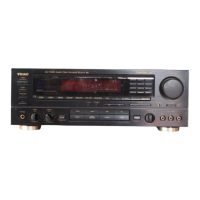
TEAC
CR·HSOONT
/
AG·H600NT
Tips
for
how
to
set
up
IIMusic
Player"
after
Internet
Radio
set up.
io set
up
the MusIc
Player
feature, you will need a good understanding
of
home networks (wired and/or wireless), and also
of
PC
based audio file shafillcl
If
VOG
i-liwe
trouale setting
up
the
{v'lusic
Player feature by only referring to the owne:'s manual, please
use
these tips
as
a qUick reference gUide
~ollow
the page number guidelines
below
to
assist
you
in
this process.
If
you have no knowledge
of
PC
based
home
or office networks,
seek
help from
ar,
experienced
user.
:Settin.g,up')lVIUSicPla.y.El~,~;·:
.
Page
43
for.CR~H500NTand
'Page
27
for
AG~H600NT
At
theShClringf~olde.!"setuP/Joldersharing
,setup shall
;bed~ne;froi:n
:p.C;:;rhen·Jt iis :necessary
to
.setup
user
,accounton·CR~HSOONT.
.
C;~tr~I'Panel+'
.
,~~'etwOrk,andSharingCenter
, ,
.•
·~"'Choose'h~me'9m.~pand~harin~options
.
'.
':~~!~~I~;!~~1~~"2~~f;~~~i~'G,to,,,
'
..
Choosemedia strear,nirigoptions...
+Xcli~k)Selecti
deVi~eto
be
shared,
-
.•..
:Sefore._you
;6egin;.to:~et,u.p~th~.!MlI~iC;:Bi~Y~ri~<~cti9n/.
please
setup'your:lnternetlR'adioaccess'ifir'st;;:"
;C'
..
:"
~.
"r-
~
". .
<-~::
:.'
~:
'.
.'
-,
-,
o
o:r~E{~q;'£~~~~~~~~f~~~~~~~fit~~~~~
";,
'::
:;-'
;':'
':
..
~~:,.:\:':<
.
Q
'ForcthoseWhoouse,il:Windowosll~sh~red:Medial,.uses
.
,;;;;~~~;~~~f~~i~\~l~~~~~~~5~,~~:~~.
:Riiated;·~~t'i~le3:';·
~:~f~t$~B~i~krtl~~~l,
,
"/.,"<
,~,.:>.~.----;-.,.:
",,'.,;'~~'-:-'
'.::::~~-:,~_.':.,;;:.
,,·:·
'i"
..
'~{:;<··,·"~
Sj~~lt:~r€~S~~~~tfle.~~lw~~,>
playet)rbefore;acc:e~sing',t6ef~~tur~it~n;,yoU~';J'EAC
•...
"
,,_.,
••
,"~
.;
-,,;-
.>
.,
.;""
"
•••
"-
c·
',,:-\,<;.;;.
....
':
...
<','
...
,
__
._'."
- •
receiver,
:Setting up,Music'Player
Page
42-44 forCR+1500NT'andPage.26 -
27
forAG-H600NT
NOTE:
()niyW/'/i,A, and
Jv\P3
files can be accessed from this feature
If
you have
I'LAC,
Alr~
or other
lossless
files that you want to
share,
they must
be
converted ro
Jv\P3
0:
WIViA
formats for sharing
to
occurs.


 To Next Page