7
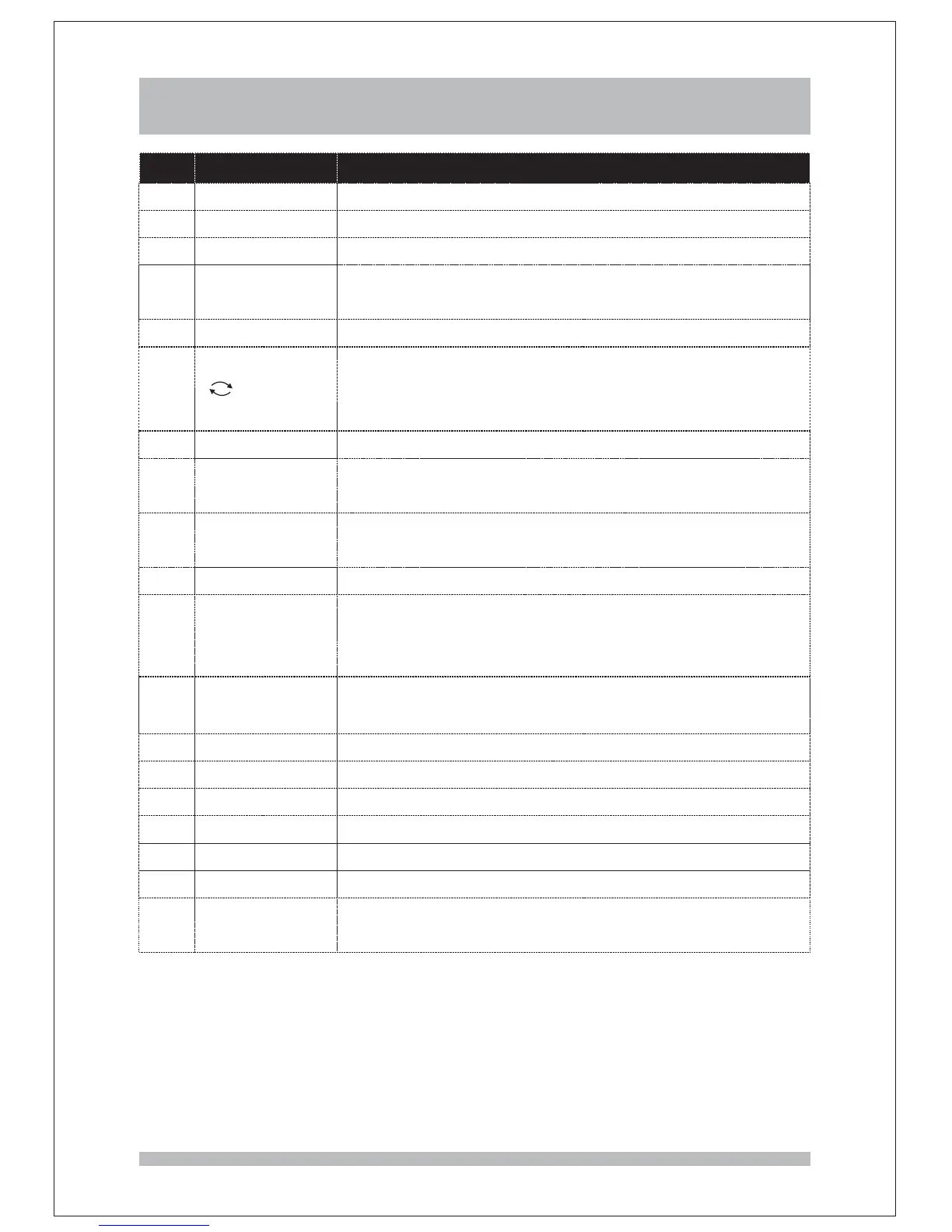
Remote control key actions
This key switches between operation and standby mode
This turns on/off the volumekey
Ref Key on remote. Action on the receiver
These s select channel numbers and you can also
use them to enter numbers and characters in menus
key
1
2
3
4
5
6
POWER
MUTE
NUMBER KEYS
7
8
EPG
INFO
This displays the main menu, and you can also
use it to go back to the previous menu as the RECALL
key
key
9
MENU
This adjust the volume up or downkey
These s change channels up (P+) or down (P-)key
This turns closed caption on / offkey
This selects an item in a menu, and you can also
use it to display the channel list
key
12
13
14
15
16
17
18
19
10
11
EXIT
OK
UP, DOWN,
LEFT, RIGHT
+ VOLUME -
P+/ P-
SUBT
TV RADIO/
AUDIO
FAV
TIME
ASPECT
COLOUR KEYS
This switches between TV and Radio channelskey
This selects audio mode and audio languagekey
This displays the favorite channel list menukey
This displayskey current data and time
This selects the screen formatkey
These s are used to operate specific functions as
shown on some menu
key
This exists from the main menukey
These keys move between items in a menu
This key displays information about the channel you
are watching
This switches between the last two channels you
were watching, and you can also use it to go back to the
previous menu
key
This opens the 7-day electronic programme guidekey
()RECALL



 To Next Page