22
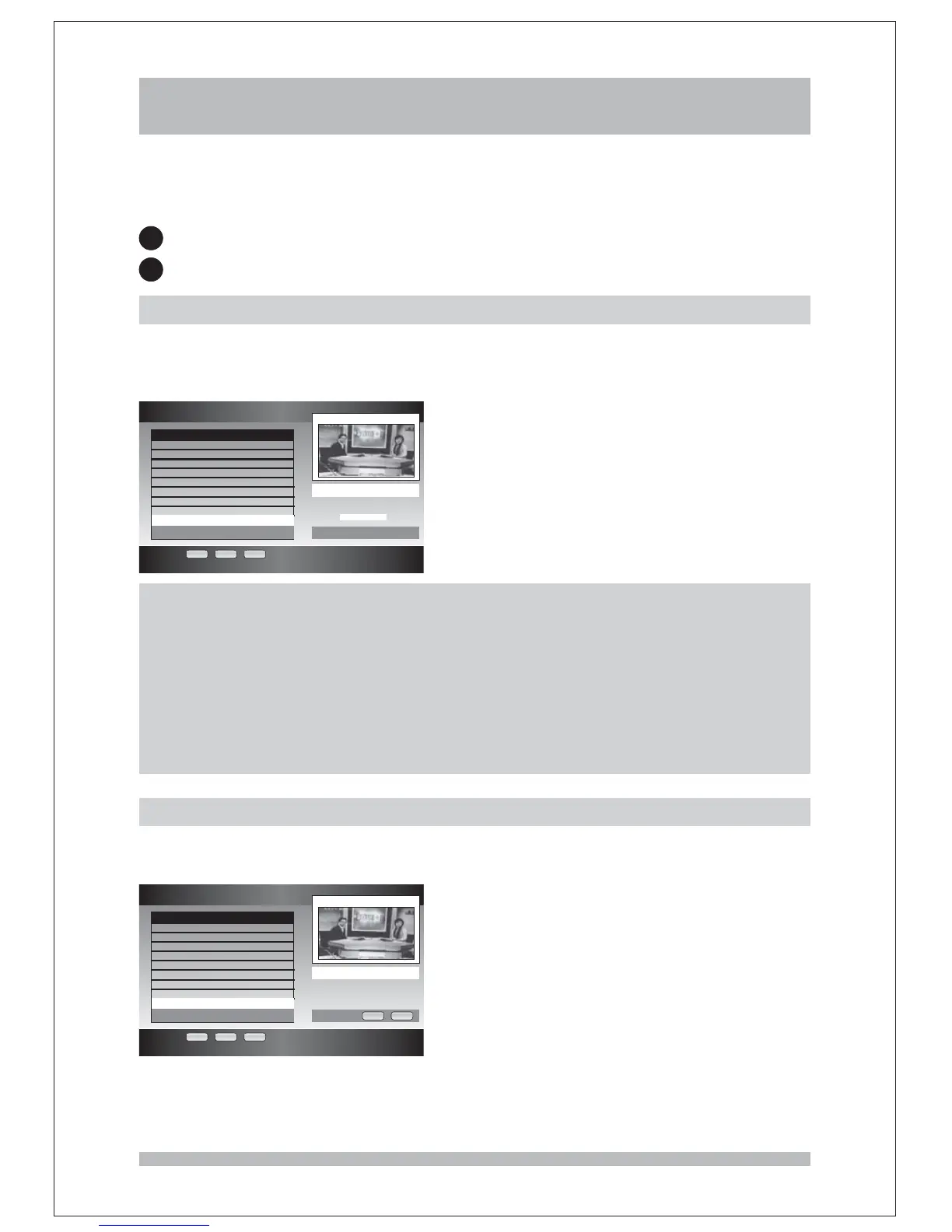
Channel Organiser
OK EXIT RECALL
LCN SeviceName Network CH
2 ABC TV M ABC 8
20 ABC HDTV ABC 8
21 ABC2 ABC 8
22 ABC TV ABC 8
200 ABC DiG R ABC 8
201 ABC DiG Ja ABC 8
801 SZTVM01 Harmonic 25
802 SZTVM02 Harmonic 25
803 SZTVM03 Harmonic 25
Edit
Edit Channel Name
Channel Organizer
1
2
Press the key on the remote control to enter the Main Menu, choose the Channel
Organizer option and press key. Then you can see the page list all channel names the
related content provider and the channel number. The Channel Organizer function lets you
MENU
OK ,
Edit the channel name
Delete the channel
Edit the channel name
You can rename a channel with up to 14 different characters or numbers (this includes
spaces) in the name. You can enter more than 14 characters for the new name but only first
14 characters will be stored and the list will only display the first 10.
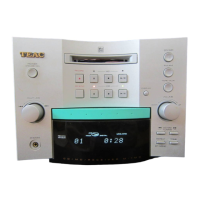
Delete the channel
Press key when you highlight the channel you want to delete, a warning dialog box
will pop up, press key to confirm the delete while key to cancel the operation.
RED
OK EXIT
Channel Organiser
OK EXIT RECALL
LCN SeviceName Network CH
2 ABC TV M ABC 8
20 ABC HDTV ABC 8
21 ABC2 ABC 8
22 ABC TV ABC 8
200 ABC DiG R ABC 8
201 ABC DiG Ja ABC 8
801 SZTVM01 Harmonic 25
802 SZTVM02 Harmonic 25
803 SZTVM03 Harmonic 25
Warning
Are you sure to
delete the channel
!
?
OK EXIT
NOTE:
How to input characters using NUMBER keys
NUM 0: 0
NUM 1: 1
NUM 2: A, B, C, 2
NUM 3: D, E, F, 3
NUM 4: G, H, I, 4
NUM 5: J, K, L, 5
NUM 6: M, N, O, 6
NUM 7: P, Q, R, S, 7
NUM 8: T, U, V, 8
NUM 9: W, X, Y, Z, 9



 To Next Page