21
Manual Scan
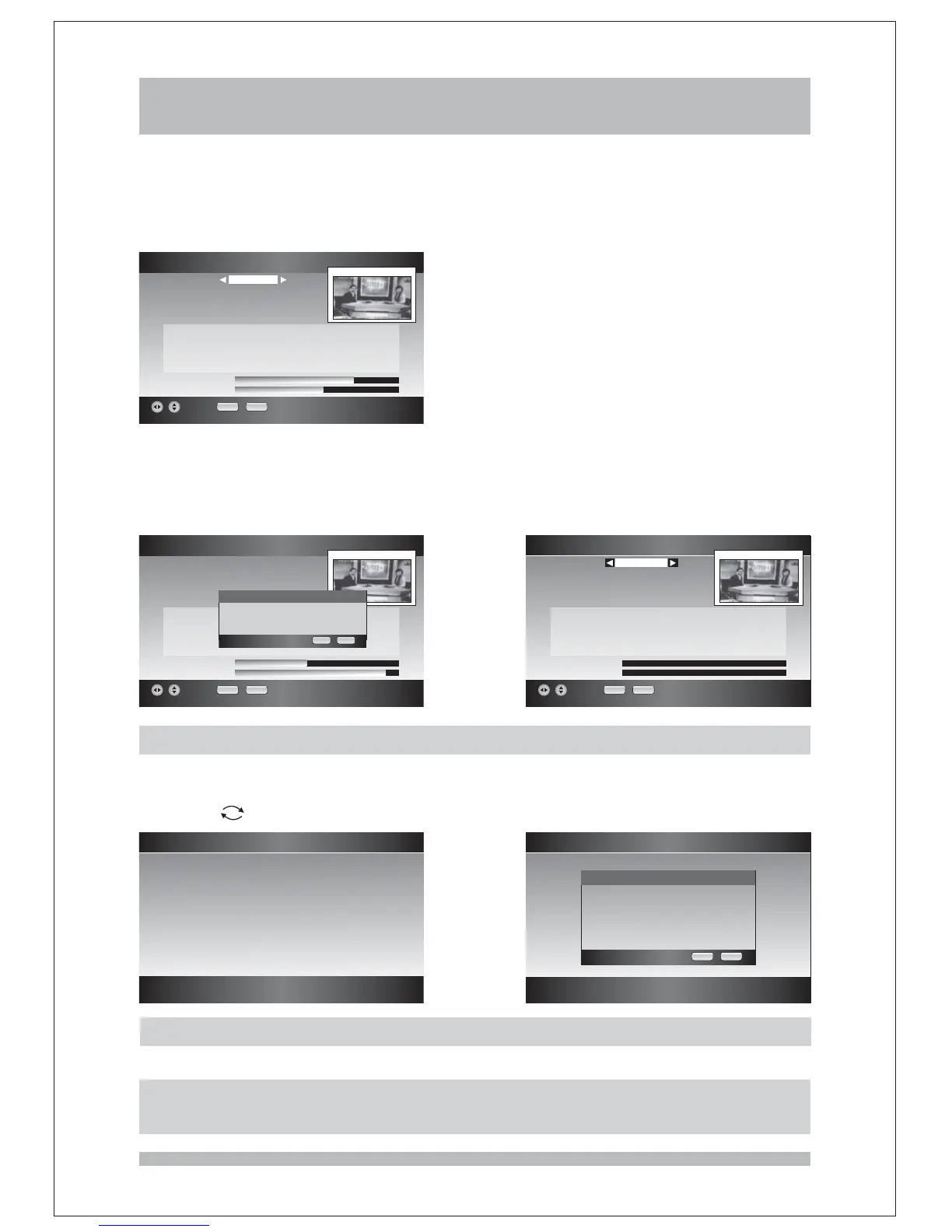
You can use this function when you know the ' channel number ' of the channel you want
to find. Press keys until the desired channel number is selected, when changing
channel number, the appropriate frequency value is also changed below. And you can see the
signal level and signal quality in the bottom.
RIGHT/LEFT
Press keys to highlight the Scan item, then press keys to start
the scan. After scan is completed, you can see the channels newly searched and the first
channel will be displayed in the small window. If no new channels are found, a warning
message will appear.
UP/DOWN RIGHT/LEFT
Manual Scan
TV Channels Audio Channels::
Channel
Frequency
Bandwidth
Scan
22
482000
8MHz
Stopped
Signal Level
Signal Quality
EXIT RECALL
Signal Level
Signal Quality
Channel
Frequency
Bandwidth
Scan
TV Channels Audio Channels::
Manual Scan
36
585500
7MHz
Start
EXIT RECALL
Manual Scan
Signal Level
Signal Quality
Channel
Frequency
Bandwidth
Scan
EXIT RECALL
TV Channels 4 Audio Channels 0::
SZTVM01
SZTVM02
SZTVM03
Data
52
722000
8MHz
Stopped
System Info
In System Info page you can check the information about the version of software and
hardware
Press key to go back the previous menu while key to quit.
.
EXIT
System Info
Hardware Version
Manufactured by
Software Stack
Software Version
:
:
:
:
KhznTek-08-11-26
COMIVISION
MAGNET_CORE
RELEASE-20090224-b90
Factory Reset
Factory Reset
All private settings and other
user data will be erased Do you
want to proceed
.
?
OK EXIT
Factory Reset
In the Factory Reset you can reset the unit back to 'First Time Installation'.
Note: Once you perform Factory Reset, all data such as Channel List, and User
Configured data will be cleared.
Scanning
Start the scan please wait, ...
OK EXIT



 To Next Page