EasyManua.ls Logo

Teac HDR2700T - User Manual

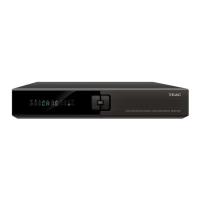
Teac HDR2700T
44 pages
Print Icon
To Next Page IconTo Next Page
Loading...

Questions and Answers

Teac HDR2700T Specifications

General IconGeneral
Recording FormatMPEG-2, MPEG-4
Storage Capacity500GB
Hard Drive Capacity500GB
Video OutputHDMI, Composite
USB Ports2
Recording Time (HD)Up to 125 hours
EPGYes
Output Resolution1080p
Scart Output1
EthernetYes
Wi-FiNo
TimeshiftYes
TunerDVB-T2
Audio OutputStereo RCA

Summary

TEAC Warranty Information

Warranty Terms & Conditions

Details TEAC's warranty coverage, exclusions, and conditions for products purchased and used in Australia.

Warranty Procedures

Outlines steps for warranty service, required documentation, and contact information for inquiries.

Safety Instructions

Installation and Placement Guidelines

Provides instructions for safe and proper placement and ventilation of the unit.

Maintenance and Power Safety

Covers cleaning, unplugging, power adapter, and RCU battery safety.

General Operational Precautions

Lists other important notes regarding casing, servicing, and general use.

Before Using the Unit

Key Features and Accessories

Highlights main functionalities and lists included package contents.

Front Panel Controls

Identifies and explains the function of buttons and ports on the unit's front.

Remote Control Unit (RCU) Details

Explains the functions of all buttons on the RCU and its learning key feature.

Rear Panel Connections

Describes the purpose of all input and output ports on the back of the unit.

Setup and Initial Configuration

Connecting Your Unit

Guides on connecting antennas, TVs, and audio systems using various cable types.

Initial Setup Procedures

Covers battery installation, powering on, and understanding standby modes.

Basic Operation

Channel, Volume, and Program Information

Explains switching channels, adjusting volume, and viewing program details.

Channel List, Audio, Teletext, Captions

Guides on channel navigation, audio selection, teletext, and closed captions.

Picture-in-Picture (PIP) Functionality

Details how to activate, manage, and use the PIP feature for simultaneous viewing.

Electronic Program Guide (EPG)

Viewing and Scheduling Programs

Instructions for browsing program schedules and booking recordings from the EPG.

Personal Video Recording (PVR)

Storage Device Setup

Guides on selecting and setting up internal HDD or external USB for recording.

Recording Parameters and Quick Recording

Covers setting recording schedules, time offsets, and quick recording.

Recording Operations

Explains how to start, pause, resume, and stop recordings.

Schedule Recording Management

Details adding, modifying, and deleting scheduled recordings.

Playback File Operations

Instructions on playing recorded files, using playback controls, and bookmarks.

Editing Recorded Files

Guides on deleting, renaming, locking, and grouping recorded files.

Advanced PVR Functions

Details file copying, time shift, shortcuts, and storage device management.

Multimedia and Channel Search

Media Playback and Photo Viewing

How to play MP3 files and view digital photos from USB devices.

Frequency Editing and Search Types

Guides on editing frequencies and performing channel searches (manual/auto).

Channel Management

Channel List Editing

Instructions for setting favorite channels, locking, moving, and deleting channels.

System Settings

Common System Configuration

Covers menu language, aspect ratio, resolution, time zone, and captions.

Password and Parental Controls

Guides on modifying passwords, setting parental locks, and resuming default settings.

Software Upgrade and Information

Details software updates and viewing channel/system information.

Appendix

Troubleshooting Guide

Provides solutions for common issues like no signal, no sound, or recording errors.

Technical Specifications

Lists detailed technical data including tuner, decoding, memory, and connectivity.

Acronyms and Definitions

Defines common abbreviations and technical terms used in the manual.